The Pain Cave
The Best Android Tablet for Zwift, Ranked
Zwift publishes a hard minimum spec for Android and one rule that overrides every spec sheet: if the app does not appear in the Play Store on your device, the device is not compatible. Here are the tablets that clear both, ranked.
The short answer
Quick picks
| # | Product | Best for | Score | Price |
|---|---|---|---|---|
| 1 | 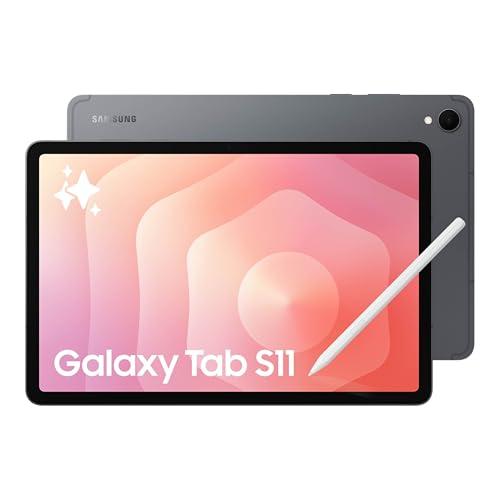 Samsung Galaxy Tab S11, 128GB Wi-Fi The best Android tablet for Zwift and more tablet than Zwift needs: an IP68-rated 11-inch AMOLED with 12GB of RAM, bought mainly for the screen. | Best Android tablet for Zwift overall | 9.09.0 out of 10 | |
| 2 | 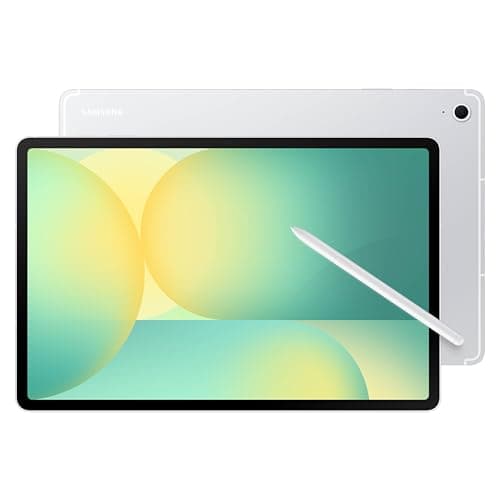 Samsung Galaxy Tab S10 FE, 128GB Wi-Fi The sensible Android pick: a full-size, properly sharp IP68 tablet with RAM to spare, at a price that leaves money in the trainer budget. | Best value — the one most riders should buy | 8.88.8 out of 10 | |
| 3 | 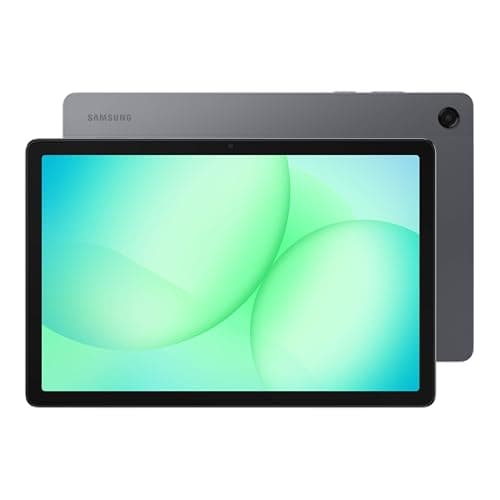 Samsung Galaxy Tab A11+, 6GB/128GB Wi-Fi The budget Zwift screen: a real 11-inch panel and more RAM than Zwift asks for, at a price that keeps the money in the trainer. | Budget pick — cheapest tablet that clears Zwift's spec | 8.08.0 out of 10 | |
| 4 | 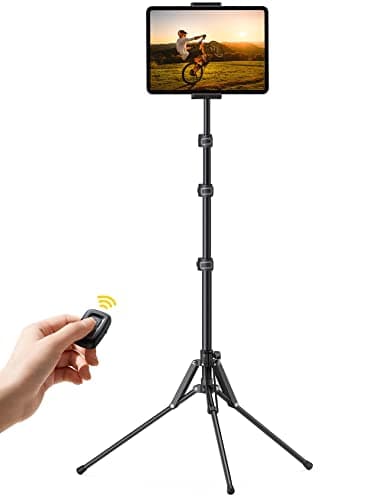 Lamicall Tablet Floor Tripod Stand (FT02) The cheapest way to get an Android tablet to eye level in front of the bars, and it folds away afterwards. | Best stand to put any of them on | 8.48.4 out of 10 |
Android riders get worse advice about Zwift than anyone else, because most tablet roundups are iPad roundups with one Android tablet bolted on at the end. The Android decision is genuinely different, and not because the hardware is worse. It is different because Zwift publishes a specific Android minimum spec, enforces compatibility through the Play Store listing rather than a model list, has no ANT+ path at all, and requires installation from the primary user profile. Four constraints an iPad buyer never thinks about.
This page ranks the Android tablets that clear all four. If you are open to either platform, our main best tablet for Zwift roundup compares iPads and Android tablets head to head and is the better starting point — three of its five picks are iPads. This one is for the rider who is staying on Android.
Zwift's published Android requirements
Zwift's supported-devices page states the Android floor plainly, and it is the first filter we applied:
| Requirement | Zwift's published figure |
|---|---|
| Operating system | Android 9.0 or higher |
| Architecture | Arm64-v8a ABI (Arm64) |
| Memory | 3 GB of RAM or more |
| Free storage | 4 GB |
| Graphics | OpenGL ES 3.0 or higher |
| Bluetooth | Version 4.0 or higher |
| User profile | Zwift must be installed and opened from the primary user profile |
Every tablet on this page clears all of it with margin — the cheapest pick carries double the required RAM. That is deliberate: 3GB is a floor, not a target, and Zwift on a device sitting exactly at the floor is a bad hour.
The rule that overrides the spec sheet
Here is the line that matters most, in Zwift's own words: "If the Zwift app does not appear in the Google Play Store on your device, the device is not compatible."
Android is not one platform but hundreds of hardware combinations, and Zwift gates compatibility at the store rather than publishing a device list. The practical consequence is that a tablet can meet every number above and still not be able to install the game. So the check is not optional and it takes thirty seconds: open the Play Store on the tablet itself, search Zwift, and confirm you see an Install button rather than "this app is not available for your device." Do it before the return window closes, not after.
This is also why we rank only Samsung tablets here. We are not claiming other Android tablets cannot run Zwift — plenty do. We are saying that Samsung publishes complete specification sheets we can cite, is the Android brand Zwift riders report using most, and makes the only tablets in this class with a published IP rating. Where we cannot verify a device's compatibility or specification, we leave it off the list rather than guess. If you have your eye on a Lenovo, Xiaomi or OnePlus tablet, run the Play Store check on the actual unit and treat it as a maybe until it passes.
Android has no ANT+ path — plan the Bluetooth connections
This is the second real difference from a PC setup, and it catches people out. On a Windows machine you can add a USB ANT+ stick and connect as many sensors as you like. On Android there is no such route in Zwift: the tablet pairs your trainer, heart rate strap and cadence sensor over Bluetooth, and Bluetooth LE devices generally hold one connection at a time.
In practice that means two things. Use the fewest devices that do the job — a modern smart trainer already reports power and cadence, so a separate cadence sensor is usually unnecessary. And if your strap is already paired to a watch or a head unit, it may refuse to appear on the tablet until you disconnect it there. ANT+ vs Bluetooth for Zwift explains the trade-off, and the pairing troubleshooter covers what to do when a sensor will not show up.
How we ranked them
Zwift's published minimum first, as a pass-or-fail gate rather than a scoring axis. Then the screen — size, resolution and panel technology, because a Zwift tablet is a device you read at speed, and contrast in a garage with a window matters more than a benchmark. Then sweat resistance, where a published IP rating is the only hard evidence available and most tablets have none. Then headroom: RAM and chip generation, which decide whether Zwift's higher graphics tiers are available at all. Then the real total, including the stand, because a tablet on a chair is a wasted tablet.
We have not bench-tested these tablets in Zwift. Every figure here is Samsung's or Lamicall's own published specification, or Zwift's, labeled accordingly, and where a maker does not publish a number — Samsung does not publish the Tab S11's panel resolution on its US page, for instance — we leave it blank rather than invent one. Our how we review page explains the method.
| Tablet | Screen | RAM | IP rating | Radios |
|---|---|---|---|---|
| Galaxy Tab S11 | 11 in AMOLED, 120 Hz | 12GB | IP68 | Wi-Fi 6E, Bluetooth |
| Galaxy Tab S10 FE | 10.9 in LCD, 2304 x 1440, 90 Hz | 8GB | IP68 | Wi-Fi 6, Bluetooth |
| Galaxy Tab A11+ | 11 in LCD, 1920 x 1200, 90 Hz | 6GB | None published | Wi-Fi 5, Bluetooth 5.3 |
| Zwift's minimum | Not specified | 3GB | Not applicable | Bluetooth 4.0+ |
Can you use the old Android tablet in the drawer?
Maybe, and it costs nothing to find out. Check four things in order. Does it run Android 9.0 or higher? Does it have 3GB of RAM or more and 4GB of free space? Is it an Arm64 device — which in practice means almost anything sold in the last several years? And does Zwift appear in the Play Store on it?
If all four pass, install the game and ride. A tablet that is adequate rather than good is still a far better use of money than a tablet you do not own, and the setup is reversible: if the frame rate annoys you, the trainer and the subscription are unaffected and you can buy a screen later. If the tablet fails the Play Store check, that is the end of the conversation — no amount of RAM overrides it.
One thing to watch on an old tablet: battery. Zwift is a sustained 3D load that keeps the screen at full brightness for an hour, which is close to the worst case for a tired battery. Ride plugged in and expect the tablet to get warm.
A tablet is not the only Android route
If you want a bigger picture than any tablet gives you, Zwift also runs on Android TV hardware, and a cheap TV or monitor plus a different device is often the better screen per dollar — the best TV for Zwift covers that path, including which panel sizes actually work at the distance you ride from. Riders in the Apple ecosystem should compare against Zwift on Apple TV, which is the cheapest reliable big-screen setup overall but limited by its own Bluetooth connection count.
And if the tablet is going in front of the bars permanently, decide where it sits before you buy: a tripod, a desk or a bar mount all solve different problems, and the holder roundup compares them.
The verdict
Buy the Galaxy Tab S10 FE. It is the best balance on this page: IP68 sealing for a sweaty room, a sharp full-size panel, 8GB of RAM against Zwift's 3GB floor, and a price that leaves the trainer budget alone. Buy the Galaxy Tab S11 if you want the best screen Android offers and the tablet has a life beyond the bike. Buy the Galaxy Tab A11+ if the trainer is where the money should go — it clears every requirement Zwift publishes, and the only real sacrifices are resolution and the absence of an IP rating.
Whichever you choose, run the Play Store check on the tablet first, and put it on a stand at eye level. Those two steps matter more to how the hour feels than any spec on this page.
Open to either platform?
Compare iPads and Android tabletsWith the screen settled, the trainer is the decision that actually changes your riding — the best smart trainers for Zwift ranks those, and the full Zwift setup guide puts the whole room together in the order that spends the least money.
The full reviews
Every pick, in detail
#1 · Best Android tablet for Zwift overall
Samsung Galaxy Tab S11, 128GB Wi-Fi
9.09.0 out of 10The best Android tablet for Zwift and more tablet than Zwift needs: an IP68-rated 11-inch AMOLED with 12GB of RAM, bought mainly for the screen.
- Display
- 11 in Dynamic AMOLED 2X, 120 Hz adaptive
- Chip
- 3 nm MediaTek chipset (Samsung does not name the model on its US page)
- Memory
- 12GB RAM, 128GB (256GB/512GB available), microSD to 2TB
- Battery
- 8,400 mAh
- Sealing
- IP68 dust and water resistance
- Wireless
- Wi-Fi 6E, Bluetooth (no ANT+ on Android)
- Weight
- 1.03 lb, 5.5 mm thick
What we'd praise
- 12GB of RAM against Zwift's published 3GB Android minimum — four times the floor, with room for the Companion app alongside
- AMOLED at 120 Hz: the brightest, highest-contrast panel of any tablet we rank, and the easiest to read in a sunlit garage
- IP68, which matters more in a pain cave than any benchmark score — this is the sweat-resistance spec iPads do not publish
- A 3 nm chip means Zwift's higher graphics tiers are actually available rather than theoretical
- S Pen in the box and microSD to 2TB, so it earns its keep off the bike too
What we'd flag
- The most expensive tablet here by a wide margin, and Zwift does not need most of what you are paying for
- Zwift's Android app has historically received less attention than its iOS build; the rendering ceiling is the app's, not the chip's
- Samsung does not publish the panel resolution on its US product page, so we do not quote one
- Samsung does not name the specific MediaTek chip on the US page either — the figure we can cite is the 3 nm process
- Zwift must be installed from the primary Android user profile, which a shared family tablet makes awkward
If you want the best Android experience Zwift can give you, this is it, and the reason is the panel rather than the processor. Zwift is a game you read at a glance while your heart rate is at 170: the numbers in the HUD, the gradient, the rider ahead. An 11-inch Dynamic AMOLED 2X at 120 Hz is the most legible surface on this page, and in a garage with a window it is the only one that does not wash out.
On Zwift's published Android requirements it is overkill in the best way. Zwift asks for Android 9.0 or higher, an Arm64-v8a processor, 3GB of RAM, 4GB of free storage, OpenGL ES 3.0 and Bluetooth 4.0 or higher. The Tab S11 ships with 12GB of RAM and 128GB of storage, so you can run the game and the Zwift Companion app together without thinking about it, and the IP68 rating is the specification that actually matters in a room where a fan atomizes sweat across everything in front of the bars.
Two honest caveats. The first is that the ceiling on Android is the app, not the hardware — Zwift's Android build has never had the polish of its iOS one, so a faster chip buys headroom rather than a better-looking game. The second is price: this is a tablet you buy because you want a flagship tablet, and Zwift is one of the things it happens to do very well. If the trainer budget and the screen budget are the same budget, read the budget Zwift setup first and then come back.
#2 · Best value — the one most riders should buy
Samsung Galaxy Tab S10 FE, 128GB Wi-Fi
8.88.8 out of 10The sensible Android pick: a full-size, properly sharp IP68 tablet with RAM to spare, at a price that leaves money in the trainer budget.
- Display
- 10.9 in LCD, 2304 x 1440, 90 Hz
- Chip
- Samsung Exynos 1580
- Memory
- 8GB RAM, 128GB (12GB/256GB available), microSD
- Battery
- 8,000 mAh, 45 W charging (Samsung)
- Sealing
- IP68 dust and water resistance
- Wireless
- Wi-Fi 6, Bluetooth (no ANT+ on Android)
What we'd praise
- IP68 at a mid-range price: the cheapest tablet we rank with a published sweat and splash defense
- 8GB of RAM is still more than double Zwift's stated Android minimum
- A 2304 x 1440 panel at 10.9 inches is sharp enough that the HUD and the scenery both read cleanly
- S Pen in the box and a microSD slot, if it moonlights as a work or school tablet
- 45 W charging, so a tablet left flat after a long ride is usable again quickly
What we'd flag
- LCD rather than the Tab S11's AMOLED, which shows in a bright garage and in dark Zwift worlds
- Exynos 1580 is a mid-range chip; expect Zwift's lower graphics tiers rather than the top ones
- 90 Hz instead of 120 Hz — irrelevant to Zwift, worth knowing if the tablet has a second life
- Same Android compatibility rule as every pick here: confirm Zwift appears in the Play Store on your exact unit
- Zwift must be installed from the primary user profile, so a tablet shared under a child profile needs care
This is the tablet we would put in front of most riders. It clears every line of Zwift's published Android specification with margin, it carries the same IP68 rating as the flagship above it, and the 10.9-inch 2304 x 1440 panel is within a fraction of an inch of an 11-inch iPad — so legibility from a stand in front of the bars is effectively the same story at a much lower price.
What you give up against the Tab S11 is the panel technology and the chip. LCD has lower contrast than AMOLED, which you notice at night in Zwift's darker worlds and in a garage with a bright window behind you. The Exynos 1580 is mid-range, so Zwift will run at lower graphics tiers. Neither changes whether the numbers you need are readable, which is what the screen is for in this room.
The IP68 rating is the reason we rank it above every non-Samsung Android option. Sweat is salty, conductive and travels further sideways than people expect once a fan is running, and the tablet is directly downwind of a rider for an hour at a time. A published ingress rating is not a promise you can hose it down, but it is a real engineering statement, and it is one that no iPad makes. Pair it with a sweat net or frame cover and the whole front end of the bike is protected rather than just the screen.
#3 · Budget pick — cheapest tablet that clears Zwift's spec
Samsung Galaxy Tab A11+, 6GB/128GB Wi-Fi
8.08.0 out of 10The budget Zwift screen: a real 11-inch panel and more RAM than Zwift asks for, at a price that keeps the money in the trainer.
- Display
- 11.0 in LCD, 1920 x 1200, 90 Hz
- Chip
- Octa-core, 2.5 GHz / 2 GHz (MediaTek Dimensity 7300)
- Memory
- 6GB RAM, 128GB, microSD to 2TB
- Battery
- 7,040 mAh (Samsung)
- Weight
- 477 g (1.05 lb)
- Wireless
- Wi-Fi 5 (802.11ac), Bluetooth 5.3
What we'd praise
- The cheapest tablet we rank that clears every line of Zwift's published Android minimum, with double the required RAM
- A full 11-inch screen, so the HUD is readable from the saddle — this is not a compact
- Quad speakers and a 3.5 mm headphone jack, which no iPad offers
- microSD to 2TB and an Arm64 MediaTek chip, so storage is never the constraint
- Light enough that a cheap tripod stand holds it without drama
What we'd flag
- 1920 x 1200 is the lowest resolution here; the numbers are readable, the scenery is visibly soft
- No IP rating published by Samsung — treat it as a case-and-towel tablet and keep it out of the drip line
- Wi-Fi 5 only: plenty for Zwift's bandwidth, but the oldest radio on this page
- A 6GB mid-range tablet will run Zwift's lowest graphics tier, and that is the honest expectation
- Smallest battery here, which matters on a three-hour ride without a charger
The Tab A11+ exists for the rider whose money is going into the trainer rather than the screen, and it is a legitimate choice rather than a compromise you will regret. Eleven inches at 1920 x 1200, 90 Hz, 6GB of RAM against Zwift's 3GB minimum, an Arm64 MediaTek chip and 128GB of storage: that is every requirement on Zwift's supported-devices page, met with margin, for a fraction of the flagship.
What you give up is resolution and sealing. At 11 inches, 1920 x 1200 is sharp enough for the numbers you read during an interval and softer than the panels above it for everything behind them. More importantly, Samsung publishes no IP rating for it, so this is a tablet that wants a case, a towel and a position out of the sweat line.
One more thing in its favor, which is easy to miss: the headphone jack. In a room with a fan running, wired audio has no pairing to lose and no battery to go flat mid-session — and it frees a Bluetooth connection, which on Android you may want for the trainer and the heart rate strap. If you would rather go wireless, the headphone roundup covers what survives a sweaty hour.
#4 · Best stand to put any of them on
Lamicall Tablet Floor Tripod Stand (FT02)
8.48.4 out of 10The cheapest way to get an Android tablet to eye level in front of the bars, and it folds away afterwards.
- Height
- 16.7 to 65 in (42.5 to 165 cm), four levels
- Fits
- 4 to 13 in devices (manufacturer)
- Material
- Aluminum tripod and pole
- Weight
- 0.75 kg (about 1.65 lb)
- Adjustment
- 360-degree rotation, tilt
- Folded
- 24 in (61 cm), storage bag included
What we'd praise
- Puts the tablet at hoods height in front of the bars instead of on a stool at knee height
- Fits every tablet on this page, and anything else from a phone to a 13-inch slab
- Folds to two feet with a bag, so the room goes back to being a room
- Cheap enough to buy alongside the tablet rather than instead of a case
What we'd flag
- At 1.65 lb it is a light tripod, and a hard sprint that rocks the trainer can rock a top-heavy tablet
- The feet want the floor space a front-wheel riser block also wants — plan the layout
- It is a music-stand solution, not a desk: no bottle, no towel, no phone shelf
- Load capacity is a manufacturer claim; we have not measured it
A tablet is only as good as where it sits. On a chair it is at knee height, which is not where your head is during a threshold interval, and reading a HUD at that angle for an hour is how an indoor ride gives you a sore neck. This tripod is the cheapest fix that works: four height stops from under seventeen inches to sixty-five, with a rotating, tilting head to angle the screen up when you stand on a climb.
It takes any of the tablets above, folds to two feet and comes with a bag, which is the right answer in an apartment pain cave where the whole setup is temporary. Watch the floor, though: a tripod wants its feet exactly where a riser block and a front wheel already are.
If you want the tablet, two bottles, a towel and a phone at the same height, a trainer desk is the better spend and holds an 11-inch tablet just as securely. Buy the tripod when the tablet is the whole requirement. More mounting options, including handlebar and Zwift Ride mounts, are in the tablet holder roundup.
Good questions
Frequently asked questions
What is the best Android tablet for Zwift?
The Samsung Galaxy Tab S11 is the best Android tablet for Zwift on published specifications: an 11-inch Dynamic AMOLED 2X panel at 120 Hz, 12GB of RAM against Zwift's 3GB Android minimum, and an IP68 rating for a sweaty room. For most riders the Galaxy Tab S10 FE is the better buy — it shares the IP68 sealing and a sharp 2304 x 1440 screen with 8GB of RAM for considerably less money. The Galaxy Tab A11+ is the cheapest tablet that still clears every line of Zwift's published requirement.
Does Zwift work on Android tablets?
Yes. Zwift publishes a native Android app with a stated minimum of Android 9.0 or higher, an Arm64-v8a processor, 3 GB of RAM, 4 GB of free storage, OpenGL ES 3.0 and Bluetooth 4.0 or higher. The important caveat is Zwift's own: if the Zwift app does not appear in the Google Play Store on your device, the device is not compatible. Android compatibility is gated at the store rather than by a published model list, so check on the actual tablet before you buy.
What are Zwift's minimum Android requirements?
Per Zwift's supported-devices page: Android 9.0 or higher, Arm64-v8a ABI, 3 GB of RAM or more, 4 GB of free storage space, OpenGL ES 3.0 or higher, and Bluetooth 4.0 or higher. Zwift also requires that the app is installed and opened from the device's primary user profile, which matters on a tablet shared with family members under secondary profiles.
Can you use ANT+ with Zwift on Android?
No. On Android, Zwift pairs sensors over Bluetooth only — there is no USB ANT+ stick route as there is on a Windows PC. Because Bluetooth LE devices generally hold one connection at a time, plan for the fewest sensors that do the job: a modern smart trainer already reports power and cadence, so a separate cadence sensor is usually unnecessary, and a heart rate strap already paired to a watch may need disconnecting there first.
Is a Samsung tablet better than an iPad for Zwift?
For most riders an iPad has the edge, because Zwift's iOS build has historically received more development attention than its Android one. Samsung's advantage is specific and real: the Galaxy Tab S11 and Tab S10 FE both carry a published IP68 rating, which no iPad does, and that is a meaningful specification in a room where a fan is spreading sweat. If you are already on Android, buy Android with confidence. If you are genuinely undecided, our main tablet roundup compares both.
How much RAM do you need to run Zwift on a tablet?
Zwift's published Android floor is 3 GB of RAM, but treat that as a minimum rather than a target. Every tablet we rank here carries at least 6 GB, which gives the game headroom and lets you run the Zwift Companion app at the same time without the system reclaiming memory mid-ride. A tablet sitting exactly at 3 GB can install and launch Zwift and will not be a pleasant hour.
How we sourced this
- Zwift — Supported Devices to Run Zwift (published Android and iOS minimum requirements)
- Samsung — Galaxy Tab S11 specifications (display, 12GB RAM, 8,400 mAh, IP68, Wi-Fi 6E, weight)
- Samsung — Galaxy Tab S10 FE specifications (Exynos 1580, 2304 x 1440, IP68, 8,000 mAh)
- Samsung — Galaxy Tab A11+ specifications (11 in 1920 x 1200, 6GB RAM, 7,040 mAh, Wi-Fi 5)
- Lamicall — FT02 floor tripod tablet stand specifications
Keep going