Start Here
Do You Need a Cadence Sensor for Zwift?
Zwift shows your cadence but does not use it to move your avatar. So before you buy a sensor, work out whether your setup is one of the four where it earns its place, and what adding one costs your connection budget.
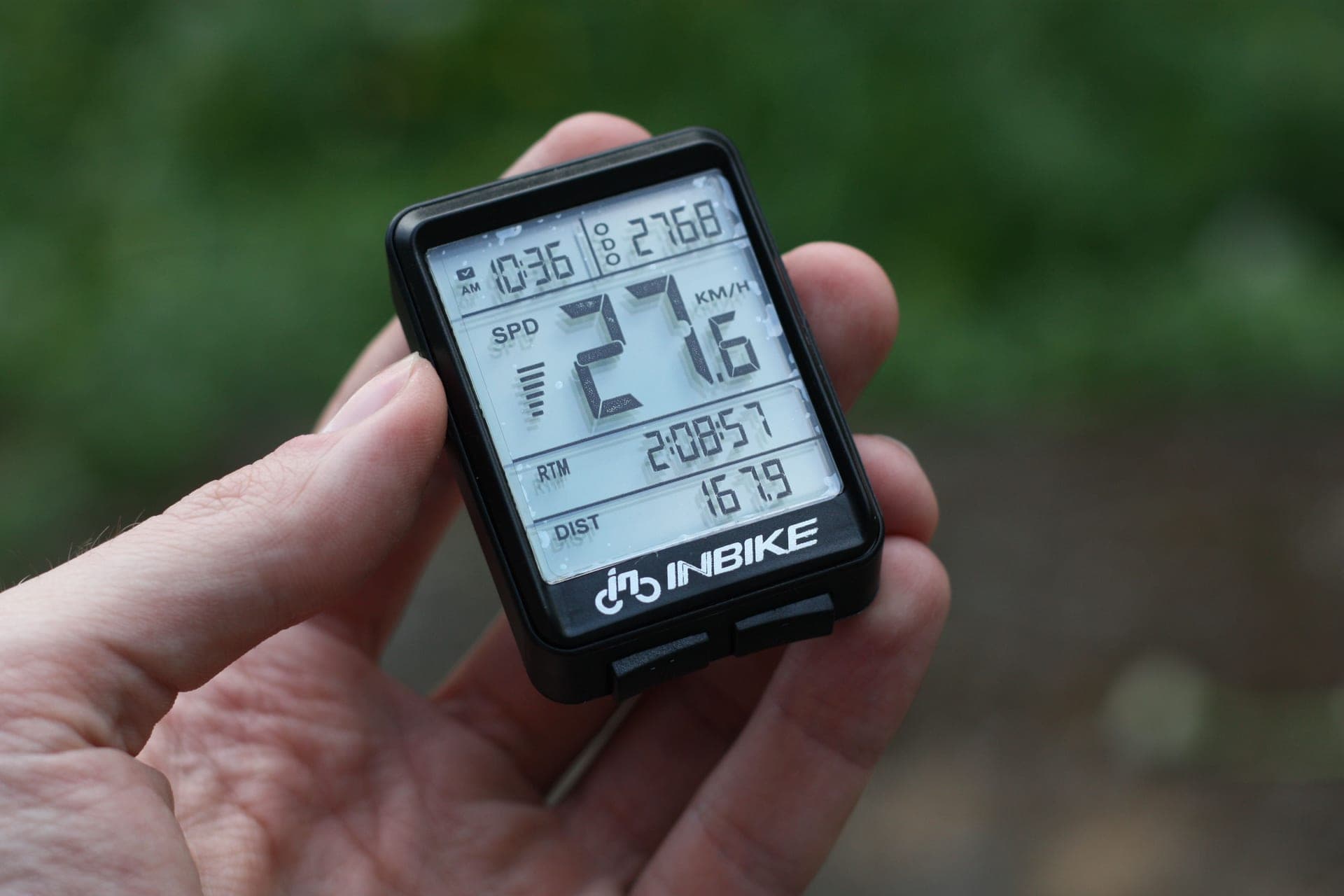
This question gets asked constantly and answered badly, usually by someone listing what a cadence sensor does rather than what Zwift does with it. So start from Zwift's side of the arrangement.
Zwift does not use cadence to move your avatar
Your speed in Zwift comes from a physics model: the power you produce, your weight and height, the gradient of the road, your equipment and whether you are in a draft. Cadence is not an input. It appears on your screen and in your activity file, and it tells you something useful about howyou produced your watts, but spinning at 95 rpm instead of 75 rpm at the same power does not make your avatar any faster.
That single fact removes most of the urgency from this purchase. A cadence sensor is a training-feedback device on Zwift, not a performance component. Compare that with a power source, which determines everything about your ride.
Does your setup already broadcast cadence?
A direct-drive smart trainer: almost certainly yes. Modern direct-drive units broadcast cadence to Zwift alongside power and speed, so a separate sensor is redundant. Our smart trainer rankings cover what the current units report.
A power meter: yes. Power is torque multiplied by angular velocity, so every power meter has to know your rotational speed in order to produce a wattage figure at all — which means cadence comes free with it. Buying a power meter makes a cadence sensor unnecessary, and cadence sensor vs power meter covers why that is the better upgrade if you can afford it.
A wheel-on smart trainer: usually yes, but often estimated rather than measured.
A classic dumb trainer or a spin bike: no. Neither reports anything, so you need a speed sensor for virtual power and, optionally, a cadence sensor on top. Cadence sensors for a stationary bike is the version of this page for gym and spin bikes.
The four cases where a sensor genuinely helps
1. Your trainer estimates cadence and it shows.Some trainers infer cadence from flywheel behavior rather than measuring crank revolutions. That is fine during a steady effort and unreliable the moment you change gear, stand up, or do a 120 rpm spin-up — the trace looks stepped or arrives a second late. A real crank sensor fixes it immediately, and this is the most common legitimate reason to buy one.
2. Your workout prescribes cadence. Structured sessions with cadence targets — big-gear low-cadence work, spin-ups, over-unders with a cadence constraint — need a number you can trust second by second. An estimate is not good enough for that. What cadence should you ride at covers what the research actually supports.
3. You want redundancy. If your cadence comes from your power meter and the power signal drops mid-interval, you lose both numbers at once. A separate sensor keeps cadence alive when the power source stutters, which on a long race or a race-series evening is worth the price of a bidon.
4. You ride a dumb trainer or a spin bike. Nothing in that setup reports anything, so sensors are not an upgrade, they are the instrumentation.
What adding a sensor costs you on Zwift
This is the part the generic answers miss. Every sensor you add consumes a connection, and on some platforms connections are scarce. Zwift Insider documents that Zwift on Apple TV accepts two Bluetooth connections inside the game, with the Apple TV remote taking one of them. Add a trainer, a heart rate strap and a cadence sensor to that platform and you are over budget before you start. Zwift Companion can bridge extra Bluetooth sensors, but it does not bridge ANT+, and native and Companion pairing cannot be mixed in one session.
On a PC or Mac with an ANT+ adapter, the problem evaporates — ANT+ has no practical sensor limit, which is the single best argument for riding Zwift on a computer. ANT+ vs Bluetooth for Zwift is the full explanation.
| Your setup | Reports power | Reports cadence | Do you need a sensor? |
|---|---|---|---|
| Direct-drive smart trainer | Yes, measured | Yes, measured or estimated | No, unless the estimate lags |
| Wheel-on smart trainer | Yes | Usually, often estimated | Only if the trace is unreliable |
| Power meter (any format) | Yes, measured | Yes, inherently | No |
| Classic dumb trainer | No, virtual power only | No | Speed sensor essential, cadence optional |
| Spin bike or gym bike | No | No | Yes, if you want either number |
If you do buy one, what to look for
Dual-band, always. A sensor that broadcasts both Bluetooth and ANT+ covers a tablet today and a head unit later, and lets you choose the protocol that suits your platform rather than the one the sensor dictates.
Magnet-less. Modern sensors detect crank rotation without a magnet on the frame. There is nothing to align, nothing to drift out of position, and nothing to re-fit after you move the bike.
Coin cell, not rechargeable. A CR2032 runs for months to years and costs almost nothing. A sensor you have to charge is a sensor that will be flat on the one evening you have a race.
Decide cadence or speed first. They are different sensors doing different jobs, and on a dumb trainer it is the speed sensor that produces your watts. A switchable sensor covers both roles if you are not sure.
The short answer
Sensors worth buying, if you need one
| # | Product | Best for | Score | Price |
|---|---|---|---|---|
| 1 | 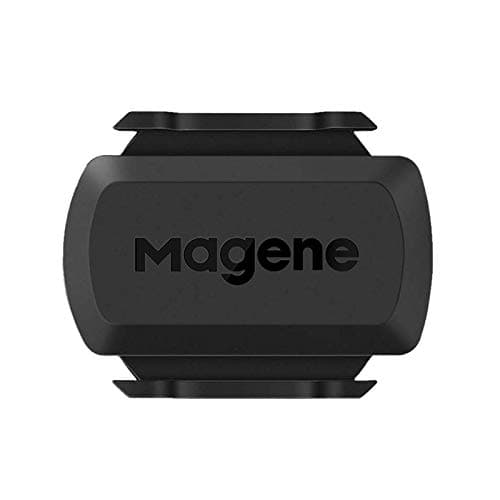 Magene S3+ The one to buy if you have decided you need a sensor: cadence or speed, Bluetooth or ANT+, for very little money. | Best value, and it can be a speed sensor instead | 9.09.0 out of 10 | $16.99 · View on Amazon #ad We may earn a commission · Price as of October 22, 2026 |
| 2 | 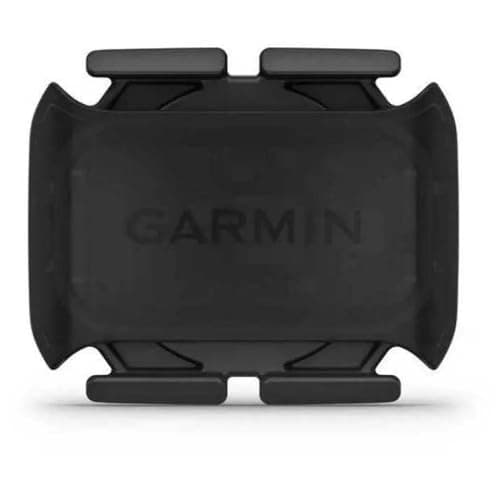 Garmin Cadence Sensor 2 The fit-and-forget cadence sensor, and the obvious pick if your outdoor rides already live on a Garmin. | Best if your head unit is a Garmin | 8.78.7 out of 10 | |
| 3 | 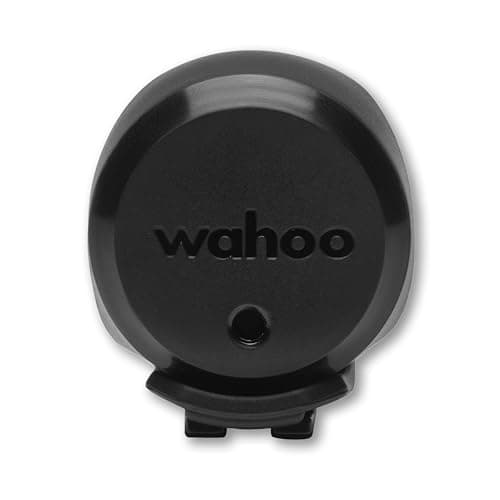 Wahoo TRACKR Speed The right sensor for a dumb-trainer Zwift setup, where wheel speed is the input that produces your watts. | If what you actually need is a speed sensor | 8.58.5 out of 10 | $44.99 · View on Amazon #ad We may earn a commission · Price as of October 22, 2026 |
The better upgrade, if the budget is the same
If you are weighing a cadence sensor against saving for something else, the honest ranking for a Zwift rider is: a decent fan first, because it is the single biggest determinant of whether you finish hard sessions; then a heart rate strap, which gives you a second physiological channel; then a power meter, which replaces the cadence sensor anyway and gives you a number that follows you outdoors. A cadence sensor is a cheap fix for a specific problem, not a general upgrade.
Decided you need one?
See every cadence sensor rankedIf you have decided you do want one, how to install a cadence sensor covers fitting and pairing it, including the Bluetooth bonding mistake that hides a working sensor from Zwift. If you already own one and it has stopped reporting, cadence sensor not working is the fix list.
The full reviews
Every pick, in detail
Best value, and it can be a speed sensor instead
Magene S3+
9.09.0 out of 10#ad We may earn a commission · Price as of October 22, 2026
The one to buy if you have decided you need a sensor: cadence or speed, Bluetooth or ANT+, for very little money.
- Connectivity
- Bluetooth + ANT+
- Mount
- Crank arm or hub (dual mode)
- Battery
- CR2032 coin cell
- Modes
- Speed or cadence (switchable)
- Best for
- Value, flexibility
What we'd praise
- Switchable between cadence mode on the crank arm and speed mode on a hub, which covers both Zwift problems with one part
- Dual-band, so it pairs to Zwift on a tablet or Apple TV over Bluetooth and to a head unit over ANT+
- Coin cell, so it never needs charging before a session
- Costs about as much as a couple of bidons
What we'd flag
- No display and no app ecosystem worth speaking of
- A switchable sensor is one more thing to set the mode on correctly
- You still spend one Bluetooth connection on it if you ride on an Apple TV
The S3+ is the sensible default because it solves whichever of the two Zwift sensor problems you actually have. Clamped to a crank arm it reports cadence; mounted on a hub it reports wheel speed, which is what a virtual-power setup needs. It is dual-band, so it pairs over Bluetooth to a tablet or Apple TV and over ANT+ to a PC or a head unit, and it runs on a coin cell.
If you are choosing between sensors rather than deciding whether to buy one, our cadence sensor roundup ranks the whole category.
Best if your head unit is a Garmin
Garmin Cadence Sensor 2
8.78.7 out of 10The fit-and-forget cadence sensor, and the obvious pick if your outdoor rides already live on a Garmin.
- Connectivity
- Bluetooth + ANT+
- Mount
- Crank arm band (magnet-less)
- Battery
- CR2032 coin cell
- Battery life
- Up to ~12 months (claimed)
- Best for
- Garmin ecosystems
What we'd praise
- Magnet-less crank-arm band, so there is nothing to align and nothing to knock out of position
- Up to around 12 months of claimed battery life on a coin cell
- Pairs natively with Garmin head units as well as with Zwift
- The most reliable fit-and-forget option in the category
What we'd flag
- Cadence only — it cannot do speed duty for a virtual-power setup
- Costs noticeably more than the Magene for the same single job
- Redundant if your trainer or power meter already reports cadence
Garmin's second-generation sensor is a rubber band around the crank arm with no magnet to align, which removes the one failure mode older cadence sensors had. It is dual-band, claims up to about 12 months on a CR2032, and it is the version to buy if the same sensor needs to serve an Edge outdoors and Zwift indoors. Our Garmin Cadence Sensor 2 review covers it in detail.
If what you actually need is a speed sensor
Wahoo TRACKR Speed
8.58.5 out of 10#ad We may earn a commission · Price as of October 22, 2026
The right sensor for a dumb-trainer Zwift setup, where wheel speed is the input that produces your watts.
- Connectivity
- Bluetooth + ANT+
- Mount
- Wheel hub up to 40 mm (magnet-less)
- Battery
- CR2032 coin cell
- Battery life
- Up to ~200 hours (claimed)
- Measures
- Wheel speed / distance
- Water resistance
- IPX7
What we'd praise
- This is the sensor a classic dumb trainer actually needs, because Zwift derives virtual power from wheel speed
- Magnet-less hub mount with an IPX7 rating
- Dual-band and coin-cell powered
- Up to around 200 claimed hours
What we'd flag
- Reports speed, not cadence — it answers a different question from the two sensors above
- Virtual power from a supported trainer curve is always an estimate, never a measurement
- Irrelevant on a direct-drive trainer, which reports power and speed itself
A lot of riders searching for a cadence sensor for Zwift actually need a speed sensor. On a classic non-smart trainer, Zwift calculates virtual power from wheel speed against a published resistance curve, so the hub sensor is the component that makes the whole setup work. Cadence, in that configuration, is the optional extra rather than the essential one.
Wahoo's TRACKR Speed is magnet-less, fits hubs up to 40 mm, claims up to around 200 hours, is dual-band and carries an IPX7 rating. Smart trainer vs dumb trainer explains what virtual power can and cannot do.
Good questions
Frequently asked questions
Do you need a cadence sensor for Zwift?
Usually no. Zwift calculates your speed from power, weight, gradient and draft, so cadence is displayed rather than used, and most direct-drive smart trainers and all power meters broadcast cadence already. A sensor is worth buying if your trainer estimates cadence and the trace lags, if you ride a dumb trainer or spin bike with no electronics, if you want a backup cadence source, or if your workouts set cadence targets.
Does Zwift use cadence to calculate speed?
No. Zwift's speed model is driven by the power you produce, your weight and height, the road gradient, your in-game equipment and draft. Cadence appears on screen and in your activity file but does not change how fast your avatar travels, so pedaling faster at the same wattage gains you nothing in game.
Does a smart trainer report cadence to Zwift?
Most modern direct-drive smart trainers broadcast cadence to Zwift along with power and speed, which makes a separate sensor redundant. Some trainers estimate cadence from flywheel behavior rather than measuring crank revolutions, and those estimates are reliable in a steady effort but lag during gear changes, standing efforts and high-cadence spin-ups.
Do I need a speed sensor or a cadence sensor for Zwift?
On a classic dumb trainer you need a speed sensor, because Zwift derives virtual power from wheel speed against the trainer's published resistance curve - that sensor is what makes the setup work at all. Cadence is optional on top. On a smart trainer or with a power meter, neither sensor is usually necessary.
Will a cadence sensor use up one of my Apple TV connections?
Yes. Zwift Insider documents that Zwift on Apple TV accepts two Bluetooth connections inside the game, with the Apple TV remote occupying one of them. Adding a cadence sensor alongside a trainer and a heart rate strap exceeds that budget. Zwift Companion can bridge additional Bluetooth sensors but cannot bridge ANT+, and native and Companion pairing cannot be mixed in a single session.
What is the best cadence sensor for Zwift?
The Magene S3+ for most riders: dual-band Bluetooth and ANT+, coin-cell powered, and switchable between cadence duty on a crank arm and speed duty on a hub, which covers both Zwift sensor problems with one part. The Garmin Cadence Sensor 2 is the fit-and-forget option if your outdoor rides already live on a Garmin head unit.
How we sourced this
- Zwift Insider — Zwift on Apple TV: pros, cons and quirks (two Bluetooth connections in the game, remote uses one, Companion as the workaround)
- Zwift Insider — Apple TV connection limit
- Zwift — support: pairing devices, ANT+ and Bluetooth
- Zwift — platform and supported hardware (official)
- Magene — S3+ speed and cadence sensor product page (manufacturer)
- Garmin — Cadence Sensor 2 product specifications (manufacturer)
- Wahoo — TRACKR SPEED product page (manufacturer)
- ANT+ — the standard, device profiles and interoperability (ANT)
Keep going
Read these next
- AccessoriesThe Best Cadence Sensors, Ranked
- GuidesCadence Sensor vs Power Meter
- GuidesCadence Sensors for a Stationary Bike
- GuidesWhat Cadence Should You Ride At?
- GuidesANT+ vs Bluetooth for Zwift
- ReviewGarmin Cadence Sensor 2 Review
- Power MetersThe Best Power Meters for Zwift
- Indoor SetupThe Zwift Setup Guide