Start Here
ANT+ vs Bluetooth for Zwift
One protocol shouts and everything listens; the other negotiates a connection and caps how many it will hold. That single difference explains almost every Zwift pairing problem, and which platform you run decides whether you get a choice at all.
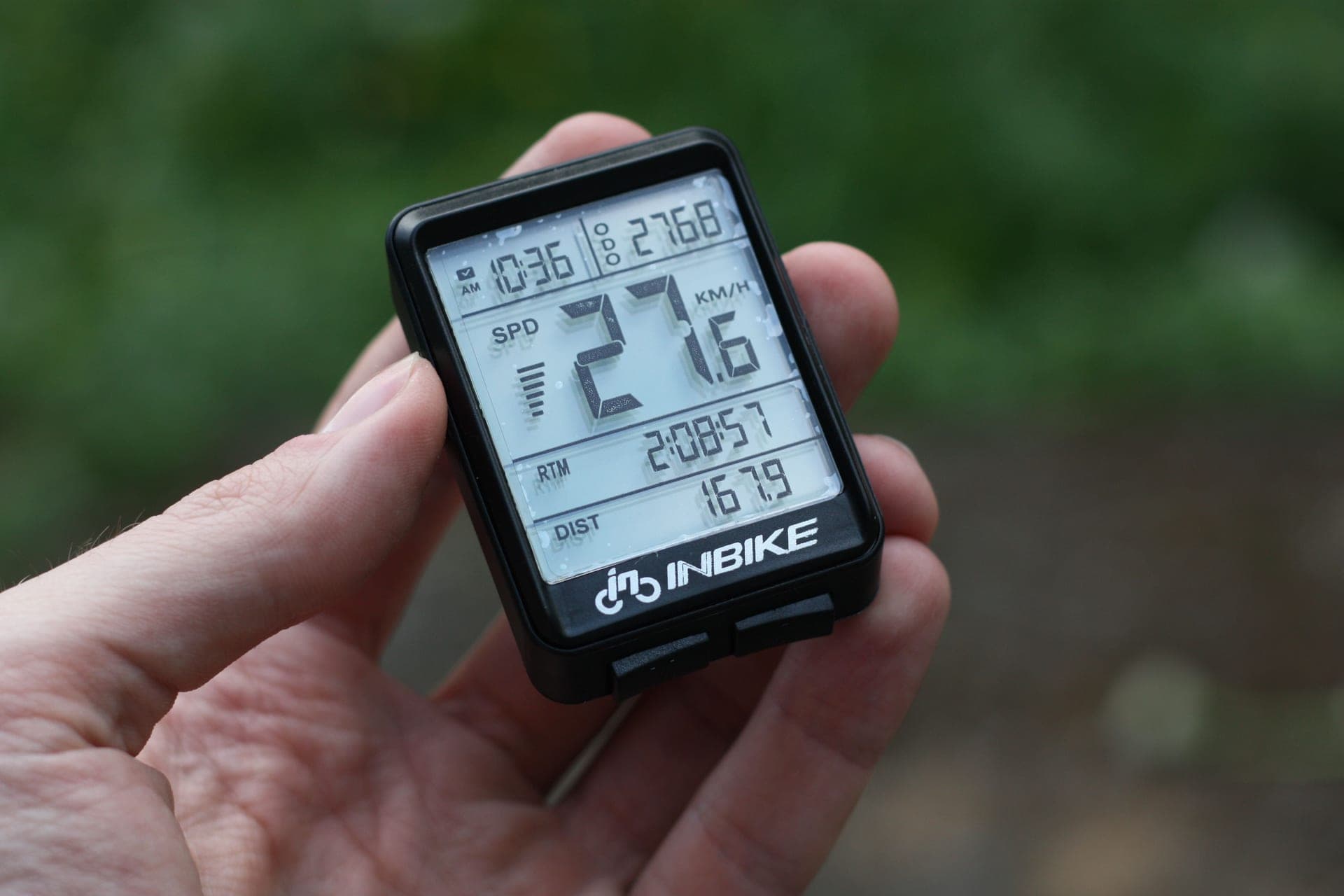
Almost every Zwift pairing frustration — a sensor that will not appear, a trainer that drops when you add a cadence sensor, heart rate that works on the tablet but not on the Apple TV — traces back to one technical difference between the two wireless standards indoor cycling uses. It is worth understanding once, because it turns a mysterious problem into a predictable one.
What actually differs between the two protocols
ANT+ is a broadcast protocol.A sensor transmits its data continuously on the 2.4 GHz band in a defined device profile — heart rate, cadence, bicycle power, trainer control — and any receiver in range can pick it up without the sensor knowing or caring. There is no pairing handshake in the Bluetooth sense and no limit on how many devices listen. That is why Garmin can publish "unlimited simultaneous ANT+ connections" as a specification for the HRM-Dual: it is not a feature Garmin built, it is a property of the protocol.
Bluetooth Low Energy negotiates a connection. A sensor and a host establish a link, and the sensor maintains state for each partner it is connected to. That costs power and memory, so sensors cap how many simultaneous connections they will hold — typically one or two. The Polar H10 holds two; the Polar H9 holds one. Hosts have limits too, and the host limit is the one that bites hardest on Zwift.
The consequence: on ANT+, adding a fourth sensor costs nothing. On Bluetooth, adding a fourth sensor may be impossible depending on your sensor and your platform.
Which protocol your platform actually supports
Zwift reads Bluetooth on every platform it runs on, and ANT+ only on Windows and macOS with a USB dongle. That asymmetry is the practical fork in the road.
| Platform | Bluetooth | ANT+ | Practical connection ceiling | If you run out |
|---|---|---|---|---|
| Windows PC | Yes | Yes, with a USB dongle | Effectively none on ANT+ | Add an ANT+ dongle and move sensors across |
| macOS | Yes | Yes, with a USB dongle | Effectively none on ANT+ | Add an ANT+ dongle and move sensors across |
| Apple TV | Yes | No | Two devices in the Zwift game (a third channel is used by the remote) | Pair via the Zwift Companion app, which bridges Bluetooth only |
| iPad / iPhone | Yes | No | Bluetooth only; sensor connection limits apply | Use sensors that hold two Bluetooth connections; or Companion |
| Android | Yes | No | Bluetooth only; sensor connection limits apply | Use sensors that hold two Bluetooth connections; or Companion |
The Apple TV two-device problem, specifically
This is the single most common version of the question, and it has a precise answer. Zwift Insider states it directly: Apple TV allows two Bluetooth device connections in the Zwift game — technically three, but one is needed for the remote.
A smart trainer and a heart rate strap is exactly two. That is a complete, working setup, and for many riders it is all they need. But add any of the following and you are over the ceiling: a separate cadence sensor, a power meter alongside the trainer for dual recording, a Zwift Click, a Zwift Play controller, or a second heart rate device.
The documented workaround is the Zwift Companion app on your phone, which relays Bluetooth sensors to the game. Two caveats that catch people out: Companion relays Bluetooth only, not ANT+ — so an ANT+-only sensor is still unreachable — and you cannot mix sensors paired natively on the Apple TV with sensors paired through Companion in the same session. It is one route or the other. Riders on weak home WiFi have also reported the Companion bridge being less reliable than native pairing, which is worth knowing before you build a setup that depends on it.
If your pain cave has outgrown Apple TV's ceiling, the honest options are: run Zwift on a PC or Mac with an ANT+ dongle instead, reduce the sensor count (a trainer with measured power makes a separate cadence sensor unnecessary in most cases), or accept the Companion bridge. Our Zwift setup guide and best tablet for Zwift cover the platform decision from the hardware side.
What to look for when you buy sensors and dongles
Sensors that broadcast both protocols. This is the rule that future-proofs everything. A dual-protocol sensor works on Apple TV today over Bluetooth and moves to ANT+ the day you switch to a PC. Every sensor we recommend carries both — the Polar H10 and H9, the Garmin HRM-Dual, the COOSPO H808S, every cadence sensor in our cadence sensor roundup, and every power meter in our power meter rankings.
How many simultaneous Bluetooth connections the sensor holds. One or two, and the spec sheet usually says. Two matters if you want Zwift and a watch reading the same strap at once. The Polar H10, Garmin HRM-Dual and Polar Verity Sense hold two; the Polar H9 holds one.
A dongle with an extension cable.2.4 GHz does not like steel cases, concrete or distance. A dongle on a 3 m cable sitting beside the bike will outperform a better dongle plugged into the back of a tower. This is the single biggest determinant of whether ANT+ is rock-solid or flaky.
Nothing exotic. ANT+ dongles are a commodity. Buy a cheap one with a cable rather than an expensive one without.
The short answer
What to buy to make this a non-problem
| # | Product | Best for | Score | Price |
|---|---|---|---|---|
| 1 | 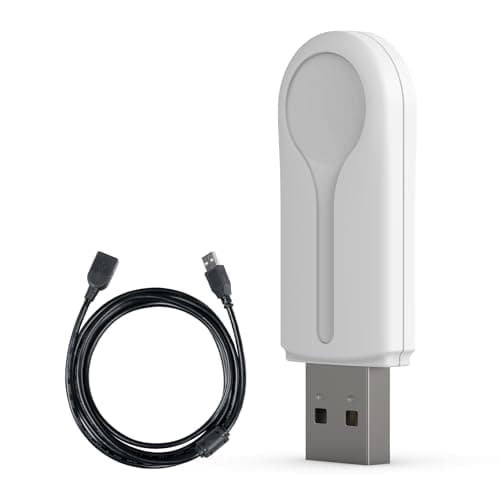 CYCPLUS ANT+ USB Receiver Stick On a PC or Mac this is the cheapest fix for every sensor connection problem Zwift has — and the included cable is why it beats the others. | Best way to add ANT+ to a PC or Mac | 8.58.5 out of 10 | $16.99 · View on Amazon #ad We may earn a commission · Price as of October 5, 2026 |
| 2 | 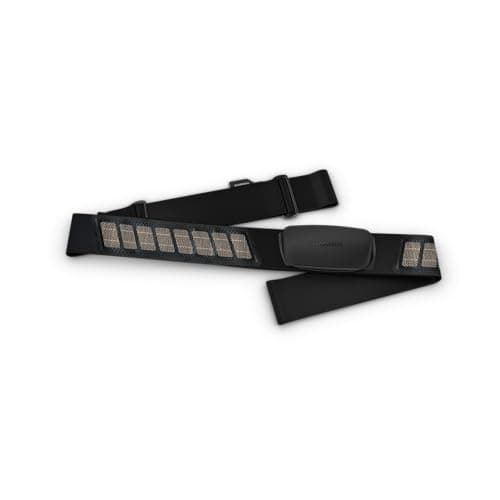 Garmin HRM-Dual Buy sensors that broadcast both protocols and this question never costs you anything — this is the cheapest good example. | The sensor that speaks both protocols properly | 9.09.0 out of 10 | $59.95 · View on Amazon #ad We may earn a commission · Price as of October 5, 2026 |
| 3 | 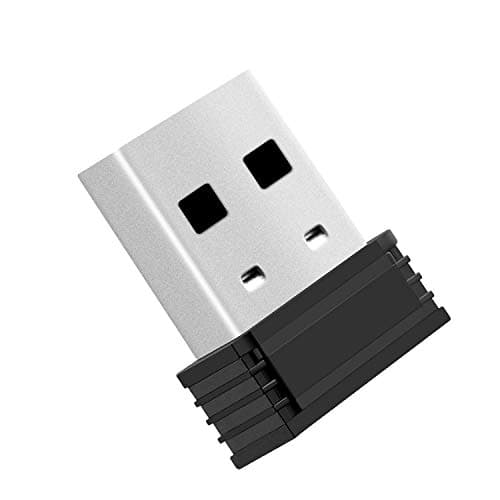 CooSpo USB ANT Stick Does the same job for less, as long as your USB port is already somewhere sensible — otherwise buy the one with the cable. | Best value ANT+ dongle | 7.97.9 out of 10 | $15.99 · View on Amazon #ad We may earn a commission · Price as of October 5, 2026 |
Is one protocol more reliable than the other?
Both run on the 2.4 GHz band, which is also where your WiFi, your microwave and your neighbours' everything live, so interference affects both. In a congested room, the practical advantage goes to ANT+ for one structural reason: it does not have to maintain a negotiated connection, so a momentary loss of signal is a momentary gap in data rather than a dropped pairing that has to be re-established.
That is why "move it to ANT+" is the standard first fix for a sensor that keeps dropping on a PC. If you are troubleshooting, our smart trainer not connecting to Zwift guide works through the whole sequence, and the order is usually: move the receiver closer, reduce the number of Bluetooth devices, then move sensors to ANT+.
One thing we are not going to claim is a latency figure. Both protocols are fast enough that the delay between your legs and the screen is dominated by the trainer's own response and the game's physics, not by the radio. If you want a trainer that reacts quickly to a change in effort, that is a question about the trainer — our ERG mode guide covers it.
A practical decision tree
Running Zwift on a PC or Mac? Buy an ANT+ dongle with a cable, move your sensors to ANT+, and stop thinking about connection limits.
Running on Apple TV with a trainer and a heart rate strap? You are fine. Bluetooth, two devices, done.
Running on Apple TV and want more sensors? Use the Companion app bridge, and buy Bluetooth-capable sensors — the bridge cannot relay ANT+.
Running on an iPad and recording on a watch too? Buy a strap that holds two simultaneous Bluetooth connections.
Buying new sensors of any kind? Dual-protocol, every time. It costs nothing extra and removes this entire page from your future.
On a PC or Mac?
See the best ANT+ adapters for ZwiftThe full reviews
Every pick, in detail
Best way to add ANT+ to a PC or Mac
CYCPLUS ANT+ USB Receiver Stick
8.58.5 out of 10#ad We may earn a commission · Price as of October 5, 2026
On a PC or Mac this is the cheapest fix for every sensor connection problem Zwift has — and the included cable is why it beats the others.
- Protocol
- ANT+
- Connection
- USB-A
- In the box
- 3 m extension cable
- Platforms
- Windows and macOS with ANT+ support
- Works with
- Trainers, power meters, HR straps, cadence sensors
- Why it wins
- The cable is the feature
What we'd praise
- The 3 m extension cable is the whole point — it gets the receiver off the back of a desktop and next to the bike
- ANT+ is a broadcast protocol, so one dongle reads unlimited sensors with no pairing queue
- Takes heart rate, cadence and power off the Bluetooth stack entirely, which fixes crowded pairing screens
- Cheap enough that it is the first thing to try when sensors drop out
What we'd flag
- Does nothing for Apple TV, iPad or iPhone — those platforms have no ANT+ path at all
- A USB-A port, so a modern laptop may need an adapter
- ANT+ only: it will not help a Bluetooth-only sensor
If you run Zwift on Windows or macOS, this is the product that makes the whole ANT+ versus Bluetooth argument moot: add the dongle, move your sensors to ANT+, and connection limits stop existing. The 3 m extension cable matters more than it sounds, because USB ports on a desktop are usually behind the machine and a 2.4 GHz receiver works far better a metre from the bike than two metres behind a steel case. Our ANT+ adapters roundup compares the field.
Best value ANT+ dongle
CooSpo USB ANT Stick
7.97.9 out of 10#ad We may earn a commission · Price as of October 5, 2026
Does the same job for less, as long as your USB port is already somewhere sensible — otherwise buy the one with the cable.
- Protocol
- ANT+
- Connection
- USB-A
- Form
- Compact stick, no cable included
- Platforms
- Windows and macOS with ANT+ support
- Compatibility
- Listed for Zwift, Wahoo, Tacx, BKOOL
- Price band
- Entry
What we'd praise
- The cheapest way to find out whether ANT+ solves your problem
- Listed explicitly for Zwift, and handles multiple simultaneous ANT+ sensors like any dongle
- Small enough to leave permanently in a laptop
What we'd flag
- No extension cable, so range depends entirely on where your USB port is
- A dongle plugged directly into a desktop behind the bike is the worst-case geometry for 2.4 GHz
- USB-A
Functionally this is the same thing as the CYCPLUS: a USB ANT+ receiver that lets Zwift read ANT+ sensors. The only meaningful difference is the absence of an extension cable, which is fine on a laptop sitting on a trainer desk next to the bars and bad on a desktop tucked under a table. If your machine is close to the bike, save the money.
The sensor that speaks both protocols properly
Garmin HRM-Dual
9.09.0 out of 10#ad We may earn a commission · Price as of October 5, 2026
Buy sensors that broadcast both protocols and this question never costs you anything — this is the cheapest good example.
- ANT+
- Unlimited simultaneous connections
- Bluetooth
- Two simultaneous connections
- Broadcast
- Both protocols at the same time
- Battery
- CR2032, up to 3.5 years claimed
- Water resistance
- WR30
- Strap
- Washable, replaceable
What we'd praise
- Garmin publishes unlimited simultaneous ANT+ connections, which is the clearest demonstration of what makes ANT+ different
- Two Bluetooth connections as well, so it works on Apple TV and iPad setups where ANT+ is unavailable
- Broadcasts both at once, so you never have to choose a protocol at purchase time
- Up to 3.5 claimed years from a replaceable CR2032 at an hour a day
What we'd flag
- No onboard memory, so a dropped link loses that stretch of data
- Still a chest strap, with the comfort and wetting requirements that implies
- Dual Bluetooth does not raise Apple TV's own two-channel limit
The practical lesson of this whole page is: buy dual-protocol sensors. The HRM-Dual is the cleanest illustration, because Garmin publishes the asymmetry explicitly — unlimited simultaneous ANT+ connections, and two Bluetooth. That is not a marketing quirk, it is the difference between the two protocols stated as a specification. Our HRM-Dual review covers the strap, and best heart rate monitors for Zwift ranks the alternatives on exactly these criteria.
Good questions
Frequently asked questions
Is ANT+ better than Bluetooth for Zwift?
On Windows and macOS, yes — ANT+ is a broadcast protocol, so one USB dongle can read unlimited sensors with no connection limit, and a momentary signal loss is a gap in data rather than a dropped pairing. On Apple TV, iPad, iPhone and Android it is not a choice at all: those platforms are Bluetooth-only, and ANT+ is unavailable.
Does Zwift support ANT+?
Only on Windows and macOS, and only with a USB ANT+ dongle. Zwift on Apple TV, iPad, iPhone and Android reads sensors over Bluetooth exclusively. That is why a dongle is the standard first fix for sensor problems on a desktop setup and no help at all on an Apple TV.
How many Bluetooth sensors can Zwift use on Apple TV?
Two inside the Zwift game. Apple TV supports three Bluetooth connections in total but one is needed for the remote. A smart trainer plus a heart rate strap uses both available channels. Adding a cadence sensor, a Zwift Click or a Zwift Play means pairing through the Zwift Companion app instead.
Can the Zwift Companion app connect ANT+ sensors?
No. The Companion app relays Bluetooth signals only. If a sensor is ANT+-only it cannot reach Zwift through Companion. You also cannot mix sensors paired natively on an Apple TV with sensors paired through Companion in the same session — it has to be one route or the other.
Do I need an ANT+ dongle for Zwift?
Only if you run Zwift on Windows or macOS and either have more sensors than Bluetooth will comfortably handle, or are troubleshooting dropouts. If your setup is a trainer and a heart rate strap on Bluetooth and it works, a dongle adds nothing. If you want dual recording, a cadence sensor and a power meter alongside a trainer, a dongle is the cheapest way to get there.
Why do my Zwift sensors keep dropping out?
Usually distance or congestion rather than a faulty sensor. The 2.4 GHz band is shared with WiFi and most household electronics. Try, in order: move the receiver closer to the bike (an ANT+ dongle on a 3 m cable is the single most effective change), reduce the number of Bluetooth devices competing for channels, and on a PC or Mac move sensors onto ANT+ so they are not negotiating connections at all.
Can one sensor send to Zwift and my watch at the same time?
Over ANT+ always, because ANT+ broadcasts to anything listening — Garmin publishes unlimited simultaneous ANT+ connections for the HRM-Dual. Over Bluetooth only if the sensor supports two simultaneous connections; the Polar H10, Garmin HRM-Dual and Polar Verity Sense do, while the Polar H9 and COOSPO H808S hold one.
Should I buy ANT+ or Bluetooth sensors?
Buy sensors that broadcast both, which is the large majority of current cycling sensors. A dual-protocol sensor works on Apple TV over Bluetooth today and moves to ANT+ the day you switch to a PC with a dongle, so the protocol question never costs you a purchase.
How we sourced this
- Zwift Insider — Zwift on Apple TV: pros, cons and quirks (two Bluetooth connections in the game, remote uses one, Companion as the workaround)
- Zwift Insider — Apple TV connection limit
- Zwift — support: pairing devices, ANT+ and Bluetooth
- Zwift — platform and supported hardware (official)
- ANT+ — the standard, device profiles and interoperability (ANT)
- Garmin — heart rate monitor specifications, HRM-Dual unlimited simultaneous ANT+ (manufacturer)
- Polar — H10 and H9 sensor specifications, Bluetooth connection counts (manufacturer)
- DC Rainmaker — trainer and sensor connectivity explainer
Keep going
Read these next
- AccessoriesThe Best ANT+ Adapters for Zwift
- AccessoriesThe Best Heart Rate Monitors for Zwift
- GuidesSmart Trainer Not Connecting to Zwift
- Indoor SetupThe Zwift Setup Guide
- Indoor SetupThe Best Tablet for Zwift
- AccessoriesThe Best Cadence Sensors, Compared on the Specs
- GuidesERG Mode Explained
- ReviewGarmin HRM-Dual Review