Indoor Setup
Zwift on Apple TV
The cheapest route to Zwift on a television, and the one specification that decides whether it will work for your pain cave: how many sensors you can actually pair.
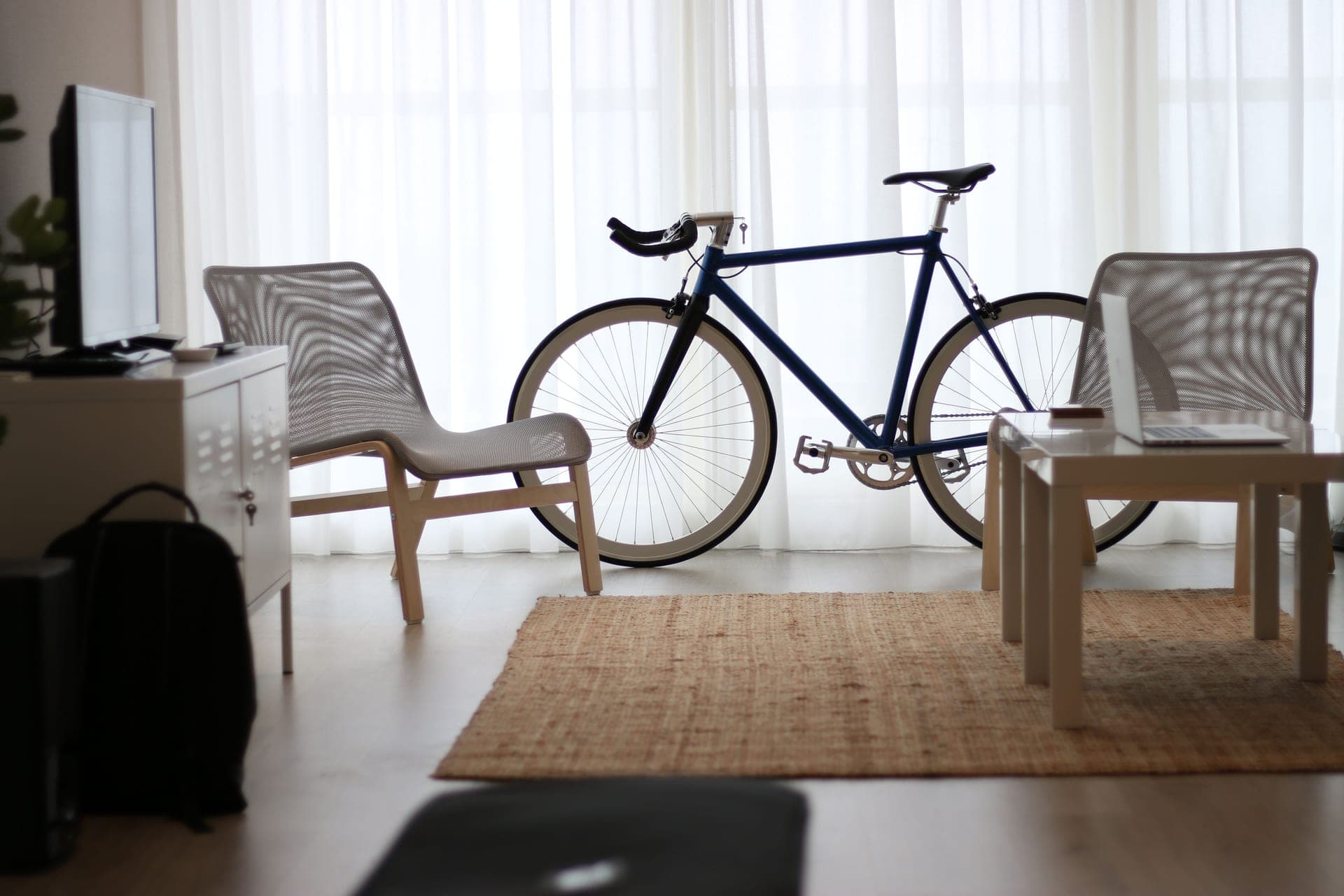
Zwift on an Apple TV is the configuration a lot of riders end up on, and for good reason: the hardware is cheap, it never needs a driver, it boots in seconds, and the picture goes straight to a television instead of a laptop balanced on a chair. The reason it has a reputation for being fiddly is one line in the specification nobody reads before buying.
What you actually need
An Apple TV. Zwift publishes its own device requirements, so check the current list against the model you plan to buy or already own rather than assuming — this is the one component where the model generation matters.
A screen with an HDMI input.That is all. No television has a native Zwift app, so a smart TV's own platform is irrelevant: you are buying a panel. A 43-inch 4K set is the usual sweet spot for a pain cave, and best TV for Zwift covers sizing and mounting.
Bluetooth sensors, not ANT+. This is the part that catches people. An Apple TV has no USB port for an ANT+ adapter, so every sensor you use has to speak Bluetooth. A dual-band trainer and a dual-band strap are fine; an ANT+-only sensor is useless on this platform.
A trainer that pairs over Bluetooth. Every current direct-drive smart trainer does, and most publish WiFi as well — see our smart trainer rankings.
The connection limit, in detail
Zwift Insider's documentation of the Apple TV connection limit is the clearest public account of it: the game accepts two Bluetooth connections, and the Apple TV remote occupies one of them. In practice that leaves you pairing a trainer plus one other sensor, which for a majority of riders is exactly what they own and the reason the limit goes unnoticed for years.
It becomes a real constraint the moment your pain cave grows. Add a power meter as your power source, keep the trainer as controllable, and add a heart rate strap, and you are over budget. The same applies if you add a cadence sensor.
The workaround and its rules. Zwift Companion, running on your phone, can bridge additional Bluetooth sensors to the game. Two conditions apply, and both matter. Companion bridges Bluetooth but not ANT+, so it does not rescue an ANT+-only sensor. And you cannot mix native pairing and Companion pairing in the same session — it is one method or the other, which means a session built on Companion depends on your phone staying awake and connected for the whole ride.
Pick sensors that hold multiple links. Some sensors are better citizens than others here. A strap like the Polar H10 holds two simultaneous Bluetooth connections; some power meters, including the Magene P715, publish support for a single Bluetooth connection only, which makes them the awkward case on this platform. ANT+ vs Bluetooth for Zwift explains why ANT+ setups never hit this wall.
| Apple TV + television | Tablet (iPad) | PC or Mac + ANT+ stick | |
|---|---|---|---|
| Cost of the computing device | Lowest | High | Highest, unless you own one |
| Screen | As big as your television | Tablet-sized unless mirrored | Monitor or television |
| ANT+ support | No — Bluetooth only | No — Bluetooth only | Yes, with a USB stick |
| Sensors you can pair in the game | Two Bluetooth, remote takes one | More generous, Bluetooth only | Effectively unlimited over ANT+ |
| Companion bridging needed? | Often, once you add a third sensor | Rarely | No |
| Setup effort | Minimal | Minimal | Drivers, dongle, cable routing |
Setting it up, in order
1. Mount the screen first. Get the panel at a height you can read from the hoods without craning, before you pair anything. A screen at the wrong height ruins more sessions than a dropped sensor does, and pain cave setup ideas covers the layout.
2. Pair the trainer before anything else. It is the one connection you cannot do without, so give it a slot first. Pair it as both power source and controllable unless you are running a separate power meter.
3. Add one more sensor, and stop. With the remote holding a slot, the second in-game connection is your heart rate strap or your power meter. If you need both, set up Companion before your first real session rather than discovering the limit mid-race.
4. Put the remote somewhere you will not sweat on it. Mundane, and the single most common Apple TV complaint in practice.
5. Then do the fan and the mat. Neither is optional indoors. Fans and mats do more for whether you finish a session than any part of the computing setup.
The short answer
What to buy for an Apple TV pain cave
| # | Product | Best for | Score | Price |
|---|---|---|---|---|
| 1 | 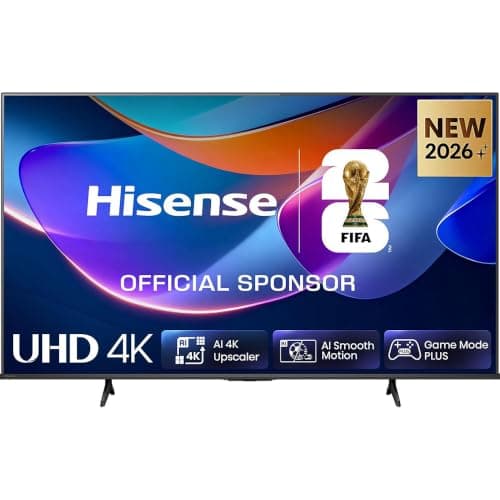 Hisense 43-inch A6S 4K UHD TV The screen half of the cheapest good Zwift setup: a 43-inch 4K panel with an Apple TV in the HDMI port. | Best screen for the Apple TV to plug into | 9.09.0 out of 10 | $220.14 · View on Amazon #ad We may earn a commission · Price as of October 21, 2026 |
| 2 | 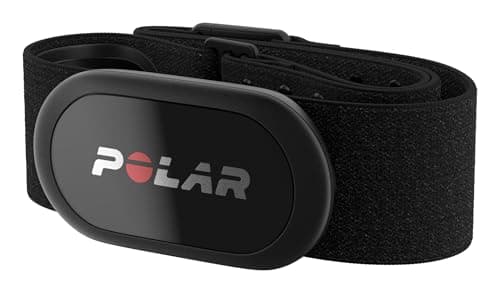 Polar H10 The strap to pair with an Apple TV: dual Bluetooth links, ANT+ as well, and a coin cell instead of a charger. | Best heart rate strap for an Apple TV setup | 9.19.1 out of 10 | $104.45 · View on Amazon #ad We may earn a commission · Price as of October 21, 2026 |
| 3 | 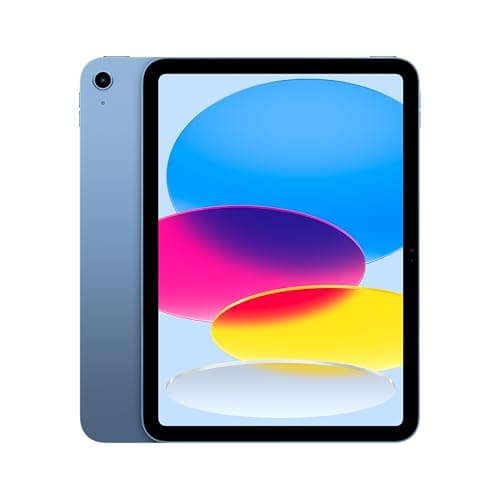 Apple iPad 11-inch (A16), 128GB Wi-Fi The answer to the Apple TV's one real weakness, at several times the price — and it mirrors to the TV anyway. | The alternative if the connection limit bothers you | 8.28.2 out of 10 |
Apple TV or iPad?
If your setup is a trainer plus one sensor, buy the Apple TV and spend the difference on the screen — a 43-inch 4K television and an Apple TV together still cost less than a mid-range tablet, and the viewing experience is far better. If your setup already has three or four sensors, or you expect it to, the tablet route avoids a permanent dependence on Companion, and a PC with an ANT+ stick avoids the question entirely.
One detail worth knowing before you choose: an iPad can mirror to the same television over AirPlay, so the big-screen advantage is not exclusive to the Apple TV — it is just cheaper and more reliable there. Best tablet for Zwift and what a Zwift setup costs are the two pages that make this a budget decision rather than a technical one.
Building the whole setup from scratch?
Read the full Zwift setup guideThe full reviews
Every pick, in detail
Best heart rate strap for an Apple TV setup
Polar H10
9.19.1 out of 10#ad We may earn a commission · Price as of October 21, 2026
The strap to pair with an Apple TV: dual Bluetooth links, ANT+ as well, and a coin cell instead of a charger.
- Type
- Chest strap, electrical
- Connectivity
- Bluetooth and ANT+
- Simultaneous links
- Two Bluetooth plus ANT+
- Onboard memory
- Yes — one session
- Water resistance
- Swim rated
- Battery
- Replaceable coin cell
What we'd praise
- Holds two simultaneous Bluetooth connections, so it can feed Zwift on the Apple TV and a watch or second app at the same time
- Also broadcasts ANT+, which keeps it useful if you later move to a PC setup
- Replaceable coin cell rather than a charger
- The reference chest strap in the category, with onboard memory for one session
What we'd flag
- It still occupies one of the Apple TV's scarce Bluetooth slots
- A chest strap is less comfortable than an arm band for some riders
- More expensive than the H9, which does the core job
On Apple TV, a heart rate strap is not just a sensor — it is one of your two Bluetooth slots. That makes the strap's own connection behavior worth paying for. The H10 holds two simultaneous Bluetooth connections, so it can talk to Zwift on the Apple TV and to a watch or a second app at once rather than forcing you to choose.
It also broadcasts ANT+, which means it survives the eventual move to a PC setup without becoming a spare. Our Polar H10 review covers it fully, and best heart rate monitors for Zwift ranks the category on exactly this axis.
Best screen for the Apple TV to plug into
Hisense 43-inch A6S 4K UHD TV
9.09.0 out of 10#ad We may earn a commission · Price as of October 21, 2026
The screen half of the cheapest good Zwift setup: a 43-inch 4K panel with an Apple TV in the HDMI port.
- Screen size
- 43 in (about 37.5 in / 95 cm wide)
- Resolution
- 4K UHD, 3840 x 2160
- HDR
- Dolby Vision and HDR10+ (per the listing)
- Smart platform
- VIDAA
- Native Zwift app
- No — nothing on a TV has one
- Casting
- AirPlay 2 listed across the A6S range
What we'd praise
- 43 inches is the sweet spot for a pain cave at bar-to-screen distance, and 4K means the HDMI feed is not the weak link
- Cheap enough that the Apple TV plus this screen still undercuts a decent laptop
- A plain HDMI input is all the Apple TV needs, so the TV's own smart platform is irrelevant
- AirPlay 2 across the range gives you a backup way to get a picture up
What we'd flag
- No TV has a native Zwift app, so the screen alone does nothing
- A 43-inch panel needs real wall or stand space, which small rooms may not have
- Sweat and a TV in the same room needs a moment's thought about fan direction
The reason the Apple TV route is popular is that the total cost is a small box plus a cheap big screen, and the screen is the part you keep. No television has a native Zwift app, so the TV's own smart platform does not matter at all — you are buying a panel and an HDMI input.
43 inches is the size most pain caves want: big enough to read a group's names at bar-to-screen distance, small enough to mount without rearranging the room. Our best TV for Zwift page covers screen sizing, mounting and the portable-monitor alternatives.
The alternative if the connection limit bothers you
Apple iPad 11-inch (A16), 128GB Wi-Fi
8.28.2 out of 10The answer to the Apple TV's one real weakness, at several times the price — and it mirrors to the TV anyway.
- Chip
- Apple A16 (5-core CPU, 4-core GPU)
- Display
- 11 in Liquid Retina, 2360 x 1640, 500 nits
- Storage
- 128GB (256GB and 512GB available)
- Wireless
- Wi-Fi 6, Bluetooth 5.3 — no ANT+
- Weight
- 1.05 lb (477 g), Wi-Fi model
- Battery claim
- Up to 10 hours web or video (Apple)
What we'd praise
- Runs the same Zwift app with a more generous sensor allowance than an Apple TV, and no remote eating a slot
- Doubles as the Zwift Companion screen, a second display and everything else a tablet does
- Can also AirPlay to the television, so you are not choosing between small screen and big screen
- A16 class silicon is comfortably ahead of what Zwift needs
What we'd flag
- Costs several times what an Apple TV costs
- Bluetooth only — no ANT+, so a sensor-heavy setup still needs care
- An 11-inch screen on a desk is a downgrade from a 43-inch TV unless you mirror it
- Needs a stand or a mount to be usable on a trainer
"Apple TV vs iPad" is one of the most common follow-up searches here, and the honest answer is that they fail in different places. The Apple TV is cheap and plugs into a big screen but is tight on Bluetooth connections. The iPad costs far more, has a small screen, and is far more relaxed about how many sensors you pair.
If your setup is a trainer and a heart rate strap, the Apple TV is fine and the iPad is an expensive solution to a problem you do not have. If your setup is a trainer, a strap, a power meter and a cadence sensor, the iPad — or a PC — is the right platform. Our best tablet for Zwift page ranks the tablet options properly.
Good questions
Frequently asked questions
How many devices can you connect to Zwift on an Apple TV?
Zwift Insider documents two Bluetooth connections inside the game on Apple TV, and the Apple TV remote occupies one of them. In practice that means a trainer plus one other sensor. Zwift Companion running on your phone can bridge additional Bluetooth sensors, but it cannot bridge ANT+, and native and Companion pairing cannot be mixed in the same session.
Do you need an ANT+ dongle for Zwift on Apple TV?
No, and you cannot use one: an Apple TV has no USB port for an ANT+ adapter, so every sensor must speak Bluetooth. That makes dual-band sensors the safe purchase, because they work on this platform today and on a PC setup later. ANT+-only sensors are unusable on an Apple TV.
Is Apple TV good for Zwift?
For most riders, yes. It is the cheapest way to get Zwift onto a big screen, it needs no drivers, and it boots in seconds. Its one real weakness is the connection budget, which only bites when you pair three or more sensors. If your setup is a trainer and a heart rate strap, it is an excellent platform.
Does a smart TV have a Zwift app?
No. No television platform has a native Zwift app, so a smart TV on its own cannot run Zwift regardless of how capable it is. The television's job in an Apple TV setup is to be a panel with an HDMI input, which means you can buy on screen size and picture rather than on the TV's own software.
Apple TV or iPad for Zwift?
Apple TV if your setup is a trainer plus one sensor and you want a big screen cheaply - the Apple TV and a 43-inch 4K television together cost less than a mid-range tablet. iPad if you pair three or four sensors and do not want a permanent dependence on Zwift Companion bridging. An iPad can also mirror to the same television over AirPlay.
Can I use Zwift Companion to add more sensors on Apple TV?
Yes, with two conditions. Companion bridges Bluetooth sensors but not ANT+ ones, so it will not help an ANT+-only device. And you cannot mix native pairing and Companion pairing in one session, which means a Companion-based setup depends on your phone staying awake and connected for the whole ride.
How we sourced this
- Zwift Insider — Zwift on Apple TV: pros, cons and quirks (two Bluetooth connections in the game, remote uses one, Companion as the workaround)
- Zwift Insider — Apple TV connection limit
- Zwift — support: pairing devices, ANT+ and Bluetooth
- Zwift — platform and supported hardware (official)
- Polar — H10 and H9 sensor specifications, Bluetooth connection counts (manufacturer)
- Apple — iPad (A16) technical specifications (manufacturer)
- Magene — P715 pedal-based power meter specifications (manufacturer)
Keep going
Read these next
- Indoor SetupThe Best TV for Zwift
- Indoor SetupThe Best Tablet for Zwift
- GuidesANT+ vs Bluetooth for Zwift
- AccessoriesThe Best Heart Rate Monitors for Zwift
- Indoor SetupThe Zwift Setup Guide
- Indoor SetupWhat a Zwift Setup Actually Costs
- GuidesSmart Trainer Not Connecting to Zwift
- Power MetersThe Best Power Meters for Zwift