The Pain Cave
The Best Tablets for Zwift, Ranked
A tablet is the simplest Zwift setup there is: no box behind the TV, no cable from a laptop, just the app. Here is which ones actually clear Zwift's requirements, which screen size works from the saddle, and where the money stops mattering.
The short answer
Quick picks
| # | Product | Best for | Score | Price |
|---|---|---|---|---|
| 1 | 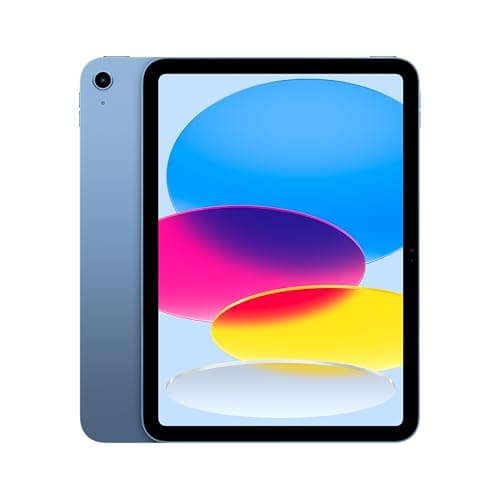 Apple iPad 11-inch (A16), 128GB Wi-Fi The tablet most Zwift riders should buy: a native app, a screen large enough to read on a stand, and the lowest price Apple currently puts on an iPad. | Best overall Zwift tablet | 9.09.0 out of 10 | $399.99 · View on Amazon $449.00Save 11% #ad We may earn a commission · Price as of September 17, 2026 |
| 2 | 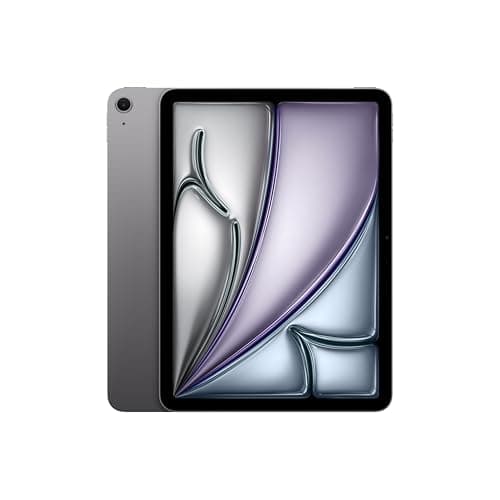 Apple iPad Air 11-inch (M4), 128GB Wi-Fi The upgrade for riders who want Zwift to look its best on a tablet and want the iPad to earn its keep off the bike too — not a better training tool than the base model. | Best graphics on a tablet | 8.78.7 out of 10 | $649.00 · View on Amazon $749.00Save 13% #ad We may earn a commission · Price as of September 17, 2026 |
| 3 | 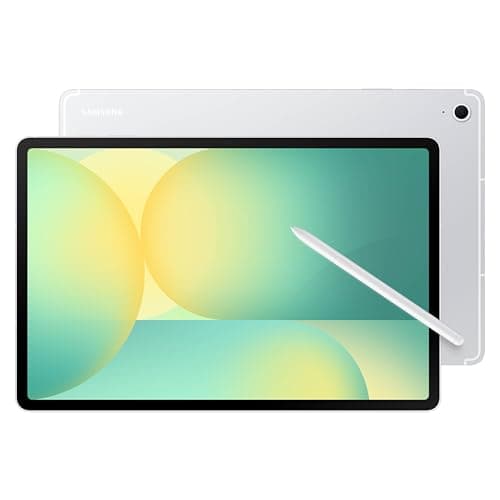 Samsung Galaxy Tab S10 FE, 128GB Wi-Fi The Android answer, and the only tablet here built to shrug off a sweaty room: IP68, a full-size screen and RAM to spare. | Best Android tablet for Zwift | 8.68.6 out of 10 | $419.99 · View on Amazon $549.99Save 24% #ad We may earn a commission · Price as of September 17, 2026 |
| 4 | 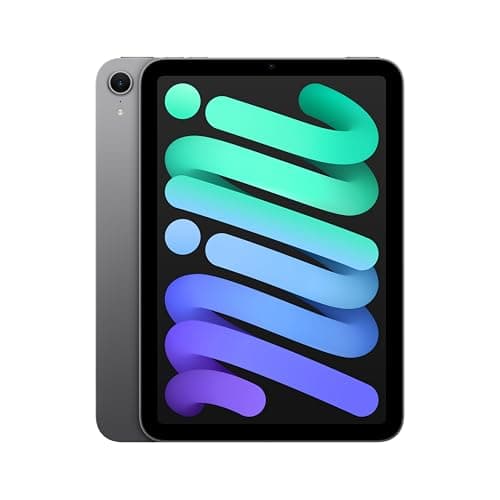 Apple iPad mini (A17 Pro), 128GB Wi-Fi The right iPad if the tablet rides on the bars: light, sharp and unbothered by sweat-zone vibration. The wrong one if it sits on a stand across the room. | Best for a handlebar or Zwift Ride mount | 8.18.1 out of 10 | |
| 5 | 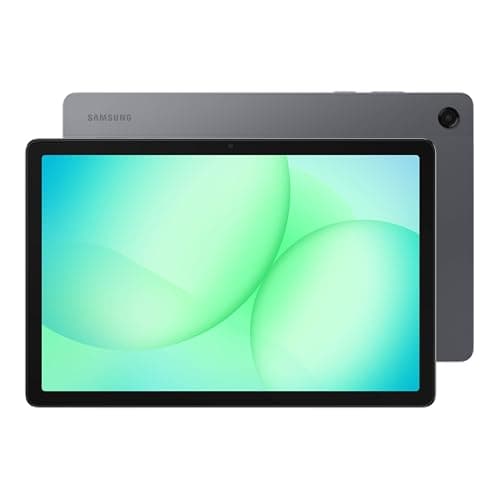 Samsung Galaxy Tab A11+, 6GB/128GB Wi-Fi The budget Zwift screen: a real 11-inch panel, more RAM than Zwift asks for, and a price that leaves money for the trainer. | Cheapest tablet that meets Zwift's spec | 8.08.0 out of 10 | $249.99 · View on Amazon $299.99Save 17% #ad We may earn a commission · Price as of September 17, 2026 |
| 6 | 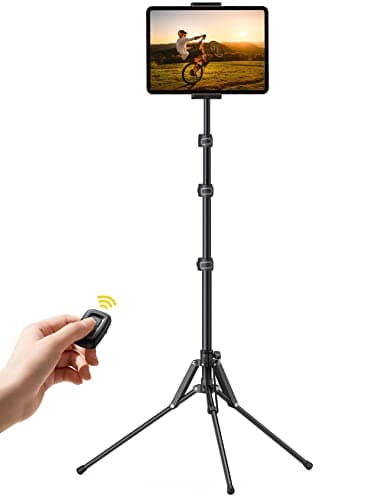 Lamicall Tablet Floor Tripod Stand (FT02) The cheapest way to get a tablet to eye level in front of the bars, and it folds away afterwards — pair it with a desk if you want bottles and a towel nearby. | Best stand for a tablet on a trainer | 8.48.4 out of 10 |
A tablet is the least complicated way to ride Zwift. The app installs from the App Store or Google Play, the trainer pairs over Bluetooth from the pairing screen, and the whole setup is one object you can carry into the room and out again. There is no Apple TV to feed a television, no laptop living in the sweat zone, no HDMI cable taped to the floor. For a lot of riders — apartment dwellers, people sharing the garage with a car, anyone who has ever watched a laptop fan clog with lint — that simplicity is the entire point.
The catch is that "tablet" covers everything from a bargain-bin Fire to a laptop replacement, and Zwift is a 3D game with published minimum requirements that a surprising number of cheap tablets do not meet. This roundup starts from those requirements, then ranks the tablets that clear them on the things that matter once the bike is in front of one: how readable the HUD is from the hoods, how the tablet copes with sweat and a fan, and whether the extra money at the top of the range changes anything you feel in a workout. If the screen is going on a wall instead, the Zwift TV and monitor roundup is the sibling page; the rest of the room is on pain cave setup ideas.
What Zwift actually requires from a tablet
Zwift publishes its supported device list, and it is the first filter. For iPad, the current page lists the iPad mini 4 or newer, iPad Air 2 or newer, any iPad Pro, and the 5th-generation iPad or newer, running iOS 15.0 or higher with at least 4GB of free storage. Zwift raised the iOS and tvOS minimum to version 15 on August 4, 2026, so an older iPad that stopped receiving updates before that point is out. Every iPad Apple currently sells qualifies by a wide margin.
Android is where buyers get caught. Zwift requires Android 9.0 or higher, an Arm64-v8a processor, 3GB of RAM or more, 4GB of free storage, OpenGL ES 3.0 or higher and Bluetooth 4.0 or higher— and then adds the line that matters more than any of those: "If the Zwift app does not appear in the Google Play Store on your device, the device is not compatible." Google Play filters the app by hardware, so the spec sheet is necessary but not sufficient. Zwift also requires that the app be installed and opened from the tablet's primary user profile.
That Play Store rule is why Amazon Fire tablets are not on this list. Fire OS ships with Amazon's Appstore rather than Google Play, and riders who sideloaded Google Play onto a Fire Max 11 reported on Zwift's forums in July 2024 that Google Play flagged Zwift as not compatible with the device; one user who managed it on an older Fire HD 10 described minimum graphics at about 15 frames per second. A Fire tablet is a fine screen for a video; it is not a Zwift device, whatever the price.
Two more rules apply to every tablet here. Zwift on iPad and Android pairs sensors over Bluetooth only — there is no ANT+ path, so a USB ANT+ stick is a laptop accessory, not a tablet one, and an ANT+-only sensor needs replacing or bridging. And Zwift states that external keyboards are not supported on tablets, so the touchscreen is the controller. If you want buttons, that is what Zwift Play controllers are for.
How we chose
We do not run a test lab, and we say so on our how we choose our pickspage. For this roundup we worked from Zwift's published device requirements and from each manufacturer's own specification page — Apple's for the three iPads, Samsung's for the two Galaxy Tabs, Lamicall's for the stand — and checked that every product was in stock and buyable before featuring it. Where we describe how Zwift behaves on a device, the claim is attributed to Zwift's support documentation, Zwift staff posts on the official forum, or Zwift Insider's reporting, not to our own testing. Prices are pulled live and change constantly, so you will see today's number or "Check price" rather than a stale figure.
What actually matters in a Zwift tablet
Screen size against where it sits. This decides the category before the chip does. On a floor stand or a trainer desk, the tablet is typically three to five feet from your eyes and the thing you are reading is the power, cadence and heart rate strip at the bottom of the HUD. At that distance an 11-inch panel is comfortable and an 8-inch panel is a lean-in. On a handlebar mount the arithmetic flips: the tablet is eighteen inches away, an 11-inch slab blocks your view of the front wheel and loads the clamp, and the 8.3-inch iPad mini is the right tool. Decide where it lives, then pick the size.
Meeting the spec with margin.Every tablet here beats Zwift's minimum RAM by at least double. That is deliberate: a tablet that scrapes the minimum today will fall off the supported list first, and Zwift has already moved the iOS floor once this year. The base iPad with an A16 and the Galaxy Tab A11+ with 6GB are the floor of this list, and both clear it comfortably.
M-series or not, on iPad.Zwift staff stated on the official forum in 2023 that all iPhones and iPads share the same graphics profile. What changed in August 2025 is that the 1.95 update gave M-series iPads improved shadows, with M3 and M4 models getting higher shadow and color resolution on top, per Zwift Insider's release notes. So the iPad Air (M4) draws a nicer world than the iPad (A16). It does not train you any differently, and we rank accordingly: the A16 first on value, the Air second for the rider who wants the scenery.
Sweat and the fan. A fan pointed at a rider is an atomizer pointed at the tablet. Only one tablet in this roundup, the Galaxy Tab S10 FE, carries a published IP68 rating; Apple does not rate any iPad for water resistance and Samsung lists none for the Tab A11+. That does not disqualify the iPads — a case and a screen protector are the fix — but it is a genuine point for Samsung, and it is why the S10 FE ranks above the mini.
Bluetooth, and how many things you are pairing. Zwift on Apple TV is famous for its two-Bluetooth-device limit, documented at length by Zwift Insider. That is an Apple TV rule. On a tablet you pair the trainer, a heart rate strap and a cadence sensor from the pairing screen the ordinary way. The one limit that does apply is the lack of ANT+, so check your sensors broadcast Bluetooth — every current heart rate strap we recommend does. A WiFi-connected trainer such as the Wahoo Kickr Core 2 also connects to Zwift over your network rather than Bluetooth, which sidesteps pairing range entirely.
Battery is a non-issue; the charger is not. Every tablet here claims around ten hours of video playback, and Zwift will pull harder than video, but a two-hour ride is well inside that. What matters is that a tablet at 20 percent in a hot room throttles and dims. Ride with it plugged in on the stand, and route the cable so it is not the first thing a shoe finds.
Getting it to eye level. The commonest tablet mistake is a stool. A tablet at knee height means an hour of looking down, which is precisely the posture a bike fit tries to fix. A floor tripod like the Lamicall or a trainer desk puts it just below eye line on the hoods; a handlebar mount puts it where a head unit goes. All three are cheaper than the difference between any two tablets on this list.
| Pick | Screen | Chip | Sealing | Best when |
|---|---|---|---|---|
| Apple iPad (A16) | 11 in, 2360 x 1640 | A16 | None listed | It lives on a stand or a desk |
| Apple iPad Air (M4) | 11 in, 2360 x 1640 | M4 | None listed | You want the M-series graphics |
| Samsung Galaxy Tab S10 FE | 10.9 in, 2304 x 1440, 90 Hz | Exynos 1580 | IP68 | Android, and the room is sweaty |
| Apple iPad mini (A17 Pro) | 8.3 in, 2266 x 1488 | A17 Pro | None listed | It rides on the bars |
| Samsung Galaxy Tab A11+ | 11 in, 1920 x 1200, 90 Hz | Dimensity 7300 | None listed | The budget is going to the trainer |
| Lamicall FT02 tripod | Holds 4-13 in | n/a | n/a | The tablet needs to reach eye level |
Tablet vs Apple TV vs laptop
A tablet wins on simplicity and on cost of entry if you do not already own a computer. It loses on screen size: an 11-inch tablet on a stand is a fine HUD, but a group ride on a 43-inch wall screen is an event. The good news is the two are not exclusive. An iPad with AirPlay 2 can mirror to a TV that supports it — the Roku and Hisense sets in the screen roundup both do — so a tablet you buy today becomes the source for a wall screen later, with nothing else purchased. Mirroring is a stream rather than a native app, so keep the tablet plugged in and expect the odd dropped frame.
Apple TV is the tidier permanent install and it is cheaper than any tablet here, but it renders at 1080p and 30 frames per second, pairs only two Bluetooth devices, and needs a TV. A laptop or PC gives the best graphics of any option and is the only route that supports an ANT+ stick, at the cost of a computer living in the sweat zone. Our Zwift setup guide walks the three paths end to end; the Zwift setup cost breakdown puts a tablet against each in dollars.
Mounting a tablet on a Zwift Ride
If you ride a Zwift Ride, Zwift sells a tablet holder for the frame that clamps to the handlebar and takes devices up to about 8.5 inches tall and 12.8 inches long, at a maximum of 2.2 pounds with a case. That envelope covers every tablet on this page, including an 11-inch iPad in a slim case. At the time of writing the holder's Amazon listing was showing as unavailable, so it is not a buy row here — Zwift's own store is the source. The weight cap is the reason the mini earns its place: a heavy 11-inch tablet in a rugged case brushes the limit and puts more mass on bars that already carry the Zwift Ride's controls.
Where the money stops mattering
Past the base iPad, extra money buys graphics, sealing or a second use — not a better workout. Power is measured by the trainer, not the tablet; ERG mode is executed by the trainer; the workout timer runs the same on a Tab A11+ as on an iPad Air. If your budget is finite, the order we would spend in is a fan first, then a trainer with accurate power, then the tablet, then the stand. A tablet that is one tier better than it needs to be has never made anyone faster; a trainer that is one tier better sometimes has — the smart trainer roundup is where that money goes.
The full reviews
Every pick, in detail
#1 · Best overall Zwift tablet
Apple iPad 11-inch (A16), 128GB Wi-Fi
9.09.0 out of 10$449.00Save 11%
#ad We may earn a commission · Price as of September 17, 2026
The tablet most Zwift riders should buy: a native app, a screen large enough to read on a stand, and the lowest price Apple currently puts on an iPad.
- Chip
- Apple A16 (5-core CPU, 4-core GPU)
- Display
- 11 in Liquid Retina, 2360 x 1640, 500 nits
- Storage
- 128GB (256GB and 512GB available)
- Wireless
- Wi-Fi 6, Bluetooth 5.3 — no ANT+
- Weight
- 1.05 lb (477 g), Wi-Fi model
- Battery claim
- Up to 10 hours web or video (Apple)
What we'd praise
- Runs Zwift natively from the App Store — no box, no cable, no mirroring
- Cheapest current iPad that Apple sells, and it clears every Zwift requirement with years of headroom
- 11-inch panel is big enough to read power and cadence from the hoods on a stand
- AirPlay to a TV is built in, so the wall screen is an option later, not a requirement now
What we'd flag
- A16 is not an M-series chip, so it misses the shadow and resolution upgrades Zwift ships to M-series iPads
- USB 2.0 port — fine for charging, slow for anything else
- No official sweat or water resistance rating; a case is not optional in a fan-blasted room
- Every iPad, this one included, pairs sensors over Bluetooth only — an ANT+ stick is not an option
This is the pick because it removes every other decision. Zwift is a first-party app on iPadOS, it installs from the App Store, and a trainer, heart rate strap and cadence sensor all pair over Bluetooth from the Zwift pairing screen. There is no HDMI cable to route, no Apple TV to buy, no screen mirroring to babysit. You prop it up, tap the app, and you are on the road.
The 11-inch display is the reason to choose this over a phone or the mini. At the distance a tablet sits on a stand or a trainer desk, an 11-inch panel shows the power, cadence and heart rate strip at a size you read at a glance, and the map and rider list without squinting. Apple rates it at 500 nits, the same figure as the Air, so a bright room is not a reason to spend more.
The honest limits: the A16 is Apple's entry chip, and Zwift's 1.95 update in August 2025 added its improved shadows and higher shadow resolution to M-series iPads only, so this iPad draws the same world it did before. That is a cosmetic difference, not a training one. The port is USB 2.0, and there is no water resistance rating, so budget for a case. Neither changes the verdict.
#2 · Best graphics on a tablet
Apple iPad Air 11-inch (M4), 128GB Wi-Fi
8.78.7 out of 10$749.00Save 13%
#ad We may earn a commission · Price as of September 17, 2026
The upgrade for riders who want Zwift to look its best on a tablet and want the iPad to earn its keep off the bike too — not a better training tool than the base model.
- Chip
- Apple M4 (8-core CPU, 9-core GPU)
- Display
- 11 in Liquid Retina, 2360 x 1640, 500 nits
- Storage
- 128GB, 256GB, 512GB or 1TB
- Wireless
- Wi-Fi 7, Bluetooth 6 — no ANT+
- Weight
- 1.02 lb (464 g), Wi-Fi model
- Battery claim
- Up to 10 hours web or video (Apple)
What we'd praise
- M-series chip qualifies for the Zwift graphics improvements that the base iPad does not get
- Same 11-inch panel size and 500-nit brightness as the base iPad, in a slightly lighter body
- The most future-proof tablet here if you also want it as the household computer
- 13-inch version exists if you ride far from the stand and want a bigger HUD
What we'd flag
- Costs well over half again what the base iPad does, for a difference you notice in the scenery, not the workout
- Zwift staff have said all iPhones and iPads share the same graphics profile; the M-series gains are shadow and resolution tweaks, not a new tier
- No sweat or water resistance rating
- Still Bluetooth-only for sensors, like every iPad
The case for the Air is specific. Zwift Insider's notes on the August 2025 game update record that all M-series iPads got "improved bike and rider shadows," M3 models got "higher color and shadow resolution" on top, and M4 models a further step in shadow resolution. This is the iPad that receives those upgrades and the base A16 model is not. If you spend hours a week looking at the Zwift world, that is a real, visible difference.
It is not a different training experience. Power, cadence, heart rate, ERG mode, workouts and races behave identically on the base iPad. The Air also does not change the pairing picture: sensors connect over Bluetooth, and there is no ANT+ path on any iPad. What the extra money buys is a faster, longer-lived tablet that happens to draw prettier shadows.
Buy it if the tablet is going to be the family iPad as well as the Zwift screen, or if you are the kind of rider who rides the volcano climb for the view. If it will live on a trainer desk and do nothing else, the base iPad is the smarter spend, and the gap pays for a good heart rate strap.
#3 · Best Android tablet for Zwift
Samsung Galaxy Tab S10 FE, 128GB Wi-Fi
8.68.6 out of 10$549.99Save 24%
#ad We may earn a commission · Price as of September 17, 2026
The Android answer, and the only tablet here built to shrug off a sweaty room: IP68, a full-size screen and RAM to spare.
- Chip
- Samsung Exynos 1580
- Display
- 10.9 in LCD, 2304 x 1440, 90 Hz
- Memory
- 8GB RAM, 128GB (12GB/256GB available), microSD
- Battery
- 8,000 mAh, 45 W charging (Samsung)
- Sealing
- IP68 dust and water resistance
- Wireless
- Wi-Fi 6, Bluetooth (no ANT+ in Zwift)
What we'd praise
- IP68 rating — the only tablet in this roundup with a published sweat and splash defense
- 8GB of RAM is more than double Zwift's stated Android minimum
- 10.9-inch 2304 x 1440 panel is a close match to the 11-inch iPad for readable HUD size
- S Pen in the box and a microSD slot, if it moonlights as a work tablet
What we'd flag
- Zwift's Android app does not get the platform attention iOS does; check the Play Store shows Zwift as compatible on your exact unit before you rely on it
- Exynos 1580 is a mid-range chip; expect Zwift's lower graphics settings, not the M-series treatment
- LCD rather than the OLED on the Tab S11, which shows in a sunlit garage
- Zwift must be installed from the primary user profile on Android — a shared family tablet needs care
If you are not in Apple's ecosystem, this is the tablet. Samsung publishes an IP68 rating for the Tab S10 FE, which no iPad carries, and in a room where a fan is atomizing sweat across everything in front of the bars that is worth more than it sounds. The 10.9-inch 2304 x 1440 LCD is within a fraction of an inch of the 11-inch iPad, so HUD legibility from a stand is the same story.
On paper it clears Zwift's published Android requirements comfortably: Zwift asks for Android 9.0 or higher, an Arm64 processor, 3GB of RAM, 4GB of free storage and OpenGL ES 3.0, and the S10 FE ships with 8GB and 128GB. The caveat is Zwift's own: "If the Zwift app does not appear in the Google Play Store on your device, the device is not compatible." Open the Play Store on the tablet before you cancel the return window.
Two things to know. Zwift on Android has historically gotten less polish than iOS, and the graphics you get on a mid-range Exynos are the lower tiers. And Zwift requires installing from the primary user profile, so a tablet shared with the kids under a secondary profile will not run it from that profile. Neither is a reason to avoid it; both are reasons to set it up yourself.
#4 · Best for a handlebar or Zwift Ride mount
Apple iPad mini (A17 Pro), 128GB Wi-Fi
8.18.1 out of 10The right iPad if the tablet rides on the bars: light, sharp and unbothered by sweat-zone vibration. The wrong one if it sits on a stand across the room.
- Chip
- Apple A17 Pro (6-core CPU, 5-core GPU)
- Display
- 8.3 in Liquid Retina, 2266 x 1488, 326 ppi, 500 nits
- Storage
- 128GB, 256GB or 512GB
- Wireless
- Wi-Fi 6E, Bluetooth 5.3 — no ANT+
- Weight
- 0.65 lb (293 g), Wi-Fi model
- Port
- USB-C, USB 3 (up to 10Gb/s)
What we'd praise
- Light enough to live on a handlebar mount or the Zwift Ride tablet holder without the bars feeling loaded
- Sharpest panel in this roundup at 326 ppi, so the HUD stays crisp at arm's length
- A17 Pro has more GPU than the base iPad's A16
- Fits the same Zwift compatibility list as the big iPads — no compromises in the app
What we'd flag
- 8.3 inches is a phone-plus screen; on a floor stand five feet away it is too small to read
- Costs more than the 11-inch base iPad for less screen
- Not an M-series chip, so it misses the M-series graphics upgrades despite the price
- Bluetooth only, like every iPad
The mini answers a placement question, not a performance one. If your tablet is going on a handlebar mount, a stem-mounted tray or the Zwift Ride tablet holder, screen size becomes a liability: a full-size 11-inch iPad in a case is heavy for a clamp and blocks the view of your front wheel. At 293 grams the mini is less than two thirds the weight, and at 326 ppi it is the sharpest screen here, which matters when the panel is eighteen inches from your face.
The trade is obvious the moment you move it further away. On a floor stand or a trainer desk at the typical five-foot gap, 8.3 inches shrinks the power number to something you lean in for. This is a bars-mounted tablet. Riders who want to see it from the saddle and from a standing sprint alike should buy the 11-inch.
On price it is the awkward one: more than the base iPad for a smaller screen and a chip that still does not qualify for the M-series graphics improvements. You are paying for the form factor. If the bars are where it lives, that is a fair trade; if not, it is not.
#5 · Cheapest tablet that meets Zwift's spec
Samsung Galaxy Tab A11+, 6GB/128GB Wi-Fi
8.08.0 out of 10$299.99Save 17%
#ad We may earn a commission · Price as of September 17, 2026
The budget Zwift screen: a real 11-inch panel, more RAM than Zwift asks for, and a price that leaves money for the trainer.
- Chip
- Octa-core, 2.5 GHz / 2 GHz (MediaTek Dimensity 7300)
- Display
- 11.0 in LCD, 1920 x 1200, 90 Hz
- Memory
- 6GB RAM, 128GB, microSD to 2TB
- Battery
- 7,040 mAh (Samsung)
- Weight
- 477 g (1.05 lb)
- Wireless
- Wi-Fi 5 (802.11ac), Bluetooth 5.3
What we'd praise
- Cheapest tablet here that clears every line of Zwift's published Android minimum, with double the RAM
- Full 11-inch screen for HUD legibility — this is not a compact
- Quad speakers and a 3.5 mm headphone jack, which none of the iPads offer
- Light enough for a floor stand or a desk without worrying the clamp
What we'd flag
- 1920 x 1200 is the lowest resolution here; the HUD is readable, the scenery is soft
- No IP rating listed by Samsung — treat it as a case-and-towel tablet
- Wi-Fi 5 only; fine for Zwift's bandwidth, but it is the oldest radio in the roundup
- Same Play Store compatibility check applies as every Android tablet — confirm before you commit
The Tab A11+ exists for a rider whose money is going into the trainer, not the tablet. It carries an 11-inch, 90 Hz LCD at 1920 x 1200, 6GB of RAM against Zwift's 3GB minimum, an Arm64 MediaTek chip and 128GB of storage — every requirement on Zwift's supported devices page, met with margin, at a price that undercuts the base iPad by a wide gap.
What you give up is resolution and sealing. 1920 x 1200 at 11 inches is sharp enough for the numbers you read during an interval, but the world behind them is visibly softer than on the 2K-class panels above it. Samsung lists no IP rating, so keep it out of the drip line and in a case. The Wi-Fi 5 radio is dated but more than Zwift needs; the game is not bandwidth-hungry.
The same Android rule applies: open the Play Store on the tablet and confirm Zwift shows as compatible before you build your budget Zwift setup around it. If it does, this is the least you can spend on a screen that runs Zwift natively and is big enough to read from the saddle.
#6 · Best stand for a tablet on a trainer
Lamicall Tablet Floor Tripod Stand (FT02)
8.48.4 out of 10The cheapest way to get a tablet to eye level in front of the bars, and it folds away afterwards — pair it with a desk if you want bottles and a towel nearby.
- Height
- 16.7 to 65 in (42.5 to 165 cm), four levels
- Fits
- 4 to 13 in devices (manufacturer)
- Material
- Aluminum tripod and pole
- Weight
- 0.75 kg (about 1.65 lb)
- Adjustment
- 360-degree rotation, tilt
- Folded
- 24 in (61 cm), storage bag included
What we'd praise
- Puts the tablet at hoods height in front of the bars instead of on a stool at knee height
- Fits every tablet in this roundup, from the 8.3-inch mini to a 13-inch iPad Air
- Folds to two feet, so it leaves the room with the bike in an apartment setup
- Cheap enough to buy alongside the tablet rather than instead of a case
What we'd flag
- At 1.65 lb it is a light tripod, and a sprint that rocks the trainer can rock a top-heavy 13-inch tablet
- A tripod's feet sit exactly where a front-wheel riser block wants to go — plan the floor
- It is a music-stand solution, not a desk: no bottle, no towel, no phone shelf
- Load capacity is a manufacturer claim; we have not measured it
A tablet on a chair is a tablet at knee height, and knee height is where your head is not during a threshold interval. This tripod is the least expensive fix that works: four height stops from under seventeen inches to sixty-five, so the panel sits just below eye line on the hoods, with a rotating, tilting head to angle it up when you stand.
It fits every device in this roundup — Lamicall rates it for 4- to 13-inch tablets — and at 0.75 kg it packs down to two feet in a bag, which is the right answer for an apartment pain cave where the bike itself is temporary. It rolls up nothing; it is a tripod, and a tripod wants its feet where a riser block and a front wheel already are, so look at the floor before you order.
It is also not a desk. If you want the tablet, two bottles, a towel and a phone in one place at the same height, the trainer desk roundup is the better spend and holds an 11-inch tablet just as well. Buy this when the tablet is the whole requirement and the room has to be a room again afterwards.
Good questions
Frequently asked questions
Which iPads can run Zwift?
Zwift's supported devices page lists the iPad mini 4 or newer, iPad Air 2 or newer, any iPad Pro, and the 5th-generation iPad or newer, running iOS 15.0 or higher with at least 4GB of free storage. Zwift raised the iOS minimum to 15 on August 4, 2026. Every iPad Apple currently sells qualifies.
Does Zwift run on Android tablets?
Yes, on tablets that meet Zwift's minimum: Android 9.0 or higher, an Arm64-v8a processor, at least 3GB of RAM, 4GB of free storage, OpenGL ES 3.0 and Bluetooth 4.0. Zwift adds that if the app does not appear in the Google Play Store on your device, the device is not compatible, and that it must be installed from the tablet's primary user profile. Check the Play Store on the exact tablet before you rely on it.
Can I run Zwift on an Amazon Fire tablet?
Not in any supported way. Fire tablets ship with Amazon's Appstore rather than Google Play, and riders who sideloaded Google Play onto a Fire Max 11 reported on Zwift's forums that Google Play flagged Zwift as not compatible. One user who got it running on an older Fire HD 10 described minimum graphics at around 15 frames per second. Buy a tablet on Zwift's supported list instead.
Is the iPad Air worth it over the base iPad for Zwift?
Only for the graphics. Zwift's 1.95 update in August 2025 gave M-series iPads improved shadows, with M3 and M4 models getting higher shadow and color resolution, per Zwift Insider. The base iPad with an A16 chip does not get those. Power, ERG mode, workouts and races behave identically on both, so the base iPad is the better value unless the tablet has a second job.
What size tablet is best for Zwift?
It depends on where it sits. On a floor stand or a trainer desk three to five feet away, an 11-inch tablet keeps the power and cadence strip readable; an 8-inch tablet makes you lean in. On a handlebar mount, about eighteen inches from your face, the 8.3-inch iPad mini is the right size and an 11-inch tablet blocks the front wheel and loads the clamp.
Can I use an ANT+ stick with an iPad or Android tablet for Zwift?
No. Zwift on iPad and Android pairs sensors over Bluetooth only. A USB ANT+ adapter is a laptop or PC accessory. If you own an ANT+-only sensor, replace it with a dual-band one or bridge it through the Zwift Companion app on your phone.
How many Bluetooth devices can an iPad connect to in Zwift?
The two-device limit people worry about is an Apple TV restriction, documented by Zwift Insider. On an iPad you pair the trainer, heart rate strap and cadence sensor from the pairing screen normally. A WiFi-connected trainer such as the Wahoo Kickr Core 2 connects over your network instead of Bluetooth.
Can I mirror Zwift from an iPad to a TV?
Yes, with AirPlay 2 on a TV that supports it, such as current Roku and Hisense VIDAA sets. It mirrors the iPad's screen rather than running a native TV app, so keep the tablet plugged in, keep both on the same network, and expect the occasional dropped frame. It is free, which makes it the natural upgrade path from a tablet setup to a wall screen.
Does a keyboard work with Zwift on a tablet?
No. Zwift states that external keyboards are not supported on smartphones, tablets or Apple TV. The touchscreen is the controller, and Zwift Play controllers are the button-based alternative for steering and menu use.
How we sourced this
- Supported Devices to Run Zwift — iPad, Android and Apple TV requirements (Zwift Support, updated 2026-08-04)
- Zwift Update Version 1.95 — M-series iPad shadow and resolution improvements (Zwift Insider, 2025-08-12)
- iOS graphics profiles — Zwift staff: all iPhones and iPads share the same profile (Zwift Forums, 2023-10-28)
- Amazon Fire Max 11 — Google Play reports Zwift not compatible (Zwift Forums, July 2024)
- Zwift on Apple TV: pros, cons and quirks — the two-device Bluetooth limit (Zwift Insider)
- iPad (A16) technical specifications (Apple)
- iPad Air (M4) technical specifications (Apple)
- iPad mini (A17 Pro) technical specifications (Apple)
- Galaxy Tab S10 FE and S10 FE+ key features and specifications (Samsung US Support)
- Galaxy Tab A11+ specifications (Samsung)
- Samsung Galaxy Tab A11+ — chipset (MediaTek Dimensity 7300) and full specifications (GSMArena)
- Lamicall Tablet Floor Tripod Stand FT02 product specifications (Lamicall)
- Zwift Ride Tablet Holder — device size and weight limits (Zwift)
Keep going
Read these next
- Indoor SetupThe Best TVs and Monitors for Zwift
- Indoor SetupThe Zwift Setup Guide
- Indoor SetupZwift Setup on a Budget
- Indoor SetupWhat a Zwift Setup Actually Costs
- AccessoriesThe Best Bike Trainer Desks
- AccessoriesBest ANT+ Adapters for Zwift
- Indoor SetupThe Apartment Pain Cave
- Indoor SetupPain Cave Setup Ideas