The Pain Cave
The Best TVs and Monitors for Zwift, Ranked
The screen is the second thing you stare at for an hour, after your stem. Here is what size actually works at trainer distance, what to ignore on the spec sheet, and what has to run Zwift to feed it.
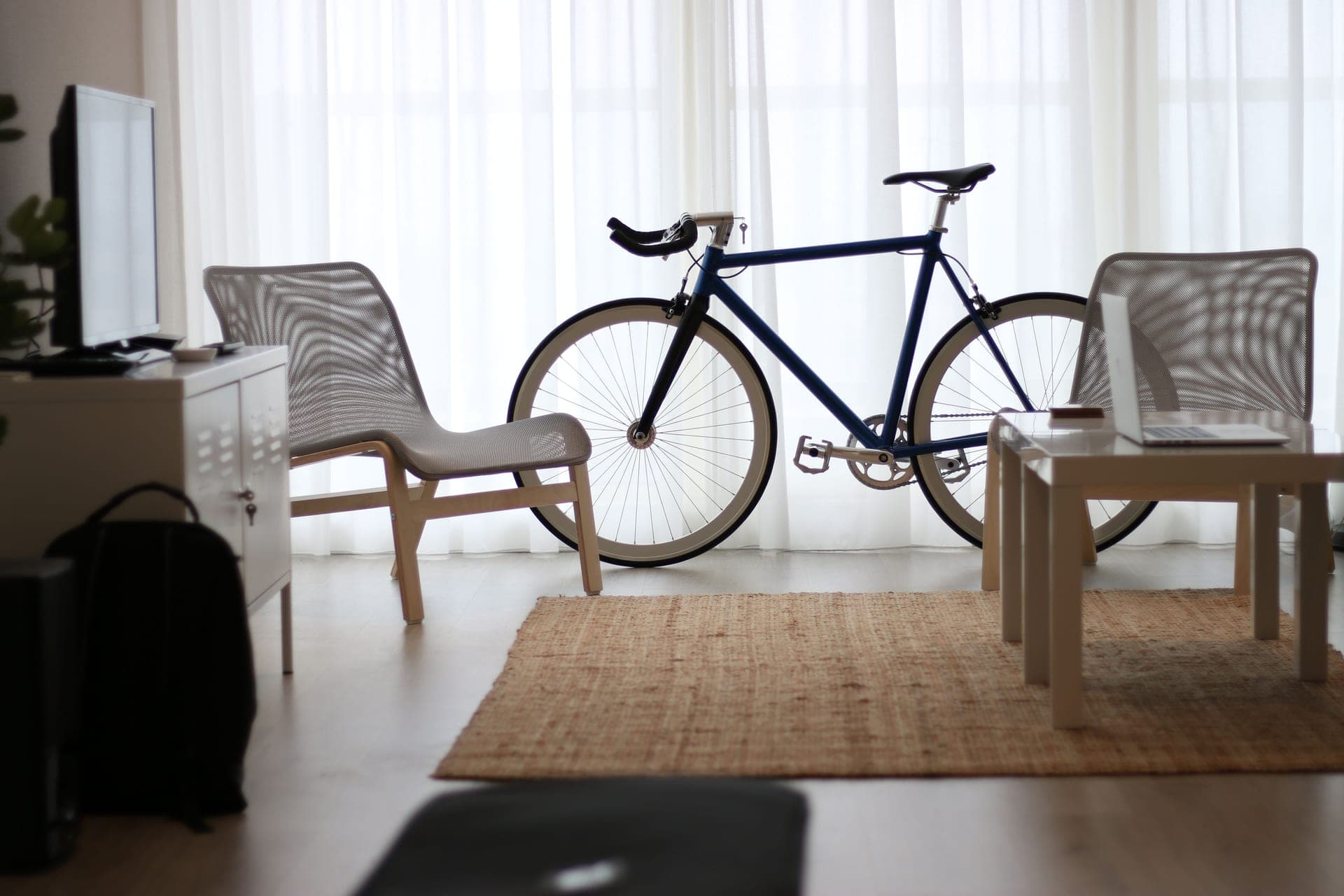
The short answer
Quick picks
| # | Product | Best for | Score | Price |
|---|---|---|---|---|
| 1 | 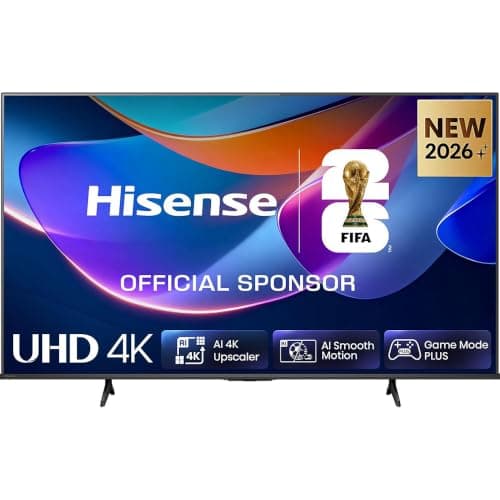 Hisense 43-inch A6S 4K UHD TV The right size at the right price: big enough to read at trainer distance, cheap enough to hang in a sweaty room, and it takes an AirPlay stream without extra hardware. | Best overall Zwift screen | 8.98.9 out of 10 | $220.14 · View on Amazon #ad We may earn a commission · Price as of October 21, 2026 |
| 2 | 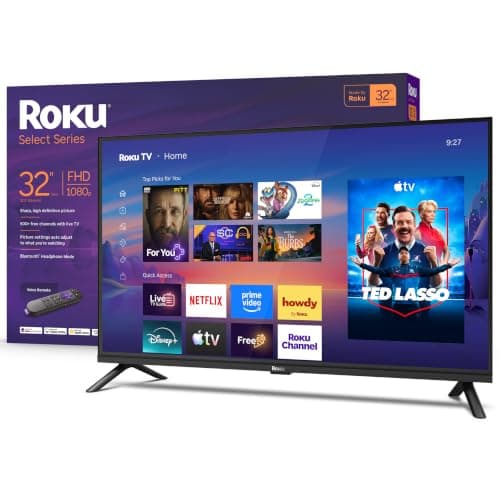 Roku 32-inch Select Series 1080p TV The apartment answer: 1080p at 32 inches is all Zwift asks for, AirPlay is built in, and it costs less than most trainer accessories. | Best for a small room or apartment | 8.48.4 out of 10 | |
| 3 | 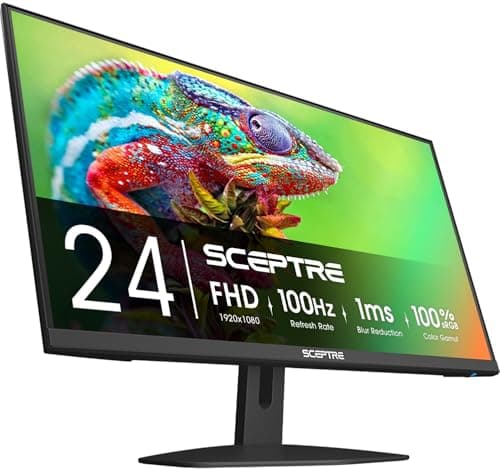 Sceptre E275W-FW100T 27-inch Monitor If a laptop already runs Zwift, this is the cheapest way to stop riding hunched over a 13-inch screen — provided it sits close. | Best if a laptop or PC drives the screen | 8.18.1 out of 10 | $92.97 · View on Amazon #ad We may earn a commission · Price as of October 21, 2026 |
| 4 | 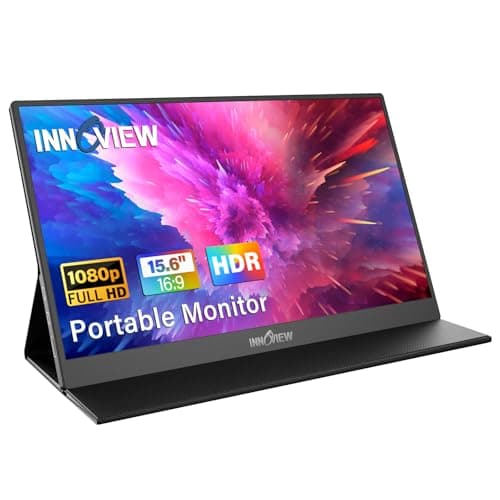 InnoView 15.6-inch Portable Monitor For riders whose pain cave is a living room three evenings a week: a real screen that folds away, as long as it sits close. | Best for a setup that has to pack away | 7.87.8 out of 10 | $63.99 · View on Amazon #ad We may earn a commission · Price as of October 21, 2026 |
| 5 | 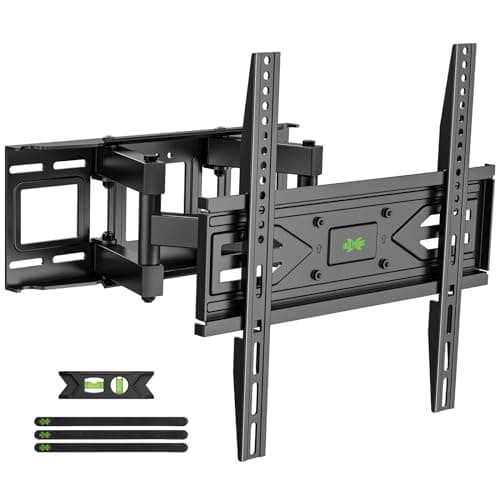 USX Mount Full Motion TV Wall Mount (32-70 in) The cheapest upgrade on this page: getting the screen to the right height and angle changes the ride more than another ten inches of panel. | Best way to get the screen to the right height | 8.78.7 out of 10 | |
| 6 | 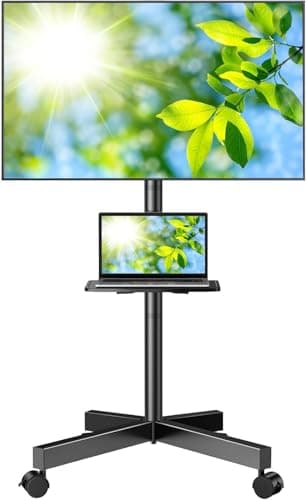 PERLESMITH PSTVMC06 Rolling TV Stand The renter's answer to screen height: rolls in for the session, rolls out afterwards, and puts the Apple TV somewhere other than the floor. | Best no-drill placement | 8.08.0 out of 10 | $49.99 · View on Amazon #ad We may earn a commission · Price as of October 21, 2026 |
A screen is the cheapest thing in a pain cave that changes whether you ride. It is also the purchase people most often get wrong, because they shop for it the way they shop for a living-room TV — chasing resolution, refresh rate and panel technology that Zwift makes no use of, then mounting the result at standing eye height where a rider bent over the bars cannot comfortably look at it.
The useful version of this decision has three parts: how big the screen needs to be at the distance your bike actually sits, how it gets to the right height, and what is going to run Zwift and feed it a picture. That last one surprises people, so we will deal with it first. For the rest of the build, start with pain cave setup ideas.
The screen is not the computer
Zwift's own tech requirements list what it runs on: "most newer PCs and Macs, most iPhones and iPads, as well as Apple TVs that are 4th gen or later," plus many Android phones and tablets, with a minimum of 4 GB of RAM and 4 GB of free storage on a computer. Notice what is missing from that list: every television platform on the market. There is no Zwift app for Tizen, webOS, Roku, Fire TV or Google TV. Your TV is a monitor with speakers.
So one of three things has to sit behind it. An HDMI cable from a laptop or PC is the cheapest and most reliable route if you already own the computer — it also gives you the best graphics of any option, and it is the one setup where a USB ANT+ adapter solves sensor pairing outright. An Apple TV is the tidy answer: it lives behind the screen, boots in seconds and never needs a lid opened. AirPlay or Chromecast mirroring from a phone or tablet works too, and costs nothing if your TV supports it — it is a mirror rather than a native app, so keep the device plugged in and expect the occasional hitch.
If you go the Apple TV route, know its one real limitation before you build around it: Zwift on Apple TV connects to only two Bluetooth devices. A trainer and a heart rate strap fill both slots, and a cadence sensor or a Zwift Play controller has nowhere to go. There are two fixes. The Zwift Companion app on your phone can bridge extra sensors over your network. Better, a trainer that connects over WiFi rather than Bluetooth does not consume a Bluetooth slot at all — that includes the Wahoo Kickr Core 2, the Kickr v6 and Move, the Tacx Neo 3M and the Elite Justo 2. It is a genuine reason to weigh WiFi when you choose a trainer.
One practical note on buying the box itself: at the time of writing Amazon's listings for the current-generation Apple TV 4K were showing as unavailable, with only older third-party "renewed" units in stock at prices above what Apple charges for a new one. Buy it from Apple unless that changes.
How we chose
We do not run a test lab, and we say so on our how we choose our pickspage. For this roundup we worked from the manufacturer specification and the retail listing for each product — screen size and resolution, input count, mount pattern, casting support, stated load capacity — checked which products were actually in stock and buyable before featuring them, then ranked them on how well they fit a room with a bike in it. Prices are pulled live and change constantly, so you will see today's number or "Check price" rather than a stale figure.
Where a specification is a manufacturer or listing claim rather than something independently measured — load ratings on the mounts, for instance — we say so rather than repeating it as fact.
What actually matters in a pain cave screen
Size, measured against your actual riding distance. This is the whole decision. A 43-inch 16:9 panel is about 37.5 inches wide; a 32-inch is about 27.9 inches. Most trainers end up five to eight feet from the wall, and in that band a 32-inch screen is workable and a 43-inch is comfortable. The thing you are reading is not the scenery — it is the power and cadence numbers along the bottom of the HUD, and whether a group ride is pulling away. Measure the gap from your stem to the wall before you shop.
Resolution barely matters. Zwift on Apple TV renders at 1080p and 30fps regardless of what the panel can display. A gaming PC can push 4K, but the gain is prettier trees, not clearer information. Buy 1080p at 32 inches happily; buy 4K at 43 inches only because that is what is sold at that size now.
Refresh rate, response time, HDR and panel type do not matter either. Zwift is not a twitch shooter and you are looking at it through sweat and a fan blast. A 100 Hz gaming monitor and a 60 Hz TV look identical on a virtual climb. Do not pay for motion technology in this room.
Count the HDMI ports. One for the laptop, one for the Apple TV, one spare for whatever the room does when you are not on the bike. Port counts change between model years on cheap TVs, so read the listing rather than the series name.
Casting support is worth real money. AirPlay 2 on Roku OS and on current Hisense VIDAA sets means an iPad that already runs Zwift can put the picture on the wall for free. If everyone in the house is on iPhones, that is one fewer box to buy.
Plan the audio at the same time.A TV's speakers are thin and they are pointed at a room with a fan roaring in it, which is why so many riders end up wearing something instead — our indoor cycling headphones roundup covers the open-ear and sealed options and the sweat ratings that matter in this room.
Brightness and glare are a placement problem, not a spec problem. Nobody publishes a nit figure at this price, so we do not quote one. Put the screen on the wall the window is not facing and the issue disappears; spend the saved money on the mount.
| Pick | Size | Resolution | Casting | Best when |
|---|---|---|---|---|
| Hisense 43-inch A6S | 43 in | 4K UHD | AirPlay 2 | Bike sits 5-8 ft from the wall |
| Roku 32-inch Select | 32 in | 1080p | AirPlay 2 | Small room, tight budget |
| Sceptre E275W-FW100T | 27 in | 1080p | None — HDMI only | A laptop drives it, up close |
| InnoView portable | 15.6 in | 1080p | None — HDMI/USB-C | The setup has to pack away |
| USX full-motion mount | Fits 32-70 in | n/a | n/a | You can drill into studs |
| PERLESMITH rolling stand | Fits 23-60 in | n/a | n/a | You cannot drill anything |
Placement: height, distance and angle
Set the center of the screen slightly below your eye level in the riding position, not standing up. On a road bike on the hoods your head is lower and tilted forward, and a screen hung at living-room height forces an hour of neck extension that you will feel the next day. If the screen has to go high — above a garage bench, say — tilt it down. That is the entire argument for a tilting or full-motion mount.
Distance is the other half. Five to eight feet is typical and works well with 32 to 43 inches. Closer than four feet, a big panel becomes uncomfortable and a monitor is the better tool. Further than eight, size up before you assume you need more resolution.
Angle matters more than people expect on cheap panels. VA monitors in particular lose contrast off-axis, and you spend a meaningful part of every hard session out of the saddle and rocking the bike. Center the screen on the bike, not on the room.
Sweat, humidity and how long a screen lasts
Sweat is corrosive and it travels further than you think — the fan that keeps you cool is also an atomizer aimed at everything in front of you. Keep the screen outside the drip line, which in practice means further away than the trainer desk holding your bottles, and wipe the room down rather than just the bike.
In a garage, condensation is the bigger risk. A cold panel in a room that warms up fast when you start riding can condense moisture on and inside the glass. The cheap defense is ventilation and not running a heater straight at the screen. It is also a reason we would put a budget TV in a garage rather than an expensive one — the garage pain cave guide covers the rest of the environmental problems in that room.
Do you need a TV at all?
No. Plenty of riders train for years on a laptop propped on a stool, and Zwift is designed to be legible on a phone. A tablet on a stand is the simplest complete setup there is — the Zwift tablet roundupranks the iPads and Android tablets that clear Zwift's requirements. The case for a dedicated screen is specific: you ride long sessions, you want group rides and races to feel like an event rather than a spreadsheet, or you are tired of a laptop living in the sweat zone.
If the budget is finite, the order we would spend in is a fan first, then the screen, then everything else — heat ends more indoor rides than boredom does. Our Zwift setup cost breakdown puts the screen in context against the rest of the build, and the complete setup guide assembles all of it at three budgets.
A television needs something to run Zwift on, and the cheapest good answer is an Apple TV — Zwift on Apple TV covers the setup and the one connection limit to plan around.
The full reviews
Every pick, in detail
#1 · Best overall Zwift screen
Hisense 43-inch A6S 4K UHD TV
8.98.9 out of 10#ad We may earn a commission · Price as of October 21, 2026
The right size at the right price: big enough to read at trainer distance, cheap enough to hang in a sweaty room, and it takes an AirPlay stream without extra hardware.
- Screen size
- 43 in (about 37.5 in / 95 cm wide)
- Resolution
- 4K UHD, 3840 x 2160
- HDR
- Dolby Vision and HDR10+ (per the listing)
- Smart platform
- VIDAA
- Native Zwift app
- No — nothing on a TV has one
- Casting
- AirPlay 2 listed across the A6S range
What we'd praise
- 43 inches is the size that stops you squinting at the power number without dominating a small room
- AirPlay 2 means an iPad already running Zwift can throw the picture up with nothing else bought
- Multiple HDMI inputs, so a laptop and an Apple TV can both stay plugged in
- Cheap enough that a sweaty, humid room is not a frightening place to put it
What we'd flag
- The 4K panel is wasted on Zwift — Apple TV renders the world at 1080p regardless of what the TV can show
- Entry-level TVs like this do not publish a brightness figure, so a bright, glary room is a gamble
- HDMI port count and the VESA pattern move between model years — check the listing before you buy a mount
- VIDAA is a slower, thinner app platform than Roku or Google TV if you also want it to be a TV
Forty-three inches is the number that matters here. At the five to eight feet a trainer typically sits from a wall, a 43-inch panel puts Zwift's numbers — power, cadence, heart rate, the distance-to-go bar — at a size you read rather than hunt for. Step down to 32 and you will find yourself leaning in during intervals; step up to 55 and you are either sitting too close or moving the bike back.
The 4K panel is not why we picked it. Zwift on Apple TV renders at 1080p and 30fps whatever the screen is capable of, and a PC pushing 4K buys you nicer scenery, not better information. What earns the pick is the combination of size, AirPlay 2 across the A6S range — so an iPad already running Zwift can mirror to it — and a price low enough that mounting it in a garage or a spare room with a fan blowing sweat around does not feel reckless.
Two honest caveats. Hisense moves ports and mount patterns between model years, so confirm the HDMI count and the VESA spacing on the exact listing you buy before you order a bracket. And nobody at this price publishes a brightness figure, which means a room with a window opposite the screen is a gamble — solve that with placement, not by spending more.
#2 · Best for a small room or apartment
Roku 32-inch Select Series 1080p TV
8.48.4 out of 10The apartment answer: 1080p at 32 inches is all Zwift asks for, AirPlay is built in, and it costs less than most trainer accessories.
- Screen size
- 32 in (about 27.9 in / 71 cm wide)
- Resolution
- 1080p Full HD, 1920 x 1080
- Smart platform
- Roku OS
- Native Zwift app
- No
- Casting
- AirPlay 2 and HomeKit supported on Roku TV
- Typical use
- Wall or shelf, 4-6 ft from the bars
What we'd praise
- Cheapest way to put a proper wall-mountable screen in front of a trainer
- 1080p at 32 inches is genuinely all Zwift needs — the HUD is sharp at trainer distance
- AirPlay 2 works out of the box, so an iPhone or iPad can drive it with no extra box
- Small and light enough for a cheap mount, a shelf, or a stand you move between rooms
What we'd flag
- 32 inches is small if the bike sits more than about six feet back — measure before you commit
- Entry Roku panels are dim by TV standards, so it wants a wall away from the window
- Sound is thin; fine for Zwift audio, poor for anything you would actually watch
- Like every TV, it is a display only — something still has to run Zwift and feed it
If the room is small, this is the honest pick, and not a compromise one. Zwift's interface was designed to be legible on phones and tablets; a 32-inch 1080p panel four to six feet from the bars shows it cleanly. The only thing a bigger screen buys at that distance is scenery, and scenery is not what you look at during the last minute of a threshold effort.
Roku OS carries AirPlay 2 and HomeKit, which is the quietly useful part: if your Zwift device is an iPhone or iPad, you can mirror to this and skip buying anything else. Pair it with the apartment pain cave approach — small footprint, everything on the wall — and the whole setup disappears when guests come.
Where it runs out of road: distance and brightness. Push the bike back past six feet and the numbers start to shrink, and entry-level panels at this price are not bright enough to fight a window behind you. Both are placement problems, and both are cheaper to solve by moving the bike than by buying a bigger screen.
#3 · Best if a laptop or PC drives the screen
Sceptre E275W-FW100T 27-inch Monitor
8.18.1 out of 10#ad We may earn a commission · Price as of October 21, 2026
If a laptop already runs Zwift, this is the cheapest way to stop riding hunched over a 13-inch screen — provided it sits close.
- Screen size
- 27 in (about 23.5 in / 60 cm wide)
- Resolution
- 1080p, 1920 x 1080 (VA panel)
- Refresh
- 100 Hz — irrelevant for Zwift
- Inputs
- 2 x HDMI, 1 x DisplayPort
- Audio
- Built-in speakers
- Mounting
- VESA 100 x 100 mm
What we'd praise
- Cheapest legitimate route to a dedicated screen if you already own the laptop that runs Zwift
- Built-in speakers, so a monitor does not force you into a separate audio problem
- VESA 100 x 100 fits the cheap arms and shelf mounts, which suits a desk-height cockpit
- No smart platform means no app updates, no home screen, nothing to boot past
What we'd flag
- 27 inches is too small much beyond four or five feet — this is a desk-distance screen
- No casting of any kind: without an HDMI cable from a computer it is an inert panel
- A VA panel dims and shifts color when you look at it from off to the side, which is exactly what happens when you stand up out of the saddle
- Monitor speakers are quiet enough that a serious fan will drown them
The most common Zwift setup in the world is a laptop balanced on something. This is the upgrade that fixes it for less than the cost of a cassette: a 27-inch 1080p panel on a trainer desk or a shelf, HDMI from the laptop, laptop lid closed and out of the sweat line. The refresh rate and FreeSync in the product name are gaming features you can ignore entirely — Zwift asks nothing of them.
Its limit is distance. A 27-inch screen is a desk screen: at four feet it is comfortable, at seven it is a squint. The VA panel also loses contrast off-axis, which is worth knowing because you will spend part of every hard session out of the saddle and off the center line.
Buy it if the bike is close to a desk or the screen can be mounted low and near. If the bike has to sit further back, the money is better spent on the 32-inch TV — it costs a little more and works at real trainer distances.
#4 · Best for a setup that has to pack away
InnoView 15.6-inch Portable Monitor
7.87.8 out of 10#ad We may earn a commission · Price as of October 21, 2026
For riders whose pain cave is a living room three evenings a week: a real screen that folds away, as long as it sits close.
- Screen size
- 15.6 in
- Resolution
- 1080p Full HD
- Inputs
- HDMI and USB-C
- Audio
- Built-in speaker
- Power
- USB-C, so one cable can carry picture and power
- Extras
- Protective case doubles as the stand
What we'd praise
- Folds flat and lives behind a door — the whole setup vanishes between rides
- USB-C means a single cable from a laptop or a phone that supports display output
- Cheap enough to treat as consumable in a garage that swings between freezing and humid
- Genuinely useful as a second screen for a workout plan next to a bigger display
What we'd flag
- 15.6 inches is small: it has to sit on the bars or a desk, right in front of you
- Built-in speakers are close to useless against a fan
- Stand cases are flimsy — a hard effort on a rocking bike can knock it over
- You are paying laptop-screen money for a laptop-sized screen, which only makes sense if space, not budget, is the constraint
Some setups cannot leave anything behind. If the bike comes out of a cupboard, goes on a mat in front of the sofa and is gone by dinner, a wall-mounted TV is not the answer and a laptop is what you already resent. A 15.6-inch portable monitor sits on the trainer desk or a stool a couple of feet from your face, takes one USB-C cable, and folds into its case afterwards.
Treat the position as non-negotiable: this screen only works close. On the bars or on a desk directly in front of the stem it reads perfectly. On a chair five feet away it is worse than nothing. The other honest caveat is stability — the fold-out cases these ship with are thin, and a hard out-of-the-saddle effort will move it.
If you are building a room rather than a routine, skip it and buy the 32-inch TV. If the setup has to disappear, this is the screen that makes that possible. Our apartment pain cave guide covers the rest of the fold-away build.
#5 · Best way to get the screen to the right height
USX Mount Full Motion TV Wall Mount (32-70 in)
8.78.7 out of 10The cheapest upgrade on this page: getting the screen to the right height and angle changes the ride more than another ten inches of panel.
- Fits
- Most 32-70 in TVs, up to 99 lb (per the listing)
- Motion
- Dual articulating arms, swivel and tilt
- VESA
- Up to 400 x 400 mm
- Studs
- Fits 12 in and 16 in wood studs
- Why it matters
- Tilt is what fixes a screen mounted too high
- Not for
- Renters and unstudded garage walls
What we'd praise
- Costs less than a set of trainer tires and fixes the single most common pain cave mistake — a screen mounted at standing eye height
- The arms let you pull the screen out from the wall and closer to the bike, which is worth more than buying a bigger panel
- Tilt lets a high-mounted screen face down at a rider bent over the bars
- Swivel means the same screen serves the trainer and the rest of the room
What we'd flag
- Requires drilling into studs — not an option in most rentals
- Articulating arms wobble more than a fixed plate, which you notice on a shared wall or a rocking floor
- The stated 99 lb capacity is a listing figure, not an independent test result
- Cable management is on you; a screen that swings needs slack routed properly
Almost every pain cave screen is mounted too high. That is because people mount a TV at standing viewing height, then get on a bike and spend an hour looking up at it through the top of their eye sockets. A full-motion mount fixes it two ways: it tilts the panel down toward a rider in the drops, and the arms pull the screen off the wall and closer to the bars, which does more for legibility than a bigger screen does.
It is a bracket, so the honest specification is simple: it takes screens from 32 to 70 inches and VESA patterns up to 400 x 400, and the load figure is the manufacturer's. Measure your TV's mount pattern before ordering — that is the one number people get wrong.
The catch is that it needs studs and a drill. If the room is rented or the wall is breeze-block, use the rolling stand below instead and put the money toward a better fan.
#6 · Best no-drill placement
PERLESMITH PSTVMC06 Rolling TV Stand
8.08.0 out of 10#ad We may earn a commission · Price as of October 21, 2026
The renter's answer to screen height: rolls in for the session, rolls out afterwards, and puts the Apple TV somewhere other than the floor.
- Fits
- 23-60 in TVs, up to 88 lb (per the listing)
- VESA
- Up to 400 x 400 mm
- Motion
- Tilt, plus wheels
- Extras
- Shelf for a laptop, Apple TV or router
- Height
- Adjustable — set it for a rider on the hoods
- Why it matters
- No drilling, so it works for renters and garages
What we'd praise
- No holes in anything, which makes it the default for rentals and shared spaces
- Rolls the screen to the bike for a session and out of the way afterwards
- The shelf gives the Apple TV, laptop or router somewhere to live off the floor
- Height adjustment means you can actually set it for a rider bent forward, not a standing viewer
What we'd flag
- A tall stand with a screen on top is top-heavy — not something to put beside a rocking trainer without thought
- Wheels are a liability on a sloped garage floor; lock them or plan on chocks
- Capacity and size range are listing figures, so measure your TV rather than trusting the range
- Takes floor space that a wall mount does not
If drilling is not on the table, this is how the screen gets to the right height. The adjustable column lets you set the panel for a rider on the hoods rather than a viewer standing in a living room, the tilt covers the rest, and the shelf gives whatever runs Zwift a home off the concrete.
It is also the pragmatic choice for a garage, where the walls are often masonry and the screen may want to live somewhere else in summer. Rolling it away is a real benefit in a room that has a second job — see the garage pain cave guide for the rest of that build.
Respect the physics. A 43-inch screen on a wheeled column is top-heavy, and a trainer that rocks or a rider who sprints creates exactly the sideways nudge that matters. Put it out of the bike's falling radius, lock the casters, and keep the cables off the floor where you walk.
Good questions
Frequently asked questions
Can I run Zwift on a smart TV without a computer?
No. There is no Zwift app for Samsung Tizen, LG webOS, Roku, Fire TV or Google TV. Zwift's own device list covers PCs and Macs, iPhones and iPads, Android phones and tablets, and Apple TV 4th generation or later. Any other TV is a display, and something else has to run Zwift and feed it over HDMI or by casting.
What size TV is best for Zwift?
Match it to the distance from your stem to the screen. At the five to eight feet most trainers end up from a wall, 32 inches is workable and 43 inches is comfortable. Under four feet a monitor is the better tool; past eight feet, size up before you spend on resolution.
Is 4K worth it for Zwift?
Not for the information you actually read. Zwift on Apple TV renders at 1080p and 30fps whatever the screen supports, and a PC pushing 4K buys nicer scenery rather than a clearer HUD. Buy 1080p at 32 inches without worrying; 4K at 43 inches is fine simply because that is what is sold at that size.
Does refresh rate or response time matter for Zwift?
No. Zwift is not a reaction game and nothing on screen depends on frame timing. A 60 Hz TV and a 100 Hz gaming monitor look the same on a climb. Do not pay extra for motion specs, HDR or panel technology for a trainer screen.
How many Bluetooth devices can Apple TV connect to in Zwift?
Two. A trainer and a heart rate monitor fill both slots. You can bridge more sensors through the Zwift Companion app on your phone, or use a trainer that connects over WiFi — a Wahoo Kickr Core 2, Kickr v6 or Move, Tacx Neo 3M or Elite Justo 2 — because a network-connected trainer does not use a Bluetooth slot.
Can I use a computer monitor instead of a TV?
Yes, and it is the cheapest route if a laptop or PC already runs Zwift. The trade-offs are distance and connectivity: monitors are usually 24 to 27 inches, which needs the bike close, and they have no casting, so an HDMI cable is mandatory. Check it has speakers, or plan for separate audio.
Can I AirPlay or cast Zwift from an iPad to the TV?
Yes, on a TV that supports AirPlay 2 — Roku TVs and current Hisense VIDAA models both list it. It mirrors the iPad rather than running Zwift natively, so keep the tablet plugged in, keep it on the same network, and accept the occasional dropped frame. It is free, which makes it the first thing to try before buying an Apple TV.
How high should the screen be for indoor cycling?
Slightly below eye level in your riding position, not standing height. On the hoods your head sits lower and tilts forward, so a screen mounted for a standing viewer means an hour of neck extension. If it has to sit high, tilt it down — that is what a tilting or full-motion mount is for.
How we sourced this
- Zwift App Tech Requirements — supported devices and minimum specs (Zwift)
- Supported Devices to Run Zwift (Zwift Support)
- Using the Zwift Companion App as a Bridge (Zwift Support)
- Zwift on Apple TV: pros, cons and quirks — 1080p/30fps rendering and the two-device Bluetooth limit (Zwift Insider)
- Network-connected smart trainers and Apple TV's two-device Bluetooth limit (Zwift Insider)
- Sceptre E275W-FW100T product specifications (manufacturer)
- Apple TV 4K models and current US pricing (Apple)
Keep going
Read these next
- Indoor SetupThe Best Tablets for Zwift
- Gift GuideThe Best Gifts for Zwift Riders
- Indoor SetupPain Cave Setup Ideas
- Indoor SetupWhat a Zwift Setup Actually Costs
- Indoor SetupThe Zwift Setup Guide
- AccessoriesThe Best Bike Trainer Desks
- AccessoriesBest ANT+ Adapters for Zwift
- AccessoriesBest Headphones for Indoor Cycling
- Indoor SetupThe Garage Pain Cave