The Supporting Cast
The Best Cadence Sensors, Compared on the Specs
When your setup doesn't broadcast cadence on its own, a good sensor fixes it for the price of a bidon or two. Here's when you need one, and which pairs with everything.
The short answer
Quick picks
| # | Product | Best for | Score | Price |
|---|---|---|---|---|
| 1 | 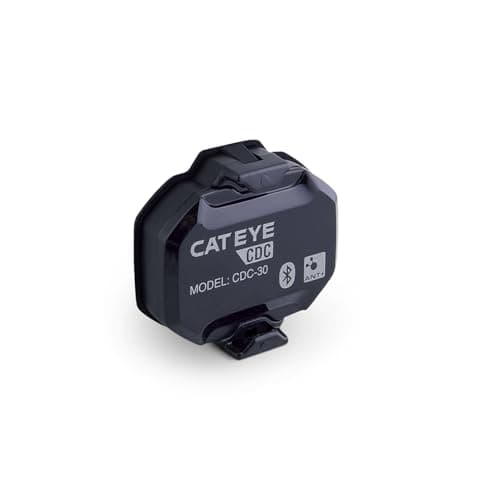 CatEye CDC-30 The safe default now that Wahoo's RPM has gone: dual-band, magnet-less, and it pairs with everything you'll ever run. | Best overall | 8.98.9 out of 10 | |
| 2 | 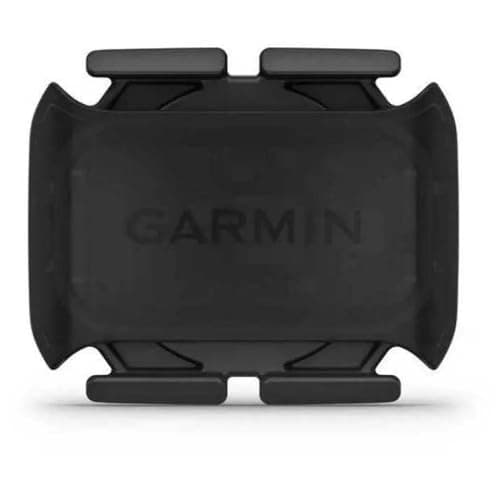 Garmin Cadence Sensor 2 The pick if you're already on Garmin: seamless in that ecosystem, and still dual-band elsewhere. | Best for Garmin users | 8.78.7 out of 10 | |
| 3 | 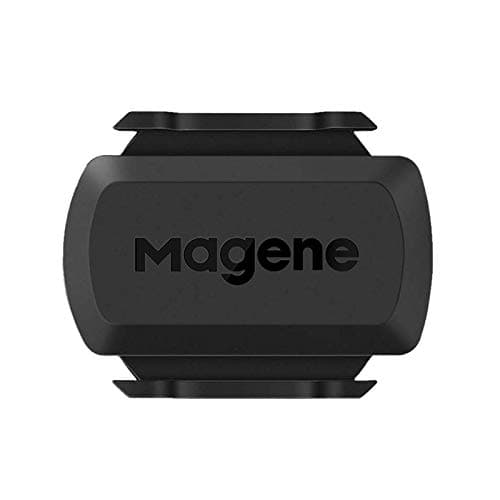 Magene S3+ The value pick: dual-band and mode-switchable for a fraction of the name-brand sensors. | Best value | 8.58.5 out of 10 | $16.99 · View on Amazon #ad We may earn a commission · Price as of October 22, 2026 |
| 4 | 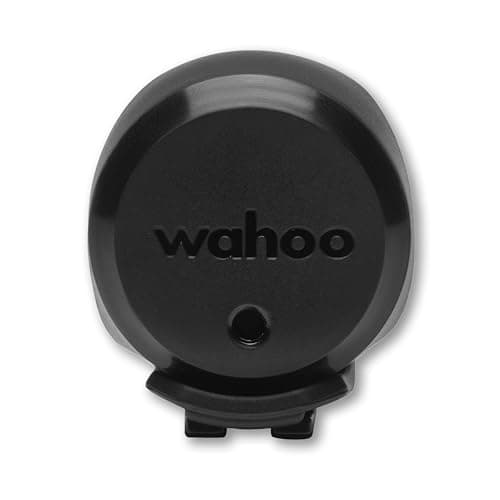 Wahoo TRACKR Speed The companion pick: Wahoo's replacement for the RPM Speed, and the tidy way to add wheel speed to a wheel-on setup. | Best for speed too | 8.48.4 out of 10 | $44.99 · View on Amazon #ad We may earn a commission · Price as of October 22, 2026 |
| 5 | 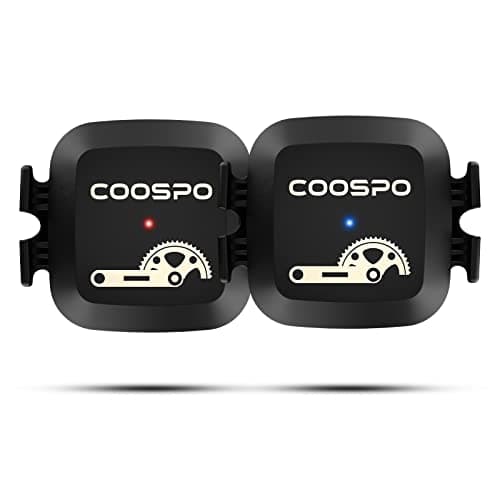 Coospo Cadence Sensor The budget pick: dual-band cadence for pocket change, if you can live without the polish. | Best budget | 8.08.0 out of 10 |
A cadence sensor is the cheapest upgrade on this whole site, and for a lot of setups it's the one that fills the last gap in your data. It won't make you faster, but a cadence number on screen changes how you ride — it's the difference between guessing and knowing whether you're spinning or grinding through an interval.
When you actually need one
Plenty of riders don't need a cadence sensor at all. A modern direct-drive smart trainer already broadcasts cadence, and so do most dual-sided power meters. You need a separate sensor in three situations. First, a spin bike or gym bike that has no electronics of its own — the classic case for wanting cadence in Zwift. Second, a non-power setup: a classic wheel-on trainer where the app has no idea how fast your legs are turning. Third, redundancy— some riders want a dedicated cadence source so a dropped power-meter signal doesn't take their cadence with it. If none of those is you, skip it and spend the money on a fan instead.
How we ranked them
We don't run a test bench, and we say so plainly on our how we reviewpage. What we did instead: pulled each sensor's published connectivity, mounting method and battery, then judged them on the four things that matter for a device you fit once and forget — reliability, connectivity, battery life, and value. Prices are live from Amazon and change constantly, so you'll see today's number or "Check price," never a stale figure we typed in months ago.
| Sensor | Connectivity | Mount | Battery | Best for |
|---|---|---|---|---|
| CatEye CDC-30 | BT + ANT+ | Crank arm | CR2032 | Overall |
| Garmin Cadence Sensor 2 | BT + ANT+ | Crank arm band | CR2032 | Garmin users |
| Magene S3+ | BT + ANT+ | Crank arm / hub | CR2032 | Value |
| Wahoo TRACKR Speed | BT + ANT+ | Wheel hub | CR2032 | Adds speed |
| Coospo Cadence Sensor | BT + ANT+ | Crank arm / shoe | CR2032 | Budget |
Bluetooth vs ANT+, and why magnet-less matters
The connectivity question used to matter more than it does now. Bluetooth pairs with phones, tablets and laptops — how most people run Zwift or a training app. ANT+ is the older standard that Garmin head units and many older devices speak, and its trick is broadcasting to unlimited receivers at once. The simple answer: buy a dual-band sensor and stop thinking about it, so the same device covers your tablet today and a head unit tomorrow. Every pick here is dual-band for exactly that reason.
Magnet-lessis the other thing worth caring about. Old sensors needed a magnet zip-tied to a crank or spoke and a pickup aligned just so — fiddly and easy to knock out of position. Modern sensors use an accelerometer instead: they strap to the crank arm, count revolutions internally, and there's nothing to align. All of these are magnet-less, which is why setup is a one-minute job. A cadence sensor is a small piece of the room — see where it sits on the accessories checklist and how it fits the wider setup.
What to do with the number once you have it
A cadence figure is only useful if you know what to do with it, and the published research is less obvious than the usual "ride at 90 rpm" advice suggests — what cadence should you ride at goes through the studies that found around 60 rpm is the most metabolically efficient cadence, and why you should not ride there anyway. One practical note for Zwift users: on an Apple TV setup a cadence sensor is usually the device that takes you past the two-Bluetooth-device limit, which ANT+ vs Bluetooth for Zwift explains how to work around.
Not sure you need one at all? Do you need a cadence sensor for Zwift works through the four setups where a sensor genuinely earns its place, and the connection slot it costs you on an Apple TV.
Two practical follow-ups once you have bought one. How to install a cadence sensor covers the two-minute version of fitting it — which crank arm, which way round, and how to wake it before pairing. And if it stops reporting, cadence sensor not working lists the six causes in the order they actually occur.
The full reviews
Every pick, in detail
#1 · Best overall
CatEye CDC-30
8.98.9 out of 10The safe default now that Wahoo's RPM has gone: dual-band, magnet-less, and it pairs with everything you'll ever run.
- Connectivity
- Bluetooth 4.1 + ANT+
- Mount
- Crank arm, strap or zip ties (magnet-less)
- Battery
- CR2032 coin cell
- Battery life
- About 10 months at an hour a day (claimed)
- Water resistance
- IPX7
What we'd praise
- Dual Bluetooth and ANT+ pairs with any app or head unit at once, no bridge or dongle
- Magnet-less accelerometer straps to the crank arm in about a minute with nothing to align
- Ships with four zip ties and three rubber rings as well as the strap, so it fits crank arms a single band will not
- Roughly half the price of the Garmin sensor for the same core job
What we'd flag
- Crank arm only — CatEye ships no shoe clip, so a shrouded spin bike crank is still a problem
- It's cadence only — you add a separate sensor if you also want wheel speed
- CatEye's own app is thinner than Garmin Connect if you want the data to live somewhere
With the Wahoo RPM discontinued, the CDC-30 is the cadence sensor to buy if you don't want to think about it again. It talks Bluetooth and ANT+ at the same time, so it pairs with Zwifton a tablet, TrainerRoad on a laptop and a Garmin head unit without you choosing a side. The design is magnet-less: it straps to the crank arm and counts revolutions with an accelerometer, so there's no magnet to align and nothing to knock out of position.
CatEye rates the CR2032 at about ten months of hour-a-day riding, and the parts kit includes four zip ties and three rubber rings alongside the strap — the detail that matters on an awkward crank, because a zip tie will go round an arm a rubber band will not. The one thing it does not do is mount to a shoe, so if your crank is shrouded, read our stationary bike guide before you buy.
#2 · Best for Garmin users
Garmin Cadence Sensor 2
8.78.7 out of 10The pick if you're already on Garmin: seamless in that ecosystem, and still dual-band elsewhere.
- Connectivity
- Bluetooth + ANT+
- Mount
- Crank arm band (magnet-less)
- Battery
- CR2032 coin cell
- Battery life
- Up to ~12 months (claimed)
- Best for
- Garmin ecosystems
What we'd praise
- Drops straight into a Garmin Edge or watch with no fuss and shows up in Garmin Connect
- Rubber band mount hides against the crank arm with nothing sticking out to catch
- Dual-band, so it still pairs with Zwift and other apps over Bluetooth
What we'd flag
- No real advantage over the Wahoo unless you're already in the Garmin world
- The band mount can need re-seating over time on some cranks
If your head unit is a Garmin Edge or your training data lives in Garmin Connect, this is the sensor that disappears into your setup. It pairs instantly, reports cleanly, and the rubber-band mount wraps the crank arm so there's nothing protruding. Like the CatEye, it's magnet-less and dual-band, so it still talks to Zwift and any Bluetooth app when you want it to.
The honest read: outside the Garmin ecosystem it doesn't beat the CDC-30 at anything, and it costs roughly twice as much. But if you're already all-in on Garmin, buying the matching sensor keeps everything in one app and one battery type — a small, real convenience.
#3 · Best value
Magene S3+
8.58.5 out of 10#ad We may earn a commission · Price as of October 22, 2026
The value pick: dual-band and mode-switchable for a fraction of the name-brand sensors.
- Connectivity
- Bluetooth + ANT+
- Mount
- Crank arm or hub (dual mode)
- Battery
- CR2032 coin cell
- Modes
- Speed or cadence (switchable)
- Best for
- Value, flexibility
What we'd praise
- Switches between speed and cadence mode, so one sensor covers two jobs
- Dual Bluetooth and ANT+ for well under the name-brand price
- Magnet-less and light, with a mount kit for crank arm or hub
What we'd flag
- App and firmware polish trails Wahoo and Garmin
- You pick speed or cadence per sensor, so covering both still means buying two
The S3+ is the sensor for riders who want dual-band connectivity without the dual-band price. It does Bluetooth and ANT+, it's magnet-less, and the clever part is that a single sensor can be set as either a speed or a cadence sensor, so you can buy one for each job and match them to your setup. For adding cadence to a power-freespin bike, it's a lot of function for the money.
What you give up is polish: the app and firmware aren't as slick as Wahoo's or Garmin's, and support is thinner. But the core job — reliably counting revolutions and broadcasting them to your app — it does well, and the value is hard to argue with.
#4 · Best for speed too
Wahoo TRACKR Speed
8.48.4 out of 10#ad We may earn a commission · Price as of October 22, 2026
The companion pick: Wahoo's replacement for the RPM Speed, and the tidy way to add wheel speed to a wheel-on setup.
- Connectivity
- Bluetooth + ANT+
- Mount
- Wheel hub up to 40 mm (magnet-less)
- Battery
- CR2032 coin cell
- Battery life
- Up to ~200 hours (claimed)
- Measures
- Wheel speed / distance
- Water resistance
- IPX7
What we'd praise
- Adds wheel speed and virtual distance on a wheel-on or classic trainer setup
- Dual-band and magnet-less, and the stretch mount goes on any hub up to 40 mm in under a minute
- Two LEDs confirm pairing and speed pickup, so you know it is working before you start
What we'd flag
- It's a speed sensor, not cadence, so it's a companion rather than a substitute
- Direct-drive trainers already report speed, so it's redundant for those
- Wahoo claims about 200 hours from the coin cell, well short of the year the old RPM Speed quoted
TRACKR Speed is what Wahoo sells now the RPM line has gone, and it's the sensor people reach for when a wheel-on traineror a classic dumb trainer needs to report speed and virtual distance to an app. The stretch mount fits any hub up to 40 mm, it's magnet-less and dual-band, and a pair of LEDs tell you when it has found a device and when it is seeing rotation.
Be clear on what it is: a speed sensor, not a cadence sensor, so it complements the picks above rather than replacing them. And if you already ride a direct-drive smart trainer, it's redundant — the trainer reports speed and power itself. Note the battery claim too: Wahoo quotes around 200 hours rather than the year the old RPM Speed advertised, so budget for a coin cell more often.
#5 · Best budget
Coospo Cadence Sensor
8.08.0 out of 10The budget pick: dual-band cadence for pocket change, if you can live without the polish.
- Connectivity
- Bluetooth + ANT+
- Mount
- Crank arm or shoe (magnet-less)
- Battery
- CR2032 coin cell
- Modes
- Speed or cadence (switchable)
- Best for
- Tight budgets
What we'd praise
- About the cheapest way to add reliable cadence to any app
- Dual-band and magnet-less despite the low price
- Tiny and light enough to leave clipped to the crank permanently
What we'd flag
- Build and app feel budget next to the Wahoo and Garmin
- Longer-term reliability is more of a gamble at this price
The Coospo is proof you don't need to spend much to get cadence on screen. It's dual-band and magnet-less like the pricier sensors, straps to the crank arm or a shoe, and broadcasts cleanly to Zwiftor any Bluetooth training app. For a rider who just needs a cadence number on a spin bike and resents paying for a badge, it's the obvious start.
The trade is the intangibles: the app is basic, the plastics feel cheaper, and the long-term reliability is more of a roll of the dice than with the name brands. But at this price you can afford to find out, and the core function is genuinely there. Where the next dollar goes is covered in our accessories checklist.
Good questions
Frequently asked questions
Do I need a cadence sensor if I have a smart trainer?
Usually no. A modern direct-drive smart trainer already broadcasts cadence to your apps, and most dual-sided power meters do too. You mainly need a separate cadence sensor for a spin bike or gym bike with no electronics, a classic wheel-on setup, or as a redundant cadence source so a dropped power signal doesn't take your cadence with it.
Bluetooth or ANT+ for a cadence sensor?
Buy a dual-band sensor and you don't have to choose. Bluetooth pairs with phones, tablets and laptops, which is how most people run Zwift and training apps; ANT+ suits Garmin head units and broadcasts to unlimited receivers at once. Every sensor we recommend does both, so the same device covers your tablet today and a head unit later.
What does magnet-less mean, and is it better?
Magnet-less sensors use an internal accelerometer to count crank revolutions instead of a magnet and pickup you have to align. They strap to the crank arm and set up in about a minute, with nothing to knock out of position. It's simpler and more reliable than the old magnet-based sensors, and every pick here is magnet-less.
How long does a cadence sensor battery last?
Most of these run on a common CR2032 coin cell that manufacturers claim lasts up to around a year of regular riding. Replacing it is a coin-twist of the back cover and a new battery from any store. If a sensor starts dropping out or reading erratically, a fresh CR2032 is the first thing to try before assuming the unit has failed.
Can one sensor measure both speed and cadence?
Not usually at the same time. Some sensors, like the Magene S3+ and many Coospo units, can be switched to act as either a speed or a cadence sensor, but each sensor does one job at a time, so covering both still means buying two. If you want both, pair a dedicated cadence sensor such as the CatEye CDC-30 with a dedicated speed sensor such as the Wahoo TRACKR Speed.
What happened to the Wahoo RPM Cadence sensor?
Wahoo discontinued the RPM Cadence and RPM Speed sensors in 2026, and there is no direct cadence replacement in the line - TRACKR Speed is the newest sensor in the range and it measures speed only. Our current cadence pick is the CatEye CDC-30, which is also dual-band and magnet-less. The one thing it does not carry over is the RPM's shoe-clip mount, so a shrouded spin bike crank now needs a different approach.
How we sourced this
Keep going
Read these next
- GuidesWhat Cadence Should You Ride At?
- GuidesANT+ vs Bluetooth for Zwift
- GuidesCadence Sensor vs Power Meter
- AccessoriesThe Best Heart Rate Monitors
- AccessoriesThe Indoor Cycling Accessories Checklist
- AccessoriesBest Fans for Indoor Cycling
- Indoor SetupThe Zwift Setup Guide
- Power MetersBest Power Meters
- AccessoriesThe Best ANT+ Adapters for Zwift
- Power MetersHow to Calibrate a Power Meter