Start Here
Cadence Sensor for a Stationary Bike
Most cadence sensors assume you have a normal crank arm to strap to. A lot of stationary bikes do not — here is what actually fits, and how to get the number onto a screen.
The short answer
Quick picks
| # | Product | Best for | Score | Price |
|---|---|---|---|---|
| 1 | 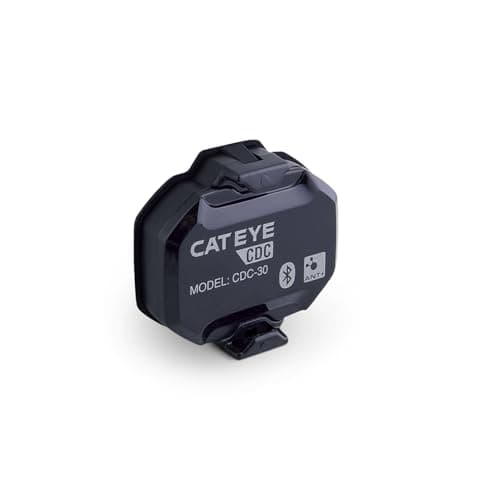 CatEye CDC-30 The pick when the crank arm is exposed but too broad for a rubber band — the zip ties in the box are the whole reason it fits where other sensors do not. | Best for an oversized crank arm | 8.58.5 out of 10 | |
| 2 | 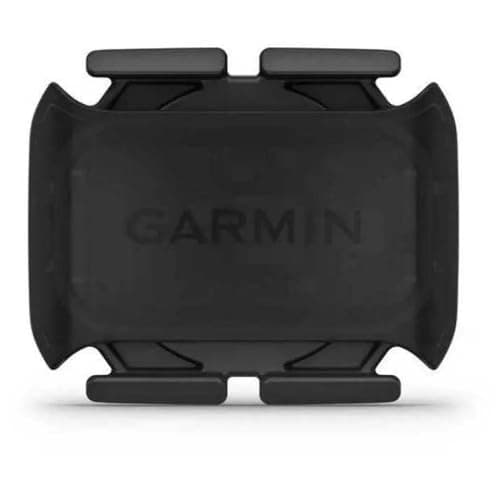 Garmin Cadence Sensor 2 The better sensor, if it fits. Measure your bike's exposed crank arm before ordering, because that is the only thing that decides it. | Best if the crank is exposed | 8.68.6 out of 10 | |
| 3 | 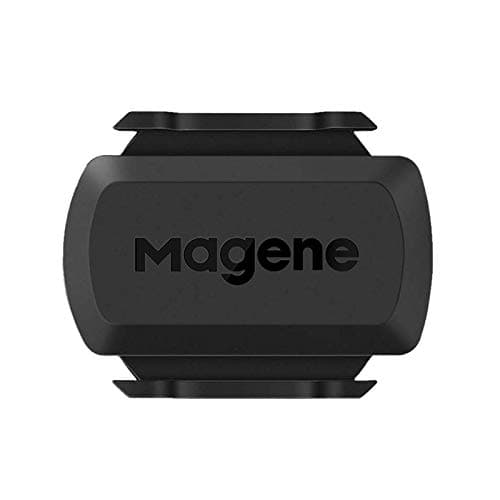 Magene S3+ Perfectly adequate, and the right choice if spending real money on a revolution counter feels absurd — which is a defensible view. | Best value | 8.48.4 out of 10 | $16.99 · View on Amazon #ad We may earn a commission · Price as of October 22, 2026 |
Cadence is the most useful number in indoor cycling that people routinely go without. It tells you howyou are producing your effort rather than how much of it there is, and the difference between grinding at 65 rpm and spinning at 95 is the difference between a session that develops you and one that just empties your legs. It is also the number to watch when ERG mode starts to bite.
Getting it onto a screen is straightforward on a road bike and surprisingly fiddly on a stationary bike, for one reason: almost every cadence sensor assumes a bare crank arm. This guide covers what to do when you do not have one.
Step one: check whether you already have cadence
Do this before spending anything, because a good share of people shopping for a sensor already have the number available.
Newer connected exercise bikes— Schwinn IC4, Bowflex, several Sunny models and most things marketed as "smart" — broadcast cadence over Bluetooth FTMS, along with speed and an estimated power figure. If your bike pairs with an app at all, cadence is very likely already in that stream. Check the pairing screen in Zwift: cadence is a separate slot from power, and plenty of people have never filled it.
If you have a smart trainer rather than a stationary bike, you almost certainly have cadence — direct-drive trainers derive it from the drive unit and transmit it alongside power. Same advice: check the pairing screen first.
Older gym-style bikes with a console and no connectivity are the case this guide is really for. The console may display cadence, but it cannot send it anywhere, so as far as any app is concerned it does not exist.
Step two: look at your crank arm
This single check decides which sensor you can buy, and it takes ten seconds.
Look at the left-hand crank arm — the one without the chainring. You need a length of exposed, roughly flat arm that a small pod can be strapped to, and you need it to clear the frame and your heel as it rotates. On a road bike this is never in doubt. On a stationary bike there are three common problems.
A shroud. Many spin bikes cover the crank and bottom bracket with a plastic cover for safety and appearance. There is nothing to strap to.
An oversized arm. Commercial-style bikes often use very broad steel crank arms that a rubber-band mount will not go around.
Clearance. Even where the arm is accessible, a pod on the inside face may catch the frame, and a pod on the outside face may catch your heel.
If the arm is broad but exposed, a zip-tie mount solves it. If it is shrouded, skip to the bike's own broadcast or to power meter pedals — see below.
| Crank strap | Shoe clip | Bike's own broadcast | |
|---|---|---|---|
| Needs exposed crank arm | Yes | No | No |
| Works on a shrouded spin bike | No | Yes | If supported |
| Works on a road bike | Yes | Yes | N/A |
| Moves between bikes | Yes, minutes | Follows your shoes | No |
| Extra hardware | Sensor | Sensor | None |
| Magnets required | None on modern sensors | None | N/A |
| Typical battery | Coin cell, 6–12 months | Coin cell | Powered by the bike |
| Sends to Zwift | ANT+ and Bluetooth | ANT+ and Bluetooth | Bluetooth FTMS |
The shoe-clip route, and why it has got harder
A modern cadence sensor is an accelerometer. It does not care what it is attached to — it senses rotation and counts revolutions. Attached to a crank arm it counts the crank; clipped to a shoe it counts your foot, which is going round at exactly the same rate.
That made the shoe clip a complete solution for a bike you cannot mount to — the reading is the same, the broadcast is the same, and nothing about the bike matters. The problem is supply. Wahoo discontinued the RPM Cadence in 2026, and it was the mainstream sensor that shipped a shoe clip in the box. Wahoo has not replaced it: TRACKR Speed is the newest sensor in that line and it measures wheel speed only. A used RPM Cadence still works exactly as described, but there is no current sensor we can point you at that includes a shoe mount.
So the honest running order for an awkward bike is: check the bike's own Bluetooth broadcast first, then a zip-tie crank mount if there is any exposed arm at all, then power meter pedals, which attach to nothing on the bike and report cadence as well as power.
Getting the number into Zwift or your app
Once the sensor is on, pairing is the easy part — with two things worth knowing.
Pair only one cadence source. If your bike already broadcasts cadence and you add a sensor, you now have two sources reporting slightly different numbers. Pick one in the pairing screen and leave the other unpaired. Two sources into one session produces confusing data and the app will not always choose the one you expected.
Prefer ANT+ if you can. ANT+ is a broadcast protocol, so any number of devices can listen at once without pairing exclusively. Bluetooth is paired and limited, which is why a sensor sometimes appears on your tablet and vanishes from your head unit. If your laptop or desktop lacks ANT+, a cheap dongle solves it — our ANT+ adapter guide covers which to buy. This is also the most common fix in our connection troubleshooting guide.
What a cadence sensor will not do
Worth being clear, because expectations here are often wrong.
It will not give you power. A cadence sensor counts revolutions. It has no idea how hard you are pushing, and no app can infer wattage from cadence alone. If you want power on a stationary bike, you need either a bike that estimates it, a power meter pedal — which is genuinely the neatest solution on a gym bike, since it needs nothing from the bike itself — or a real smart trainer under your own bicycle. Our cadence sensor vs power meter guide settles which of those is worth your money.
It will not make the bike controllable. Adding sensors does not give a stationary bike ERG mode or terrain-responsive resistance. Those require a trainer or bike that accepts control commands, which is the fundamental dividing line explained in smart trainer vs dumb trainer.
It will not fix the fit. If your real goal is training that transfers to a road bike, the position matters more than the data — see smart trainer vs spin bike for that argument in full.
What to buy
If your crank arm is oversized but exposed, buy a sensor whose parts kit includes zip ties rather than a single rubber band — that one detail decides whether it fits. If the crank is fully shrouded, no sensor currently on sale will mount to it, so the answer is the bike's own broadcast or a power meter pedal.
If you have a normal exposed crank arm, any magnet-free crank sensor will do, and the choice comes down to how much you want to spend on a revolution counter. Our cadence sensor roundup ranks the field, and the Garmin Cadence Sensor 2 review covers the most common recommendation in detail.
And if this exercise has convinced you that adding sensors to a gym bike is a lot of effort to approximate what a real setup does natively — that is a reasonable conclusion. Our do I need a smart trainer guide is the honest version of that conversation.
Know which mount you need?
Compare every cadence sensorThe full reviews
Every pick, in detail
#1 · Best for an oversized crank arm
CatEye CDC-30
8.58.5 out of 10The pick when the crank arm is exposed but too broad for a rubber band — the zip ties in the box are the whole reason it fits where other sensors do not.
- Mounting
- Crank arm, rubber strap or zip ties
- Magnets
- None
- Battery
- CR2032, about 10 months at an hour a day
- Connectivity
- ANT+, Bluetooth 4.1
- Why it fits
- Four zip ties in the box reach round arms a rubber band will not
- Water resistance
- IPX7, which matters with indoor sweat
What we'd praise
- The parts kit includes four zip ties and three rubber rings, so a broad gym-bike crank arm is still mountable
- Magnet-free, so there is no alignment and nothing to knock out of position
- Dual ANT+ and Bluetooth broadcast, so a tablet and a head unit can both read it
- Cheap enough to leave permanently on a gym-style bike, and IPX7 against sweat
What we'd flag
- No shoe clip — if the crank is fully shrouded there is nothing to attach to, and this will not help
- Rubber mounts perish over time, especially with indoor sweat
- Cadence only — no speed, no power
The reason this is the recommendation for a stationary bike has nothing to do with accuracy and everything to do with mounting. Gym-style bikes often use very broad steel crank arms that the single rubber band supplied with most sensors will not go around. CatEye packs four zip ties and three rubber rings alongside the strap, which is enough to get a pod onto an arm that defeats a Garmin or a Magene.
Be clear about the limit. This is not a shroud solution — if the crank is covered entirely, there is nothing to strap or tie to and no sensor on sale today fixes that, because Wahoo discontinued the shoe-clip RPM Cadence in 2026 and did not replace it. In that case, check whether the bike broadcasts cadence itself before you buy anything at all.
#2 · Best if the crank is exposed
Garmin Cadence Sensor 2
8.68.6 out of 10The better sensor, if it fits. Measure your bike's exposed crank arm before ordering, because that is the only thing that decides it.
- Mounting
- Crank arm, rubber bands
- Magnets
- None
- Battery
- CR2032, up to 12 months
- Connectivity
- ANT+, Bluetooth
- Water resistance
- 1 ATM
- Fits
- Any crank length, if you can reach it
What we'd praise
- Straps to any exposed crank arm in under a minute with no alignment at all
- Up to twelve months from a coin cell you can change with a coin
- Reliable dual-protocol broadcast and dependable firmware
- Moves to an outdoor bike just as easily if you have one
What we'd flag
- Needs enough exposed crank arm to strap to, which some spin bikes do not offer
- No shoe-mount option, unlike the Wahoo
- Costs more than the job strictly requires
On a bike with a normal exposed crank arm, this is the cleanest solution: rubber bands, no magnet, no alignment, a year of battery. Full detail in our Garmin Cadence Sensor 2 review.
#3 · Best value
Magene S3+
8.48.4 out of 10#ad We may earn a commission · Price as of October 22, 2026
Perfectly adequate, and the right choice if spending real money on a revolution counter feels absurd — which is a defensible view.
- Mounting
- Crank arm or wheel hub
- Magnets
- None
- Modes
- Switchable speed or cadence
- Battery
- CR2032
- Connectivity
- ANT+, Bluetooth
- Price band
- Budget
What we'd praise
- A fraction of the price of the branded options for the same fundamental job
- Switchable between cadence and speed duty
- Dual-protocol broadcast, so it works with Zwift and a head unit at once
- Cheap enough to leave permanently attached to a bike you rarely move
What we'd flag
- Less polished app and firmware than Wahoo or Garmin
- Mount durability is a step down under heavy indoor sweat
- Occasional pairing quirks on some head units
Counting crank revolutions is not difficult engineering. If your bike has an exposed crank arm and you want the number for as little as possible, this does the job. Our cadence sensor roundup ranks it against the rest.
Good questions
Frequently asked questions
Can you put a cadence sensor on a stationary bike?
Usually yes. If the left crank arm is exposed, any magnet-free crank sensor straps straight on. If the arm is too broad for a rubber band — common on gym-style bikes — choose a sensor that ships zip ties, such as the CatEye CDC-30. If the crank is fully shrouded there is no sensor answer any more: Wahoo discontinued the shoe-clip RPM Cadence in 2026, so use the bike's own Bluetooth broadcast or a power meter pedal instead.
How do I get cadence into Zwift from a spin bike?
First check whether the bike already broadcasts it: most connected bikes send cadence over Bluetooth FTMS, and in Zwift cadence is a separate pairing slot from power that many people never fill. If it does not, fit a magnet-free crank sensor and pair that instead — but pair only one source, not both.
Do cadence sensors need magnets?
Not any more. Modern sensors use an accelerometer to detect rotation, so there is no magnet, no frame-mounted pickup and no alignment gap. That is what makes them workable on a stationary bike, where there is often nowhere sensible to put a magnet and a pickup.
Will a cadence sensor give me power on a stationary bike?
No. It counts revolutions and has no idea how hard you are pushing, and power cannot be inferred from cadence alone. To get real power on a gym bike, the neatest route is a power meter pedal, because it needs nothing from the bike itself.
Do I need a cadence sensor if I have a smart trainer?
Almost certainly not. Direct-drive smart trainers derive cadence from the drive unit and broadcast it alongside power. If you cannot see it, the usual cause is simply that cadence has not been paired in your app — check the pairing screen before buying anything.
Should I use ANT+ or Bluetooth for a cadence sensor?
ANT+ where you can. It is a broadcast protocol, so several devices can read the same sensor at once, whereas Bluetooth pairs exclusively and is limited — which is why a sensor sometimes appears on a tablet and disappears from a head unit. A cheap ANT+ dongle adds it to a laptop or desktop.
How we sourced this
- Garmin Speed Sensor 2 and Cadence Sensor 2 specifications (owner's manual, manufacturer)
- CatEye CDC-30 magnetless cadence sensor specifications (manufacturer)
- Wahoo bike sensors, current range and RPM cadence discontinuation notice (manufacturer)
- Zwift support: pairing sensors, cadence and supported devices
- Schwinn IC4 indoor cycling bike connectivity and specifications (manufacturer)
- Magene speed and cadence sensor specifications (manufacturer)
Keep going