Start Here
How to Install a Cadence Sensor
Two rubber bands, the inside of your left crank arm, and a pairing screen. The whole job takes less time than finding the instructions did.
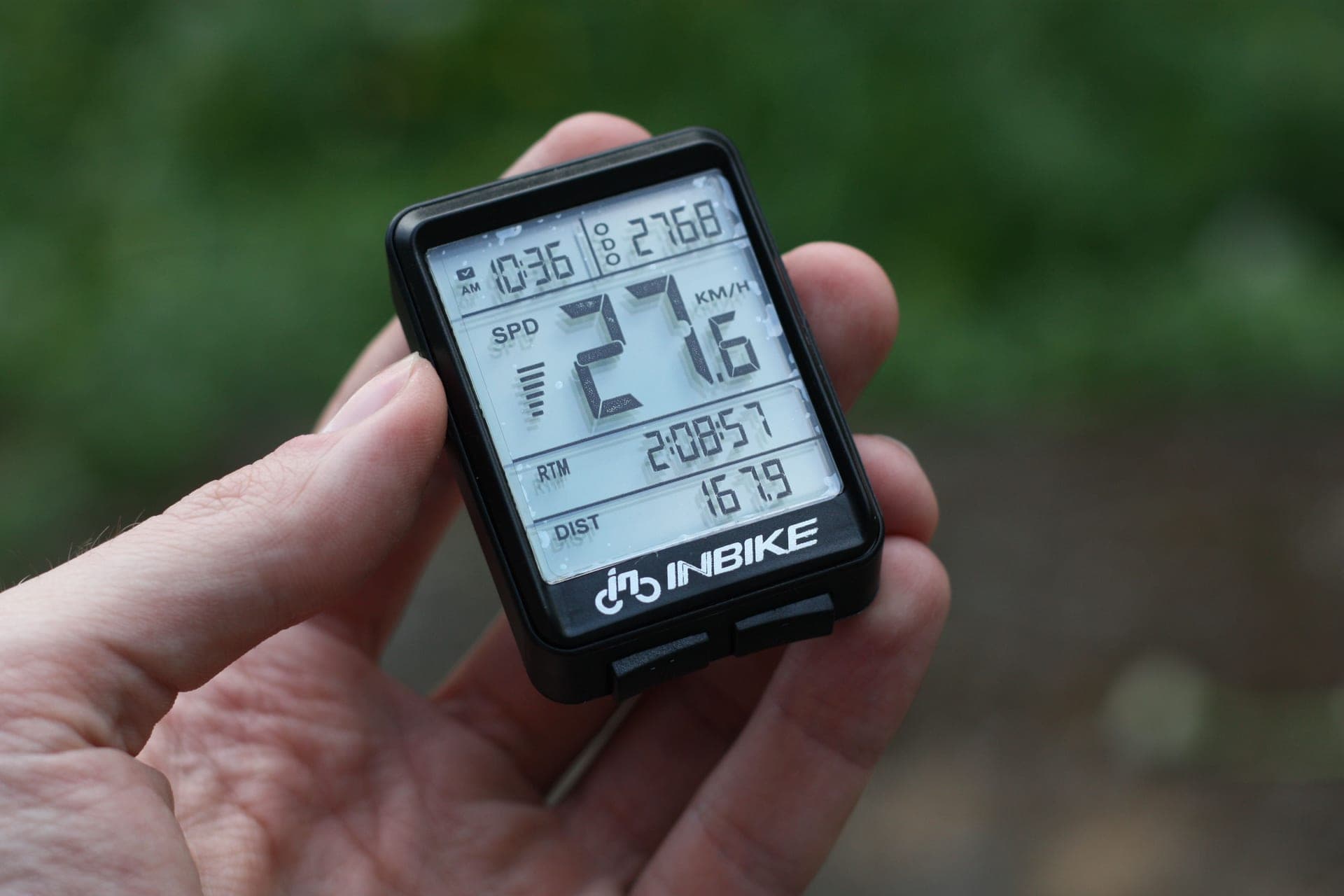
Almost every set of instructions you will find for this job is written for sensors that no longer exist. Magnets on the chainstay, a second magnet on the crank, a gap measured in millimeters — none of that applies any more. Current sensors use an internal accelerometer, which means they detect their own rotation and need nothing else on the bike.
What you need
The sensor, the rubber bands it came with, and about two minutes. No tools. Do not throw the box away until you have paired it, because the mode-switch instructions for dual-purpose sensors like the Magene S3+ are printed there.
Step 1 — Work out which sensor you actually have
Many sensors sold as "speed and cadence" are one sensor that does one of the two jobs at a time. A cadence sensor goes on the crank arm. A speed sensor goes on the wheel hub. If yours is switchable, set the mode before you fit it rather than after.
On a direct-drive trainer you only want cadence, because the trainer already reports speed and power. On a wheel-on or classic trainer you may want both — cadence sensors on a stationary bike covers the gym-bike version of this question.
Step 2 — Fit it to the non-drive crank arm
The sensor goes on the inside face of the left crank arm — the face pointing at the frame — with the body of the pod sitting along the arm toward the bottom bracket. Two reasons: that face is shielded from your heel on every pedal stroke, and the pod is closer to the axis of rotation, which keeps it out of the way of a chainstay.
Stretch the first band over the sensor and around the crank, then the second in the other direction so they cross. Pull them tight enough that the sensor does not rotate when you twist it with a finger. Then check clearance: turn the cranks backwards a full revolution and watch that the pod misses the chainstay, the front derailleur and your shoe.
If the crank arm is a shape that will not take a band — a deep aero profile, a power meter already bonded to it — use the shoe-clip option some sensors provide, or move to a sensor that offers one.
Step 3 — Wake it up
Magnet-less sensors sleep to save the battery and wake on movement. Spin the cranks for five or ten seconds before you go looking for it in an app. If there is an LED, it will blink while it is awake and broadcasting — which is your confirmation that the sensor works before you start blaming your software.
New sensors usually ship with a plastic battery tab. If there is no LED and no signal, that tab is the first thing to check.
Step 4 — Pair it
In Zwift, open the pairing screen and select the Cadence box specifically. Keep pedaling while you do it. If the sensor does not appear, see the troubleshooting list in cadence sensor not working.
On a Garmin or Wahoo head unit, use Sensors → Add Sensor and pick the cadence type. On a phone or tablet, pair inside the app rather than in the operating system's Bluetooth settings — most cycling apps want an exclusive connection, and a sensor already bonded at the OS level can be invisible to them.
| Sensor type | Where it mounts | What it reports | Needed on a direct-drive trainer? |
|---|---|---|---|
| Cadence | Inside of non-drive crank arm | RPM | Yes, if your trainer does not report it |
| Speed | Wheel hub | Wheel speed and distance | No — the trainer reports speed |
| Switchable (speed or cadence) | Either, one job at a time | Whichever mode is set | Set it to cadence |
| Shoe-clip cadence | Clipped to the shoe | RPM | Yes, same as crank-mounted |
Where it goes on a trainer bike, specifically
Nothing about the install changes indoors, but two things about the decision do. First, most smart trainersalready broadcast cadence, so check before you buy a sensor at all — you may be solving a problem you do not have. Second, if you are on Apple TV, every sensor you add consumes one of the platform's two Bluetooth connections, which is covered in Zwift on Apple TV.
If you are not sure whether you need one at all, do you need a cadence sensor for Zwift answers that honestly, and cadence sensor vs power meter covers what each one is actually for.
The short answer
Cadence sensors that are easy to fit
| # | Product | Best for | Score | Price |
|---|---|---|---|---|
| 1 | 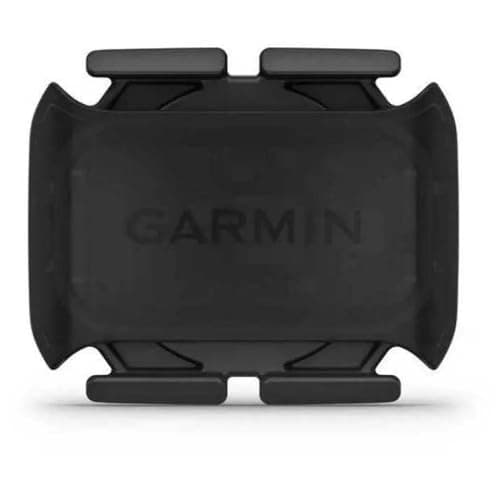 Garmin Cadence Sensor 2 The simplest sensor to fit: two rubber bands around a crank arm, and it is on the bike for a year. | Easiest to fit, and the easiest to pair | 8.78.7 out of 10 | |
| 2 | 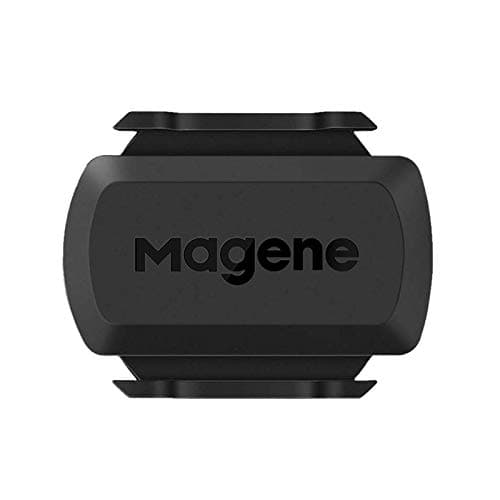 Magene S3+ The value pick, and the most flexible one to fit: two mounting options in the box and a mode switch if you change your mind. | Best value, and switchable between speed and cadence | 8.58.5 out of 10 | $16.99 · View on Amazon #ad We may earn a commission · Price as of October 21, 2026 |
| 3 | 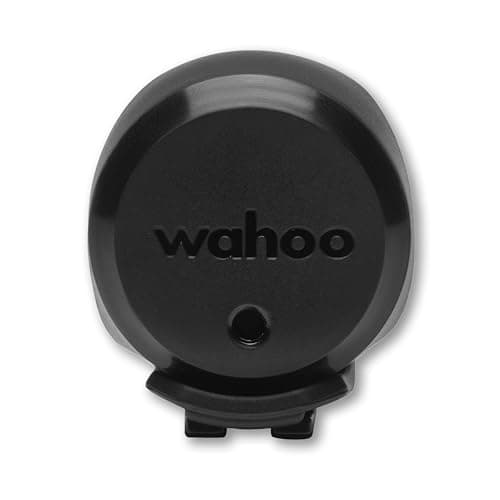 Wahoo TRACKR Speed The companion sensor: fit it to the hub if you need wheel speed on a wheel-on setup, and pair it alongside a cadence sensor rather than instead of one. | If what you actually need is speed, not cadence | 8.48.4 out of 10 | $44.99 · View on Amazon #ad We may earn a commission · Price as of October 21, 2026 |
| 4 | 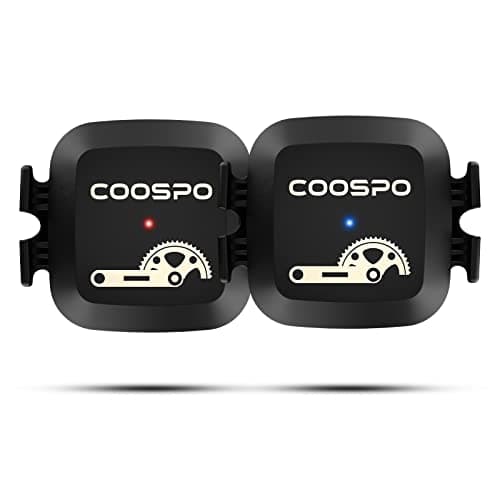 Coospo Cadence Sensor The budget pick, and the one with the useful escape hatch: if the crank arm will not take a band, it clips to your shoe instead. | Cheapest way to get cadence on the bike | 8.08.0 out of 10 |
Three mistakes that cause most failed installs
Fitting it to the drive side. It will work, but the pod is then alongside the chainring and the chain, which is a worse place for it and harder to keep clear.
Bands too loose. A sensor that can rotate on the arm will read intermittently, and the symptom looks exactly like a flat battery.
Pairing at the operating system level.Bonding a sensor in your phone or tablet's Bluetooth settings can make it unavailable to the app that actually needs it. Pair inside the app.
Battery, and when to change it
These run on CR2032 coin cells. Garmin claims up to about twelve months; Wahoo quotes around 200 hours for the TRACKR Speed. Keep a spare in your toolbox — the cell is the single most common cause of a sensor that has stopped appearing, and the symptom is intermittent readings before it is total silence.
When you change it, note the orientation of the old cell before you lift it out, and check the rubber gasket seats properly when you close the case. A badly seated gasket is how sweat gets in on an indoor bike, and sweat protection is a real consideration for anything mounted on a trainer bike.
Not bought one yet?
See every cadence sensor rankedThe full reviews
Every pick, in detail
Easiest to fit, and the easiest to pair
Garmin Cadence Sensor 2
8.78.7 out of 10The simplest sensor to fit: two rubber bands around a crank arm, and it is on the bike for a year.
- Connectivity
- Bluetooth + ANT+
- Mount
- Crank arm band (magnet-less)
- Battery
- CR2032 coin cell
- Battery life
- Up to ~12 months (claimed)
- Install
- Rubber band, no tools
What we'd praise
- Fits with two rubber bands and nothing else — no tools, no magnet, no alignment
- Drops straight into a Garmin Edge or watch, and shows up in Garmin Connect with no configuration
- Dual-band, so it still pairs with Zwift and other apps over Bluetooth
- The band mount hides against the crank arm with nothing sticking out to catch a shoe
What we'd flag
- No real advantage over the Wahoo or Magene unless you are already in the Garmin world
- The band mount can need re-seating over time on some cranks
- Coin cell means a battery change once a year rather than a charge
If you want this job to take two minutes, buy this one. The sensor is a small pod that straps to the inside face of the non-drive crank arm with a pair of rubber bands. There is no magnet to align, no spoke to clip, no tool to find, and nothing to get wrong.
It broadcasts both ANT+ and Bluetooth, so it pairs with an Edge, a watch, Zwift and essentially anything else. Our full review covers it in detail, and best cadence sensors ranks it against the field.
Best value, and switchable between speed and cadence
Magene S3+
8.58.5 out of 10#ad We may earn a commission · Price as of October 21, 2026
The value pick, and the most flexible one to fit: two mounting options in the box and a mode switch if you change your mind.
- Connectivity
- Bluetooth + ANT+
- Mount
- Crank arm or hub (dual mode)
- Battery
- CR2032 coin cell
- Modes
- Speed or cadence (switchable)
- Install
- Band mount, no tools
What we'd praise
- Ships with mounts for both the crank arm and the hub, so you decide the job at fitting time
- Mode switches between speed and cadence, which is useful if your setup changes
- Dual Bluetooth and ANT+ for well under the name-brand price
- Magnet-less and light enough to leave on the crank permanently
What we'd flag
- App and firmware polish trails Wahoo and Garmin
- You pick speed or cadence per sensor, so covering both still means buying two
- Mode switching is not obvious if you skip the instructions
The S3+ is the one to buy if you are not sure yet whether you want cadence on the crank or speed at the hub, because it does both and comes with the mounts for both. Fit it to the crank arm with the supplied band and it reads cadence; move it to the hub and switch the mode and it reads wheel speed.
That flexibility is worth real money on an indoor setup, because the right answer changes depending on whether your trainer is direct drive or wheel-on. Read the mode-switch instructions before you fit it — it is the one step on this page people miss.
If what you actually need is speed, not cadence
Wahoo TRACKR Speed
8.48.4 out of 10#ad We may earn a commission · Price as of October 21, 2026
The companion sensor: fit it to the hub if you need wheel speed on a wheel-on setup, and pair it alongside a cadence sensor rather than instead of one.
- Connectivity
- Bluetooth + ANT+
- Mount
- Wheel hub up to 40 mm (magnet-less)
- Battery
- CR2032 coin cell
- Battery life
- Up to ~200 hours (claimed)
- Measures
- Wheel speed / distance
- Water resistance
- IPX7
What we'd praise
- Stretch mount goes on any hub up to 40 mm in under a minute, with no tools
- Two LEDs confirm pairing and speed pickup, so you know the install worked before you ride
- Adds wheel speed and virtual distance on a wheel-on or classic trainer setup
- Dual-band and magnet-less, so there is no alignment step at all
What we'd flag
- It is a speed sensor, not cadence — a companion rather than a substitute
- Direct-drive trainers already report speed, so it is redundant for those setups
- Wahoo claims about 200 hours from the coin cell, well short of a year
A lot of people searching for how to install a cadence sensor actually need a speed sensor, because their trainer is wheel-on and their app is deriving virtual power from wheel speed. This is the one for that job: a stretch mount over the hub, no magnet, no alignment, done in under a minute.
The pairing LEDs are the feature worth knowing about. One confirms the sensor is awake and broadcasting, the other confirms it is seeing rotation — which removes almost all of the guesswork from an install that has gone wrong.
Cheapest way to get cadence on the bike
Coospo Cadence Sensor
8.08.0 out of 10The budget pick, and the one with the useful escape hatch: if the crank arm will not take a band, it clips to your shoe instead.
- Connectivity
- Bluetooth + ANT+
- Mount
- Crank arm or shoe (magnet-less)
- Battery
- CR2032 coin cell
- Modes
- Speed or cadence (switchable)
- Install
- Band mount or shoe clip
What we'd praise
- About the cheapest way to add reliable cadence to any app
- Can be clipped to a shoe instead of a crank, which solves awkward crank shapes
- Dual-band and magnet-less despite the low price
- Tiny and light enough to leave clipped on permanently
What we'd flag
- Build and app feel budget next to the Wahoo and Garmin
- Longer-term reliability is more of a gamble at this price
- The shoe-mount option is less secure than a crank band
Cadence is a cheap thing to measure, and this proves it. You get dual Bluetooth and ANT+, a magnet-less design and a band mount for pocket change.
The reason it earns a place on an installation page is the shoe-clip option. Some cranks — deep aero profiles, oversized carbon arms, cranks with a power meter already bonded to them — are awkward to band a sensor to. Clipping the sensor to your shoe measures the same rotation and sidesteps the problem entirely.
Good questions
Frequently asked questions
How do you install a cadence sensor?
Band it to the inside face of the non-drive crank arm with the pod pointing toward the bottom bracket, pull the two rubber bands tight so the sensor cannot rotate, spin the cranks for five to ten seconds to wake it, then pair it in your app or head unit. Modern sensors are magnet-less, so there is nothing to align.
Which side does a cadence sensor go on?
The non-drive side - your left crank arm - on the inside face pointing at the frame. That keeps it away from the chain and chainring, shields it from your heel, and gives the best clearance against the chainstay. Turn the cranks backwards a full revolution after fitting to check nothing touches.
Do cadence sensors need a magnet?
Not any more. Current cadence sensors use an internal accelerometer to detect their own rotation, so there is no magnet to fit to the frame and no gap to align. Instructions that describe aligning a magnet on the chainstay are written for a generation of sensors that is no longer sold.
Why won't my cadence sensor connect after installing it?
Most often it is asleep, the battery tab is still in it, or it has been paired at the operating system level instead of inside the app. Spin the cranks to wake it, check for the plastic tab under the battery cover, and pair inside Zwift or your head unit rather than in your phone's Bluetooth settings.
Can I put a cadence sensor on my shoe?
Yes, if the sensor supports it. Shoe-clip mounting measures the same rotation and is the standard workaround for cranks that will not take a band - deep aero profiles, oversized arms, or an arm that already has a power meter bonded to it. It is slightly less secure than a crank band.
Do I need a cadence sensor if I have a smart trainer?
Usually not. Most current smart trainers broadcast cadence along with power and speed, so adding a sensor duplicates data you already have. Check your trainer's specification first - and if you ride on Apple TV, remember that each extra sensor uses one of the two available Bluetooth connections.
How we sourced this
Keep going
Read these next
- AccessoriesThe Best Cadence Sensors
- GuidesCadence Sensor Not Working: A Fix List
- GuidesDo You Need a Cadence Sensor for Zwift?
- AccessoriesGarmin Cadence Sensor 2 Review
- GuidesCadence Sensor for a Stationary Bike
- GuidesCadence Sensor vs Power Meter
- GuidesWhat Cadence Should You Ride At?
- GuidesANT+ vs Bluetooth for Zwift