Start Here
How to Connect a Power Meter to Zwift
The pairing screen has four slots and most riders fill two of them wrongly. Here is which device belongs where, why you keep the trainer connected anyway, and what to do when the meter refuses to show up.
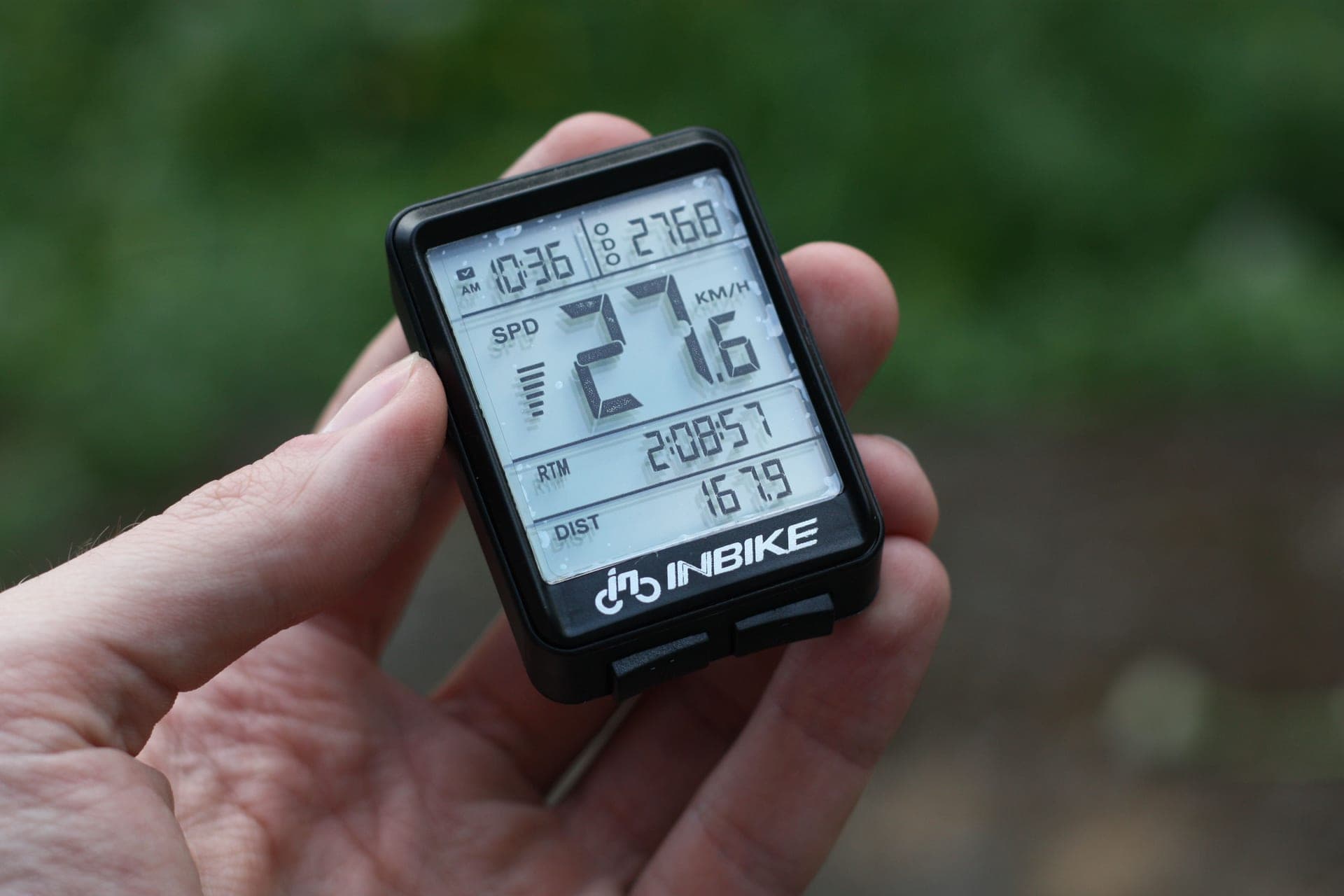
Connecting a power meter to Zwift is a thirty-second job that goes wrong for one reason: there are two devices in the room that can both report watts, and Zwift asks you which one it should believe. Get that answer right and everything else follows.
What the four slots do
Power Source. The device whose watts Zwift uses to calculate your speed. This is the slot your power meter belongs in. Whatever goes here is the number you race with, the number in your file, and the number your FTP comes from.
Controllable. The device Zwift sends resistance commands to. This is your trainer, and it stays here even when the trainer is no longer your power source — otherwise the road stops getting harder on climbs and ERG workouts cannot hold a target.
Cadence. Optional, and often already covered. Every power meter reports cadence inherently, because power is torque multiplied by angular velocity, so pairing the meter normally brings cadence with it. Do you need a cadence sensor for Zwift covers when a separate sensor is worth a connection slot.
Heart Rate. Independent of all of the above, and the one slot nothing else can fill.
| Zwift slot | What to pair | What happens if you get it wrong |
|---|---|---|
| Power Source | Your power meter | Zwift uses the trainer's watts instead, and your meter is just decoration |
| Controllable | Your smart trainer | No resistance changes on climbs, and ERG workouts cannot hold a target |
| Cadence | Usually the power meter, already | A stepped or lagging cadence trace if the trainer is estimating it |
| Heart Rate | Your chest strap or arm band | No heart rate data at all; nothing else can supply it |
The pairing sequence that works first time
1. Wake the meter before you open Zwift.Pedal-based meters wake on rotation and crank meters wake on movement, so spin the cranks a few turns. A meter that is asleep does not advertise, and a meter that does not advertise does not appear in the list. This is the cause of most "my power meter is not showing up" posts.
2. Do the zero offset first, in the manufacturer's app. Not in Zwift. Favero, Garmin and 4iiii all handle calibration in their own apps, and doing it before you pair means you are not switching Bluetooth connections mid-session. How to calibrate a power meter is the two-minute routine.
3. Close the manufacturer app completely. A phone app holding an active Bluetooth connection to the meter can prevent Zwift from seeing it, because many sensors will not advertise to a second Bluetooth host while one is connected. This is the second most common cause of a missing sensor.
4. Pair the trainer as Controllable. Do this before the power meter, because on some setups pairing the trainer automatically fills the Power Source slot too — and you want to see that happen so you can override it.
5. Pair the power meter as Power Source, overriding the trainer. Tap the Power Source slot, choose the meter, and confirm the trainer has moved out of that slot while remaining in Controllable.
6. Spin up and check the numbers move together. They will not match, and they are not supposed to. They should move in the same direction at the same time.
Why the two numbers disagree, and what to do about it
A power meter measures what your legs put into the cranks. A trainer measures what arrives at the resistance unit after drivetrain losses, and applies its own calibration. A consistent offset of a few percent between two honest devices is the expected outcome rather than a fault, and chasing it is a waste of a winter.
The practical rule is to pick one device as your reference and use it for everything: your FTP test, your interval targets, your season-on-season comparison. If you also ride outdoors, the power meter is the obvious reference, because it is the device that exists in both places. How accurate are power meters and how accurate are smart trainers explain the mechanics, and how to do an FTP test is the place that decision actually lands.
Dual-recording, if you want to verify the meter
Dual-recording means letting Zwift read one device while a head unit records the other independently, then comparing the two files afterwards. It is the only way to form your own view of a power source without taking a manufacturer's claim on trust.
The practical requirement is channels: a meter with multiple broadcast modes, like the Garmin Rally's ANT+, Bluetooth and Secure Bluetooth, can feed Zwift and a head unit at once. On a PC, let the head unit take ANT+ and Zwift take Bluetooth, or run both over ANT+ since ANT+ broadcasts to unlimited receivers. Look for a consistent percentage offset rather than matching numbers, and be suspicious of a gap that changes size with intensity.
When it will not connect: the fix list
Nothing appears in the list. Spin the cranks to wake the meter. Then close every other app that might hold it — the manufacturer app, a head unit sitting on the desk, a watch.
It appears, then drops. On a PC, this is almost always range or interference. Move the ANT+ receiver to an extension cable next to the bike rather than behind the desk; it is the single most effective fix in indoor cycling and it costs very little.
It connects but reads zero. Check the battery, then re-do the zero offset. On a rechargeable meter, a nearly-flat battery will often pair and then fail to report under load.
On an Apple TV, you run out of slots. Zwift Insider documents a two-Bluetooth-connection limit inside the game on Apple TV, with the remote taking one. Zwift Companion can bridge additional Bluetooth sensors but not ANT+ ones, and native and Companion pairing cannot be mixed in one session. Our Zwift on Apple TV page covers the whole budget, and ANT+ vs Bluetooth for Zwift explains why a computer setup never hits it.
The trainer keeps stealing the Power Source slot. Unpair it from that slot explicitly rather than hoping; some trainers will claim it on every launch, and the fix is to check the pairing screen each session rather than assume it persisted. If the trainer itself is the device dropping out, smart trainer not connecting to Zwift is the dedicated troubleshooting page.
The short answer
What makes pairing painless
| # | Product | Best for | Score | Price |
|---|---|---|---|---|
| 1 | 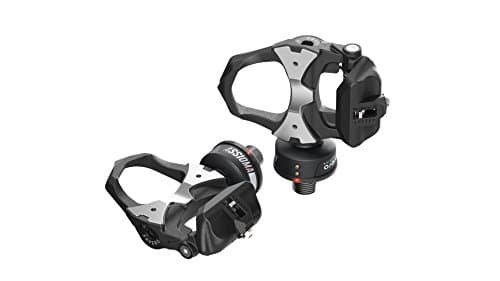 Favero Assioma Duo The pedal meter that pairs cleanly everywhere, which is most of what makes a power meter pleasant to live with. | Easiest power meter to pair on any Zwift platform | 9.29.2 out of 10 | $539.93 · View on Amazon #ad We may earn a commission · Price as of October 21, 2026 |
| 2 | 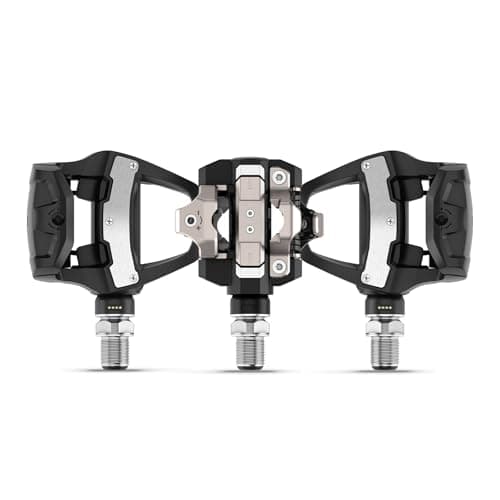 Garmin Rally RS210 The pick if you want Zwift and a head unit reading the same pedals at once, with the files landing where your outdoor rides already live. | Best if you dual-record to a Garmin head unit | 8.88.8 out of 10 | $899.99 · View on Amazon $1,199.99Save 25% #ad We may earn a commission · Price as of October 21, 2026 |
| 3 | 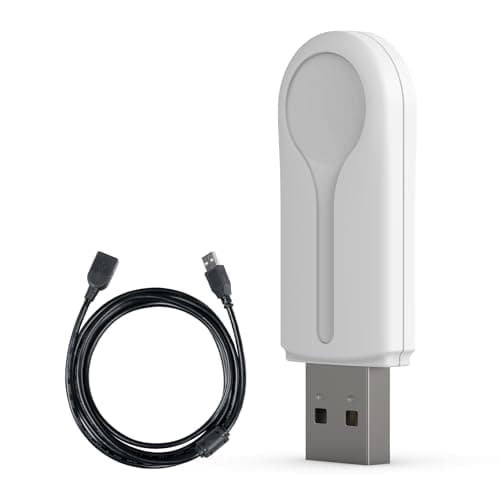 CYCPLUS ANT+ USB Receiver Stick The cheapest fix for a dropping or missing power signal on a computer, and the cable is the reason to buy this one. | The fix for most pairing problems on a PC | 9.09.0 out of 10 | $16.99 · View on Amazon #ad We may earn a commission · Price as of October 21, 2026 |
One habit worth keeping
Check the pairing screen before every session rather than trusting it. It takes five seconds, it catches the trainer reclaiming your Power Source slot, and it is the difference between a season of comparable data and a season of files you cannot trust. Riders who train to power and then discover half their winter was recorded from a different device are not rare — they just did not look at the screen.
Still choosing the meter?
See the best power meters for ZwiftThe full reviews
Every pick, in detail
Easiest power meter to pair on any Zwift platform
Favero Assioma Duo
9.29.2 out of 10#ad We may earn a commission · Price as of October 21, 2026
The pedal meter that pairs cleanly everywhere, which is most of what makes a power meter pleasant to live with.
- Type
- Dual-sided power meter pedals
- Claimed accuracy
- ±1%
- Cleat system
- Look Keo compatible
- Power
- Rechargeable, magnetic charging
- Connectivity
- Bluetooth and ANT+
- Install time
- Minutes, with a pedal wrench
What we'd praise
- Broadcasts both ANT+ and Bluetooth, so it pairs on a PC, a tablet or an Apple TV without a workaround
- Multiple Bluetooth links, which keeps it usable on connection-limited platforms
- Zero-offset calibration takes seconds in the Favero app
- Dual-sided ±1%, so the number you pair is a measurement of both legs
What we'd flag
- Rechargeable, so a flat battery is a pairing failure waiting to happen
- Look Keo cleats
- Still has to be told which slot it occupies in the Zwift pairing screen
Dual-protocol broadcast is the feature that matters for pairing. Because the Assioma Duo sends both ANT+ and Bluetooth, it works on a PC with an ANT+ stick, on a tablet over Bluetooth, and on an Apple TV where Bluetooth is the only option — with no bridging workaround required.
Calibration is a few seconds in Favero's app. See our Assioma Duo review, and best power meters for Zwift for the whole category ranked on connectivity.
Best if you dual-record to a Garmin head unit
Garmin Rally RS210
8.88.8 out of 10$1,199.99Save 25%
#ad We may earn a commission · Price as of October 21, 2026
The pick if you want Zwift and a head unit reading the same pedals at once, with the files landing where your outdoor rides already live.
- Type
- Dual-sensing pedal power meter
- Claimed accuracy
- ±1%
- Battery
- Rechargeable lithium-ion, up to 90 hours
- Quick charge
- 15 minutes for about 12 hours of riding
- Cleat system
- Shimano SPD-SL (RS body)
- Weight
- 312 g the pair
- Connectivity
- ANT+, Bluetooth, Secure Bluetooth
- Water rating
- IPX7
What we'd praise
- Three broadcast modes, so it can feed Zwift and an Edge at the same time over different channels
- The cleanest route to dual-recording, because the second file lands in Garmin Connect automatically
- A 15-minute charge returns about 12 hours of riding, which rescues a session you forgot to prepare for
- SPD-SL cleats, so no shoe change for most Shimano riders
What we'd flag
- The most expensive pedal meter here
- ANT+ is the sensible channel for a head unit, which means an ANT+ stick on a PC setup
- Still counts against an Apple TV's Bluetooth budget if you pair it that way
Dual-recording — Zwift reading the meter while a head unit records the same ride independently — is how you verify a power source without taking anyone's word for it. The Rally's three broadcast modes make that straightforward, and because Garmin Connect is where your outdoor files already are, the comparison is one screen away.
Garmin publishes ±1%, up to 90 hours, a 15-minute fast charge for about 12 hours of riding, IPX7 and 312 g for the pair. Our Rally RS210 review covers the generation.
The fix for most pairing problems on a PC
CYCPLUS ANT+ USB Receiver Stick
9.09.0 out of 10#ad We may earn a commission · Price as of October 21, 2026
The cheapest fix for a dropping or missing power signal on a computer, and the cable is the reason to buy this one.
- Protocol
- ANT+
- Connection
- USB-A
- In the box
- 3 m extension cable
- Platforms
- Windows and macOS with ANT+ support
- Works with
- Trainers, power meters, HR straps, cadence sensors
- Why it wins
- The cable is the feature
What we'd praise
- ANT+ has no practical sensor limit, so pairing a power meter, a trainer, a strap and a cadence sensor stops being a budgeting exercise
- The 3 m extension cable gets the receiver off the back of the desk and next to the bike, which is where dropouts are solved
- Cheap enough to be the first thing you try when a signal is unstable
- Works with everything, not just power meters
What we'd flag
- PC and Mac only — an Apple TV has no USB port for it
- ANT+ only, so it does nothing for a Bluetooth-only sensor
- One more cable to route in a sweaty room
Most "my power meter will not connect" problems on a PC are range and interference problems, not pairing problems. A USB ANT+ stick plugged into the back of a tower, two meters and one steel frame away from the pedals, drops signal. The same stick on a 3 m extension, hanging next to the bottom bracket, does not.
It also removes the connection-budget problem entirely, because ANT+ has no practical limit on simultaneous sensors. Best ANT+ adapters for Zwift ranks the options.
Good questions
Frequently asked questions
How do I connect a power meter to Zwift?
Spin the cranks to wake the meter, do the zero offset in the manufacturer's app and then close that app so it is not holding the Bluetooth connection. In Zwift, pair the trainer as Controllable, then pair the power meter in the Power Source slot, overriding the trainer there. Spin up and confirm both numbers move together.
Should Zwift use my power meter or my trainer as the power source?
Pair the power meter as the Power Source and leave the trainer as Controllable. You then ride to the meter's watts while the trainer continues to apply resistance and hold ERG targets. If you also ride outdoors, the power meter is the better reference because it is the one device that exists both indoors and out.
Why is my power meter not showing up in Zwift?
Most often because it is asleep or already connected elsewhere. Spin the cranks for a few revolutions to wake it, then close the manufacturer's phone app, any head unit on the desk and any watch that may be holding it, since many sensors will not advertise to a second Bluetooth host while one is connected. On a PC, a USB ANT+ receiver on an extension cable next to the bike fixes most remaining dropouts.
Can I keep my smart trainer connected while using a power meter?
Yes, and you should. The trainer belongs in the Controllable slot so Zwift can still change resistance on climbs and hold target wattage in ERG workouts. Only the Power Source slot changes when you add a power meter.
Why do my power meter and smart trainer show different watts?
Because they measure in different places. The meter reads what your legs put into the cranks; the trainer reads what arrives at the resistance unit after drivetrain losses, with its own calibration applied. A consistent offset of a few percent between two honest devices is normal. Pick one as your reference, set your FTP from it, and track change rather than the gap.
How do I dual-record power in Zwift?
Let Zwift read one device over one protocol while a head unit records the other independently, then compare the files. A meter with multiple broadcast modes makes this easy - on a PC, give the head unit ANT+ and Zwift Bluetooth, or run both over ANT+, which broadcasts to unlimited receivers. Look for a consistent percentage offset rather than identical numbers.
Can I pair a power meter to Zwift on an Apple TV?
Yes, if the meter broadcasts Bluetooth, but the budget is tight. Zwift Insider documents two Bluetooth connections inside the game on Apple TV with the remote taking one of them. Zwift Companion can bridge extra Bluetooth sensors but not ANT+, and native and Companion pairing cannot be mixed in one session.
How we sourced this
- Zwift — support: pairing devices, ANT+ and Bluetooth
- Zwift Insider — Zwift on Apple TV: pros, cons and quirks (two Bluetooth connections in the game, remote uses one, Companion as the workaround)
- Zwift Insider — Apple TV connection limit
- Favero — Assioma DUO specifications and app calibration (manufacturer)
- Garmin — Rally RS210 product page and specifications (manufacturer)
- 4iiii — complete guide to the PRECISION 3+ powermeter (manufacturer)
- ANT+ — the standard, device profiles and interoperability (ANT)
Keep going
Read these next
- Power MetersThe Best Power Meters for Zwift
- Power MetersHow to Calibrate a Power Meter
- GuidesSmart Trainer Not Connecting to Zwift
- GuidesANT+ vs Bluetooth for Zwift
- Indoor SetupZwift on Apple TV
- GuidesHow Accurate Are Power Meters?
- GuidesHow to Install a Power Meter
- AccessoriesThe Best ANT+ Adapters for Zwift