Pain Cave
The Best Monitors for Zwift, Ranked
A monitor sits three feet from your face, not across the room - which flips the specifications that matter. Resolution and height adjustment beat screen size and refresh rate every time.
The short answer
Quick picks
| # | Product | Best for | Score | Price |
|---|---|---|---|---|
| 1 | 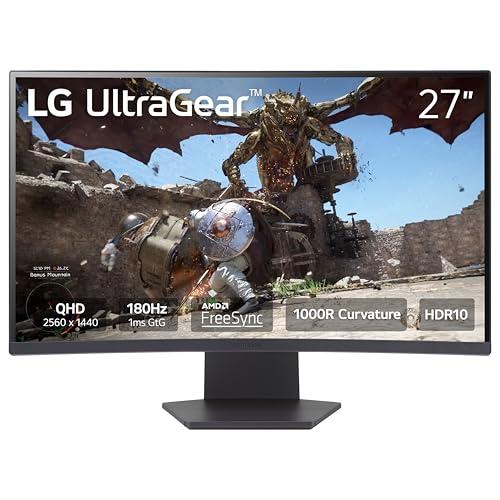 LG 32GS60QC-B UltraGear The monitor we would put in front of a trainer: a 32-inch QHD curved panel is the right size and the right resolution for a screen you sit three feet from, and the contrast makes the game look good. | Best monitor for Zwift overall | 8.88.8 out of 10 | |
| 2 | 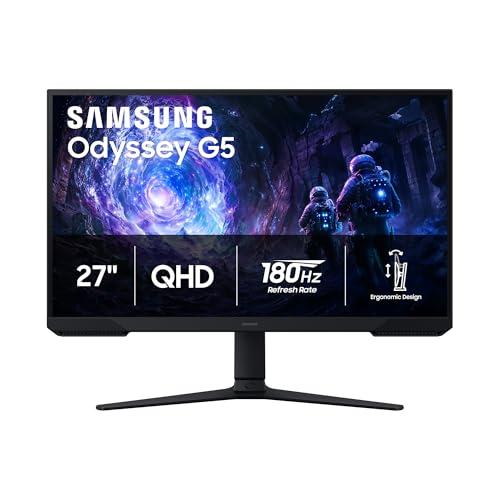 Samsung 27-inch Odyssey G5 (G51F) The best 27-inch option and the practical choice for a trainer desk: QHD sharpness at close range, a height-adjustable stand, and less money than the bigger picks. | Best 27-inch, and the one with a height-adjustable stand | 8.58.5 out of 10 | $139.99 · View on Amazon #ad We may earn a commission · Price as of November 24, 2026 |
| 3 | 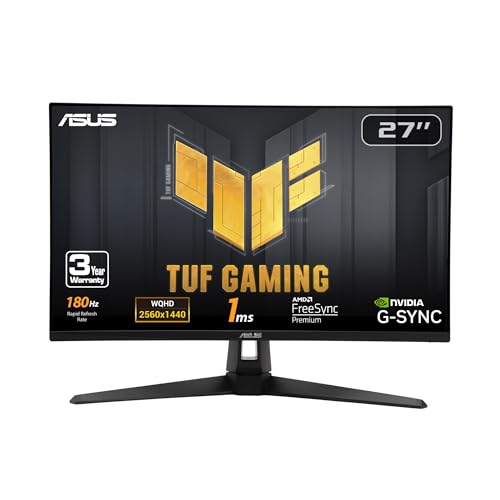 ASUS TUF Gaming VG27AQ3A The pick if picture quality and viewing angles matter most: a Fast IPS panel holds up when you are out of the saddle and looking down at it from an angle, at the cost of black levels. | Best picture quality, and the best off-angle view | 8.48.4 out of 10 | |
| 4 | 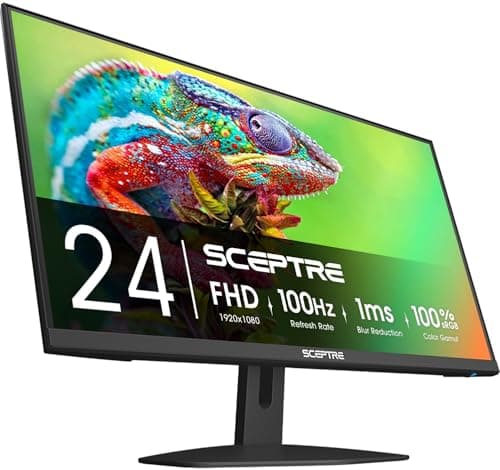 Sceptre 27-inch Prime (E275W-FW100T) The budget pick, and a genuinely sound one: a 27-inch screen with the right inputs, real speakers and a confirmed VESA pattern, giving up resolution to get there. | Budget pick: the cheapest screen worth putting in front of a trainer | 7.87.8 out of 10 | |
| 5 | 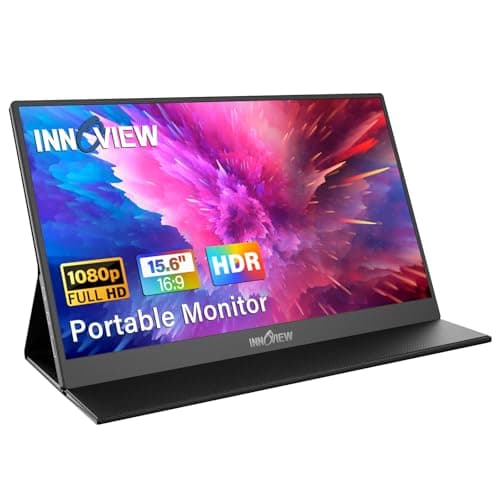 InnoView 15.6-inch Portable Monitor Not a primary pain cave screen, but the right answer for a travel trainer setup or as a cheap second display showing the rider list while the big screen shows the road. | Best for a travel setup or a second screen | 7.27.2 out of 10 |
Most Zwift screen advice is really TV advice — buy the biggest cheap 4K panel and hang it on a wall. That is the right answer when the screen is eight feet away, and our best TV for Zwift roundup covers it. This page is about the other setup, which is at least as common: a monitor on a table, a desk or a trainer desk, two to four feet in front of your bars.
That distance changes nearly everything about which specifications matter, and it is worth being precise about why.
Why a monitor is a different purchase than a TV
Resolution suddenly matters.This is the big one. A 43-inch 1080p TV across a room looks fine; the same pixel density at three feet does not. 1080p on a 27-inch panel is roughly 82 pixels per inch, and at trainer-desk distance you can see the structure — Zwift's rider names, the climb profile and the small HUD text all look soft. QHD on the same 27 inches is about 109 ppi and the difference is immediately obvious.
You need far less screen. A 27-inch monitor at three feet fills a similar amount of your vision as a 50-inch TV at six. Buying a 43-inch panel for a desk three feet away is not more immersive, it is just closer to your face than you can comfortably take in.
Height adjustment and VESA mounting become the features that matter. On a bike your eye line is higher and further forward than it is in a desk chair, and you are looking slightly down. A monitor with a height-adjustable stand, or a VESA pattern and a $25 arm, lets you put the picture where your eyes already are. A fixed-height stand puts it several inches too low, which you will feel in your neck by minute forty.
And a monitor has no apps. A TV can often run Zwift-adjacent things on its own; a monitor is a display and nothing else. You need an Apple TV, a PC, a laptop, a tablet or a console plugged into it — Zwift on Apple TV is the cheapest tidy route, and a tablet removes the question entirely by being the screen and the computer at once. Whichever device you choose still needs something to tell it how fast you are going: a smart trainer does that itself, and on a classic trainer it is a speed sensor on the rear hub.
How we ranked them
Picture at close range first — pixel density and contrast at two to four feet, because that is the only distance that matters here. This is where QHD panels pull away from 1080p ones and where VA contrast beats IPS for night riding while IPS beats VA for off-angle viewing.
Then size for the space — how much of your vision a panel fills from a trainer desk, which rewards 32 inches over 27 and penalizes a 15.6-inch portable heavily. Then inputs and flexibility: two HDMI ports so an Apple TV and a laptop can coexist, built-in speakers so a budget setup has sound, and a published VESA pattern so the screen can be mounted where you actually want it. Then value inside the category.
We have not tested these monitors side by side, and every figure on this page comes from the manufacturer's published specification or the retailer listing, cited below. Where a maker's own regional pages disagree — LG's brightness figure, for example — we have said so rather than picking the flattering number. How we review explains the method.
| Monitor | Size | Resolution | Panel | Refresh (not a Zwift benefit) | Speakers |
|---|---|---|---|---|---|
| LG 32GS60QC-B UltraGear | 31.5 in curved 1000R | QHD 2560 x 1440 | VA | 180 Hz | Not listed |
| Samsung Odyssey G5 (G51F) | 27 in | QHD 2560 x 1440 | VA | 180 Hz | Not listed |
| ASUS TUF VG27AQ3A | 27 in | 1440p 2560 x 1440 | Fast IPS | 180 Hz | Yes |
| Sceptre 27 in Prime (E275W-FW100T) | 27 in | 1080p 1920 x 1080 | VA | 100 Hz | Yes |
| InnoView 15.6 in portable | 15.6 in | 1080p Full HD | Not published | Not published | Yes (token) |
Sound is the thing people forget
A TV has speakers. A lot of monitors do not, and the spec sheets are quiet about it — of the five picks here, only the ASUS, the Sceptre and the InnoView list built-in speakers, and neither LG nor Samsung lists them for the two QHD panels we rank first and second.
That is not a disqualifier, but it is a line item. If you buy a monitor without speakers you need a plan: headphones, a cheap powered speaker, or audio out of the device rather than the screen. In a pain cave with a fan running, headphones usually win anyway — cycling headphones under $100 covers that, and our fan roundup explains why the noise floor is higher than you expect.
Where to put it, and the thing that will kill it
Height first.Get the center of the screen at or just below your eye line when you are in your normal riding position — not your standing position and not your desk chair position. A height-adjustable stand does this for free; a VESA arm does it better. Most 27-inch monitors use a 100 x 100 mm VESA pattern, but check the spec sheet for your exact model before you buy an arm: Samsung does not publish a VESA figure for the G51F on the regional page we could check, while the Sceptre's 100 x 100 mm pattern is confirmed.
Then distance. Two to four feet is the usable band. Closer than two and a 27 or 32-inch panel is too much to take in; further than four and you are in TV territory and should buy a TV.
Then sweat, which is what actually destroys pain cave electronics. A monitor on a trainer desk sits directly in the drip line off your chin, your arms and your bars. Sweat is salty and conductive, it finds vents, and it corrodes. Keep the screen out of the direct drip path, wipe the desk down after every ride, and read bike trainer sweat protection before you put an expensive panel eighteen inches from your face.
Monitor, TV or tablet?
All three are legitimate and they suit different rooms, so the short version:
A monitor if the screen will sit on a desk or table close in front of the bars, you want sharp text, and you already have something to plug into it. This is the best value route to a genuinely good-looking Zwift picture.
A TV if you have wall space and want the across-the-room, big-screen feel, or you want built-in apps and a remote. Our TV roundup is that page.
A tablet if you want one object that is both the screen and the computer, with no cables and nothing else to buy. Smaller picture, far simpler setup — the best tablets for Zwift covers it, and tablet holders handles the mounting.
The verdict
Buy the LG 32GS60QC-B UltraGear if you want the best Zwift picture from a desk: 32 inches of curved QHD at three feet is genuinely immersive and the contrast suits the game. Buy the Samsung 27-inch Odyssey G5 (G51F) if the space is tighter or the budget is — it is sharper per inch, cheaper, and the height-adjustable stand solves the problem most people do not realize they have. Buy the ASUS TUF VG27AQ3A if the screen doubles as a work monitor or you want IPS viewing angles while you move around on the bike. Buy the Sceptre 27-inch Prime as the budget pick and accept that 1080p at three feet looks soft. Buy the InnoView 15.6-inch portable only as a travel screen or a second display.
Whichever you choose, spend the saved money on getting it to the right height rather than on refresh rate you will never see.
Building the room, not just the screen?
See the full pain cave setup we recommendThree neighbors worth reading before you commit: the best TV for Zwift if the screen might go on a wall instead, Zwift setup cost for where a screen sits in the total bill, and our Zwift setup guide for getting the device behind it talking to the trainer.
The full reviews
Every pick, in detail
#1 · Best monitor for Zwift overall
LG 32GS60QC-B UltraGear
8.88.8 out of 10The monitor we would put in front of a trainer: a 32-inch QHD curved panel is the right size and the right resolution for a screen you sit three feet from, and the contrast makes the game look good.
- Screen size
- 31.5 in, marketed as 32 in
- Resolution
- QHD 2560 x 1440 (VA panel)
- Curve
- 1000R
- Refresh
- 180 Hz (more than Zwift will use)
- Brightness / contrast
- 300 cd/m2 typ., 3000:1 typ.
- Inputs
- 2 x HDMI, 1 x DisplayPort
What we'd praise
- QHD on a 32-inch panel is the sweet spot for a screen two to four feet from your bars - at that distance a 1080p panel this big starts to show its pixels
- The 1000R curve genuinely helps at close range, because a flat 32-inch screen at three feet has edges noticeably further away than its center
- A VA panel with LG's typical 3000:1 contrast makes Watopia's night sections and tunnels look like something rather than grey mush
- Two HDMI inputs plus DisplayPort, so an Apple TV and a laptop can both live on it without unplugging anything
- Big enough to fill your vision from a trainer desk without needing the wall space a TV does
What we'd flag
- The most expensive pick here at our last price check
- 180 Hz is a gaming specification and does nothing for Zwift, which most setups run at 60 frames per second - you are paying for headroom you will not use unless the monitor doubles as a games display
- A 1000R curve is slightly odd for desktop work and for anything with straight lines, so it is a less good general-purpose monitor than a flat panel
- LG's own regional spec sheets disagree on brightness (300 vs 400 cd/m2) and on panel bit depth, so treat those two numbers as approximate
- No remote and no apps - a monitor is a display, so you still need an Apple TV, a PC, a laptop or a console to run Zwift
A monitor on a trainer desk sits roughly two to four feet from your eyes, and that distance changes which specifications matter. Resolution matters much more than it does on a TV across the room, because at three feet you can see individual pixels on a cheap big panel. Size still matters, but you need far less of it. And the curve, which is mostly a gimmick at eight feet, actually does something at three.
This LG hits all three. LG lists it as a 31.5-inch QHD (2560 x 1440) VA panel with a 1000R curve, 180 Hz refresh, 1 ms GtG response, AMD FreeSync and HDR10, with typical brightness of 300 cd/m2 and typical contrast of 3000:1. The numbers that matter for Zwift are the resolution, the size and the contrast; the rest is gaming headroom.
Be clear-eyed about the refresh rate, because it is the main thing monitor marketing will try to sell you and Zwift will not use it. Most Zwift setups render at 60 frames per second, so 180 Hz buys you nothing unless the screen also plays actual games. If you want the big-screen-across-the-room experience instead, our best TV for Zwift roundup is the right page.
#2 · Best 27-inch, and the one with a height-adjustable stand
Samsung 27-inch Odyssey G5 (G51F)
8.58.5 out of 10#ad We may earn a commission · Price as of November 24, 2026
The best 27-inch option and the practical choice for a trainer desk: QHD sharpness at close range, a height-adjustable stand, and less money than the bigger picks.
- Screen size
- 27 in
- Resolution
- QHD 2560 x 1440 (VA panel)
- Refresh
- 180 Hz (more than Zwift will use)
- Response
- 1 ms (MPRT)
- Stand
- Height adjustable (per the listing)
- HDR
- HDR10, FreeSync
What we'd praise
- A height-adjustable stand, which on a trainer is worth more than any picture specification - a screen at the wrong height ruins your neck over an hour
- QHD on 27 inches is a higher pixel density than the LG, so text and rider names are crisp at close range
- Cheaper than both the LG and the ASUS at our last price check while keeping the QHD resolution
- 27 inches fits on a trainer desk or a narrow table in a way a 32-inch panel sometimes does not
- Samsung's panel and stand quality at this price is a known quantity rather than a gamble
What we'd flag
- 27 inches at three feet fills less of your vision than the 32-inch LG, and in a pain cave immersion is most of the point
- Samsung does not publish a VESA mounting pattern for this exact model on the regional spec page we checked, so confirm it before buying a monitor arm
- 1 ms here is an MPRT figure rather than GtG, which are not the same measurement and are not directly comparable between brands
- 180 Hz again does nothing for Zwift at 60 frames per second
- No remote, no apps, no tuner - it needs a device plugged into it
If your screen has to live on a trainer desk or a narrow table rather than a wall, 27 inches is usually the right size and this is the one we would buy. Samsung lists the G51F as a 27-inch VA panel at QHD (2560 x 1440) with a 180 Hz maximum refresh, 1 ms MPRT response, HDR10 and FreeSync, and the Amazon listing specifies a height-adjustable stand.
That stand is the quiet reason it beats several better-specified monitors for this job. On a bike you are looking slightly down and forward, not level at a desk, and a monitor stuck at a fixed desktop height puts the picture below where you want it. Being able to raise it four or five inches — or lower it, if it is sitting on a trainer desk that is already high — is the difference between a comfortable hour and a sore neck.
The honest gaps: Samsung does not list a VESA pattern for this model on the spec page we could check, so do not assume a monitor arm will fit until you have confirmed it; the 1 ms figure is MPRT rather than GtG and is not comparable to the LG's; and 27 inches at three feet is simply less immersive than 32. Pain cave setup ideas covers how people actually position screens in real rooms.
#3 · Best picture quality, and the best off-angle view
ASUS TUF Gaming VG27AQ3A
8.48.4 out of 10The pick if picture quality and viewing angles matter most: a Fast IPS panel holds up when you are out of the saddle and looking down at it from an angle, at the cost of black levels.
- Screen size
- 27 in
- Resolution
- 1440p 2560 x 1440 (Fast IPS panel)
- Refresh
- 180 Hz (more than Zwift will use)
- Color
- 130% sRGB (per the listing)
- Sync
- G-SYNC compatible, FreeSync Premium
- Warranty
- 3 years (per the listing)
What we'd praise
- A Fast IPS panel, which holds its color and contrast when you are looking at it from an angle - and on a bike you move around far more than you do in a desk chair
- 130% sRGB on the listing, so the colors are stronger than the budget VA panels here
- A three-year warranty on the listing, longer than most monitors at this price carry
- Built-in speakers, which matters more than it sounds: plenty of monitors have none at all and then you need a separate audio plan
- G-SYNC compatible and FreeSync Premium, so it is a genuinely good general-purpose gaming monitor when it is not showing Watopia
What we'd flag
- IPS panels have weaker black levels than VA, so night rides and tunnels look greyer than they do on the LG
- 27 inches and flat, so it is the least immersive of the three full-size picks from a trainer
- More expensive than the Samsung for a screen the same size and resolution
- 180 Hz, ELMB Sync and the rest of the gaming feature list are irrelevant to Zwift's 60 frames per second
- No remote, no apps - and as with every monitor here you still need a device to run Zwift on
The panel-type argument is more relevant in a pain cave than it is at a desk, because you move. Standing up, dropping into the drops, leaning on one elbow, looking down at the screen rather than straight at it — all of those are off-axis viewing, and that is where VA panels wash out and IPS panels hold steady.
ASUS lists the VG27AQ3A as a 27-inch 1440p Fast IPS panel at 180 Hz with 1 ms response, 130% sRGB, ELMB Sync, FreeSync Premium, G-SYNC compatibility, HDR10, built-in speakers and a three-year warranty. For Zwift, the parts that matter are the IPS panel, the resolution and the speakers; the rest is for whatever else the screen does.
The trade against the LG is black level. IPS panels cannot match a good VA panel's contrast, so a night ride or a tunnel looks greyer. Whether that or off-angle consistency matters more to you is genuinely a preference rather than a right answer. If the screen is going to be shared with a desk and real work, the IPS panel is the better all-rounder.
#4 · Budget pick: the cheapest screen worth putting in front of a trainer
Sceptre 27-inch Prime (E275W-FW100T)
7.87.8 out of 10The budget pick, and a genuinely sound one: a 27-inch screen with the right inputs, real speakers and a confirmed VESA pattern, giving up resolution to get there.
- Screen size
- 27 in (about 23.5 in / 60 cm wide)
- Resolution
- 1080p, 1920 x 1080 (VA panel)
- Refresh
- 100 Hz — irrelevant for Zwift
- Inputs
- 2 x HDMI, 1 x DisplayPort
- Audio
- Built-in speakers
- Mounting
- VESA 100 x 100 mm
What we'd praise
- Less than half the price of the QHD picks and still a 27-inch screen with two HDMI inputs and DisplayPort
- Built-in speakers, so a budget setup running an Apple TV or a Fire Stick has sound without buying anything else
- A confirmed VESA 100 x 100 mm pattern, so a $25 desk arm or wall mount will fit it - which is not true of every monitor here
- 100% sRGB on the listing, which at this price is unusual and means the colors are not obviously cheap
- Cheap enough that it is a sensible first screen you can later demote to a second display
What we'd flag
- 1080p on 27 inches is noticeably softer at three feet than QHD - this is the pick's real compromise and you will see it in small text and rider names
- A VA panel at the budget end, so off-angle viewing and uniformity are weaker than the ASUS
- Built-in monitor speakers are thin and quiet; any serious audio plan still means headphones or a speaker
- Sceptre's support and warranty network is thinner than LG's, Samsung's or ASUS's
- No remote, no apps, no tuner - it is a display and nothing more
This is the screen we would buy if the budget is the constraint, and it is the same panel we rank on our TV for Zwiftpage for riders whose "TV" is really a monitor on a desk. Two HDMI inputs, DisplayPort, built-in speakers, 100% sRGB on the listing and a confirmed VESA 100 x 100 mm pattern — at well under half the price of the QHD picks above.
The compromise is resolution and it is a real one. 1080p stretched across 27 inches gives you roughly 82 pixels per inch, and at a trainer-desk viewing distance of two or three feet that is visible — Zwift's small text, rider names and the climb profile all look softer than they do on a QHD panel. Across a room it would not matter. Three feet from your face, it does.
What it does not compromise on is the practical stuff: the VESA pattern means a cheap arm will mount it at exactly the height you want, and the speakers mean an Apple TV setup needs nothing else. Zwift setup on a budget puts this screen in the context of the whole build.
#5 · Best for a travel setup or a second screen
InnoView 15.6-inch Portable Monitor
7.27.2 out of 10Not a primary pain cave screen, but the right answer for a travel trainer setup or as a cheap second display showing the rider list while the big screen shows the road.
- Screen size
- 15.6 in
- Resolution
- 1080p Full HD
- Inputs
- HDMI and USB-C
- Audio
- Built-in speaker
- Power
- USB-C, so one cable can carry picture and power
- Extras
- Protective case doubles as the stand
What we'd praise
- 1080p on 15.6 inches is a high pixel density, so the picture is genuinely sharp at the very close distance a portable screen lives at
- USB-C means one cable can carry picture and power from a laptop, which makes a trainer setup in a hotel room or a garage corner trivially simple
- The cheapest pick here by a clear margin at our last check
- The protective case folds into the stand, so there is nothing else to buy and nothing to lose
- Useful as a second screen beside a big one - rider list on the small screen, the world on the large one
What we'd flag
- 15.6 inches is small: as a primary Zwift display it is a compromise, not a choice
- The built-in speaker is a token one and you will want headphones
- No VESA mounting, so positioning it depends entirely on the case stand and whatever it is standing on
- Portable monitors at this price have variable brightness and uniformity, and InnoView publishes less verifiable detail than the big brands
- USB-C power delivery from a weak laptop port can mean a dim screen or a second cable, which is the usual portable-monitor annoyance
There are two situations where a 15.6-inch portable monitor is the correct purchase rather than a sad compromise. The first is travel: a trainer, a laptop and one of these fit in a car trunk and turn a hotel room or a relative's spare room into a usable pain cave. The second is as a second screen, showing the rider list, your ERG workout graph or a race feed while the main display shows the world.
It is also the only pick here that can be powered and fed from a single USB-C cable, which removes a power brick and an HDMI run from the setup. For a corner of a garage with one outlet, that is a real advantage.
What it is not is a primary display for a serious pain cave. 15.6 inches at arm's length does not fill your vision, the speaker is a token, and there is no VESA mount so the position depends on the case stand. A tablet is often the better one-device answer at this screen size, because it runs Zwift itself rather than needing something plugged into it.
Good questions
Frequently asked questions
What is the best monitor for Zwift?
The LG 32GS60QC-B UltraGear. A 31.5-inch QHD (2560 x 1440) curved VA panel is the right combination of size and pixel density for a screen two to four feet from your bars, and the VA contrast suits Zwift's night sections. The Samsung 27-inch Odyssey G5 (G51F) is the practical pick because it is cheaper, sharper per inch and has a height-adjustable stand, and the Sceptre 27-inch Prime is the budget option.
Is a monitor or a TV better for Zwift?
It depends on where the screen sits. A monitor is better two to four feet in front of the bars, because at that distance pixel density matters and you need far less screen - a 27-inch QHD monitor close in fills your vision like a much larger TV further away. A TV is better if you have wall space and want the across-the-room feel plus built-in apps and a remote. Our TV for Zwift roundup covers that case.
What resolution do you need for Zwift on a monitor?
QHD (2560 x 1440) is the sweet spot at monitor viewing distance. 1080p stretched over 27 inches is about 82 pixels per inch, and at two or three feet you can see the pixel structure in Zwift's small text, rider names and climb profile. On 27 inches, QHD is roughly 109 ppi and the difference is immediate. 4K is not worth the money for Zwift on a 27 or 32-inch panel at this distance.
Does refresh rate matter for Zwift?
No, for practical purposes. Most Zwift setups render at 60 frames per second, so a 100 Hz or 180 Hz monitor has headroom it will never use. Refresh rate is the specification monitor marketing leads with and it is the one you should ignore here. Put the money into resolution and a stand that adjusts for height instead - unless the screen will also be used for actual gaming, where the high refresh rate does earn its keep.
How high should a monitor be for indoor cycling?
Get the center of the screen at or just below your eye line in your normal riding position, which is higher and further forward than your desk-chair eye line. A height-adjustable stand does this for free; a VESA monitor arm does it better and gets the screen off the desk entirely. Most 27-inch monitors use a 100 x 100 mm VESA pattern, but check your exact model - Samsung does not publish a VESA figure for the Odyssey G5 G51F on the regional spec page we could check.
Do monitors have speakers for Zwift?
Some do and many do not, and the spec sheets are easy to misread. Of the monitors we rank here, the ASUS TUF VG27AQ3A, the Sceptre Prime and the InnoView portable list built-in speakers; neither LG nor Samsung lists speakers for the two QHD panels we rank first and second. If your screen has none you need headphones, a powered speaker, or audio out of the device rather than the display - and with a fan running, headphones are usually the right answer anyway.
Can you run Zwift on a monitor without a computer?
Not from the monitor itself - a monitor is a display with no apps, no tuner and no remote. You need something plugged into it: an Apple TV, a PC, a laptop, a games console or a phone with a video output. The cheapest tidy option for most people is an Apple TV on an HDMI input. If you would rather not have a separate device at all, a tablet runs Zwift itself and is both the screen and the computer.
How we sourced this
- LG — 32GS60QC-B UltraGear gaming monitor product page
- LG — 32GS60QC-B regional specification sheet (panel type, contrast, brightness)
- Samsung — 27 in Odyssey G5 G51F specifications (panel, resolution, refresh)
- ASUS — TUF Gaming monitor range
- Sceptre — monitor range
- Zwift — system requirements and supported devices
Keep going