The Pain Cave
The Best Cadence Sensor for Zwift, Ranked
Zwift does not care how clever your sensor is. It cares which radio it speaks, how many connections your platform has left, and whether it wakes up. Those three things decide this ranking.
The short answer
Quick picks
| # | Product | Best for | Score | Price |
|---|---|---|---|---|
| 1 | 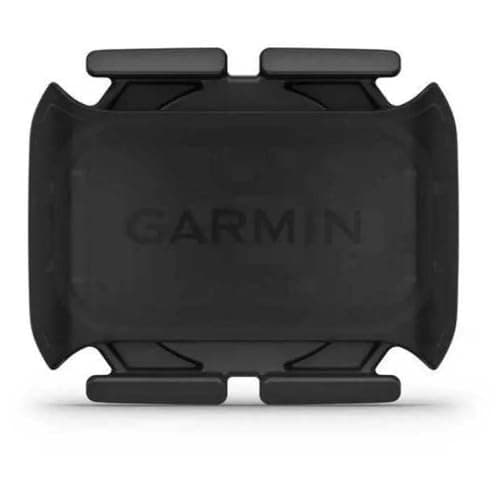 Garmin Cadence Sensor 2 Best for the rider who wants one sensor that pairs on every Zwift platform and is still working next winter. | Best overall for Zwift | 8.88.8 out of 10 | |
| 2 | 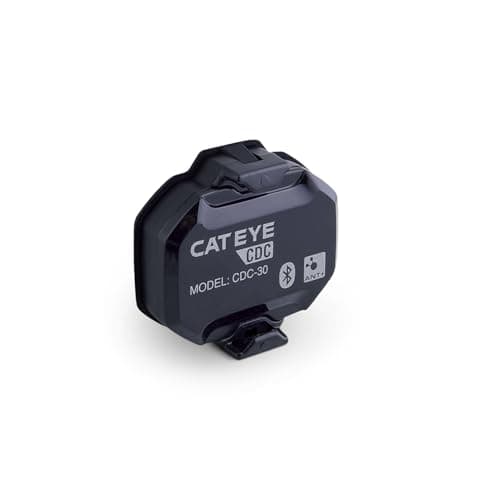 CatEye CDC-30 Best for the rider who wants the Garmin's dual-band flexibility without the Garmin's price. | Best value dual-band sensor | 8.98.9 out of 10 | |
| 3 | 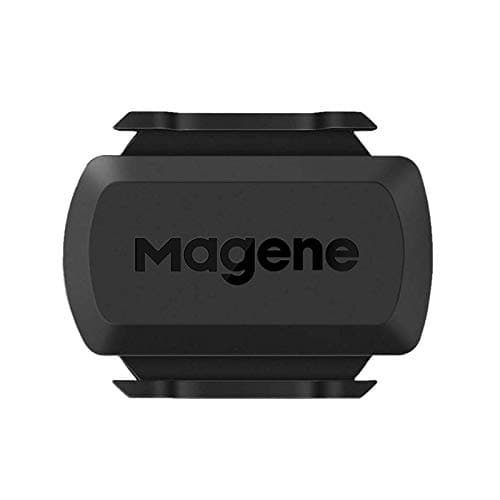 Magene S3+ Best for the rider who wants cadence in Zwift tonight and would rather spend the rest on the trainer. | Budget pick: cheapest sensor Zwift will pair | 8.58.5 out of 10 | |
| 4 | 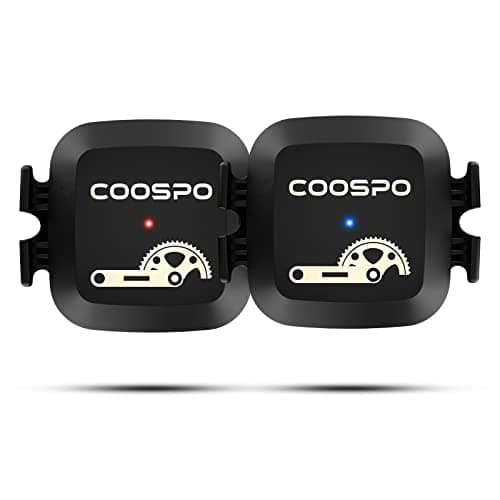 Coospo Cadence Sensor Best for the rider whose crank will not take a band — it goes on the shoe and reads the same rotation. | Best if you want it on your shoe instead | 8.08.0 out of 10 | |
| 5 | 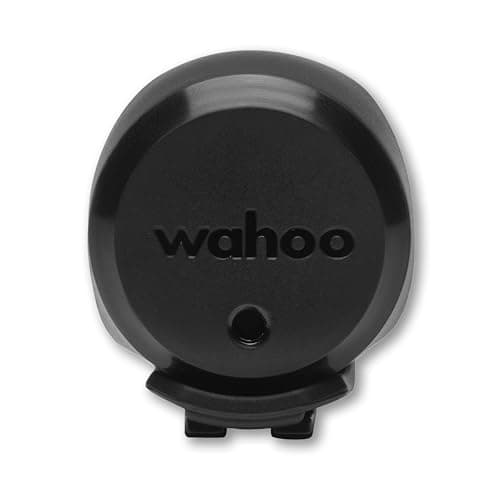 Wahoo TRACKR Speed Best for riders on a classic trainer who need Zwift to estimate power from wheel speed — buy it alongside a cadence sensor, not instead of one. | Best for the other half of a classic-trainer setup | 8.48.4 out of 10 |
A cadence sensor is a cheap part that fails in an expensive way: five minutes before a group ride, on the pairing screen, with your shoes already on. That is why this page is ranked differently from our general cadence sensor roundup, which judges these sensors as bike components. Here the only question is how they behave inside Zwift, and Zwift imposes three constraints that have nothing to do with how well a sensor counts revolutions.
The three things Zwift actually cares about
One: which radio. On an iPad, an iPhone, an Apple TV or an Android tablet, Zwift pairs sensors over Bluetooth only. There is no ANT+ path on those platforms at all, so an ANT+-only sensor is simply invisible. On Windows and macOS you get both, and ANT+ is the better one because ANT+ broadcasts to an unlimited number of listeners while Bluetooth negotiates a limited number of connections per sensor. Every sensor on this page is dual-band for exactly that reason — it is the only specification that makes a sensor safe to buy before you have settled on a platform. ANT+ vs Bluetooth for Zwift is the long version.
Two: how many connections your platform has left. This is the one that catches people. On Apple TV, Zwift gets just two Bluetooth device connections inside the game, and the Apple TV remote takes one of them. A smart trainer takes the other. That means a cadence sensor is already the third device, and it only works if you bridge it through Zwift Companion on your phone. On an iPad the limit is looser but still real, and it is a per-sensor negotiation rather than a published app-wide number. On a PC with a USB ANT+ stick the problem disappears. Zwift on Apple TV documents the two-connection limit and the Companion workaround in detail.
Three: whether it wakes up.Modern cadence sensors have no magnet. They read rotation with an internal accelerometer and sleep when the crank stops, which means the sensor is invisible on the pairing screen until you turn the pedals. Half of all "my cadence sensor is not working" reports are this, and the fix is to spin the crank backwards for a few seconds and refresh. Cadence sensor not working runs through the rest of the causes in order of how often they are the problem.
Do you even need one?
Honestly: often not. Most current smart trainers report cadence to Zwift themselves, either measured or derived, and if yours does then a separate sensor adds a connection and a battery for a number you already have. The three setups where a sensor is genuinely worth buying are a classic non-smart trainer, a wheel-on trainer that reports speed but not cadence, and a smart trainer whose derived cadence lags or jumps during hard efforts — which is the common complaint on cheaper direct-drive units, because derived cadence is a calculation rather than a measurement. Our guide do you need a cadence sensor for Zwift answers that question properly before you spend anything.
If you do need one, buy dual-band. The price difference between a Bluetooth-only sensor and a dual-band sensor is a few dollars, and dual-band is what makes the sensor survive a change of platform.
| Sensor | Radios | What it reports | Mount | Published battery claim |
|---|---|---|---|---|
| Garmin Cadence Sensor 2 | Bluetooth + ANT+ | Cadence | Crank band | Up to ~12 months |
| CatEye CDC-30 | Bluetooth 4.1 + ANT+ | Cadence | Crank strap or zip ties | ~10 months at 1 h/day |
| Magene S3+ | Bluetooth + ANT+ | Cadence or speed | Crank or hub | Not published |
| Coospo Cadence Sensor | Bluetooth + ANT+ | Cadence or speed | Crank or shoe | Not published |
| Wahoo TRACKR Speed | Bluetooth + ANT+ | Wheel speed | Hub, up to 40 mm | Up to ~200 hours |
How to pair it so it stays paired
Install the sensor on the inside of the non-drive crank arm, pointing in any direction — there is no magnet and no alignment. Spin the crank to wake it. Then open Zwift, go to the pairing screen, and pair cadence from inside Zwift. The single most common self-inflicted failure is bonding the sensor to the tablet or computer at the operating-system level first, in iOS or Windows Bluetooth settings: once the OS owns the connection, Zwift cannot have it, and the sensor appears to be broken. If you have already done that, forget the device in your Bluetooth settings and pair again from inside Zwift.
One more habit worth building: change the coin cell at the start of the indoor season rather than when it dies. A fading CR2032 does not fail cleanly — it drops out under load, which reads exactly like a software problem and sends people down the wrong rabbit hole. How to install a cadence sensor has the full step-by-step, including why every set of magnet-alignment instructions you find online is now obsolete.
The verdict
Buy the Garmin Cadence Sensor 2 if you want one sensor that will pair on whatever platform your pain cave ends up running, and will still be running next winter. Buy the CatEye CDC-30 if you want the same dual-band behavior and the IPX7 rating for less. Buy the Magene S3+ if the trainer deserves the money more than the sensor does — it is the budget pick and it does the job. Add the Wahoo TRACKR Speed only if your trainer cannot report power, in which case Zwift needs wheel speed to estimate it.
Riding outdoors too?
See the full cadence sensor rankingThe full reviews
Every pick, in detail
#1 · Best overall for Zwift
Garmin Cadence Sensor 2
8.88.8 out of 10Best for the rider who wants one sensor that pairs on every Zwift platform and is still working next winter.
- Connectivity
- Bluetooth + ANT+
- Mount
- Crank arm band (magnet-less)
- Battery
- CR2032 coin cell
- Battery life
- Up to ~12 months (claimed)
- Zwift pairing
- Cadence, on Bluetooth or ANT+
- Also works with
- Garmin Edge, watches, Wahoo head units
What we'd praise
- Dual-band, so the same sensor works on an iPad over Bluetooth and on a PC over ANT+
- Rubber band mount on the inside of the non-drive crank — nothing to align, no magnet to lose
- A claimed year on one coin cell, which is roughly a whole indoor season and then some
- If you also own a Garmin head unit, the sensor shows up there without a second pairing fight
What we'd flag
- The most expensive sensor on this page by a wide margin
- Garmin does not publish a simultaneous-Bluetooth-connection count, so plan for one app at a time
- No speed mode — this is a cadence sensor only
This is the sensor to buy if you want to stop thinking about sensors. It broadcasts on both Bluetooth and ANT+, which is the whole game on Zwift: the Bluetooth side is what an iPad, an Apple TV or an Android tablet can see, and the ANT+ side is what a Windows or macOS machine with a USB stick sees. Move your Zwift setup from a tablet to a laptop in a year and the sensor follows without a purchase.
The mount is a rubber band around the inside of the non-drive crank arm, and because the sensor reads rotation with an internal accelerometer there is no magnet and no gap to set. Garmin claims around twelve months from a CR2032 at an hour a day. The reason it is ranked first rather than the cheapest option is boring and real: it is the sensor least likely to make you troubleshoot in the ten minutes before a group ride. Our Garmin Cadence Sensor 2 review covers it on its own.
#2 · Best value dual-band sensor
CatEye CDC-30
8.98.9 out of 10Best for the rider who wants the Garmin's dual-band flexibility without the Garmin's price.
- Connectivity
- Bluetooth 4.1 + ANT+
- Mount
- Crank arm, strap or zip ties (magnet-less)
- Battery
- CR2032 coin cell
- Battery life
- About 10 months at an hour a day (claimed)
- Water resistance
- IPX7
- Zwift pairing
- Cadence, on Bluetooth or ANT+
What we'd praise
- Dual-band like the Garmin, for a fraction of the money
- IPX7 rating, which matters more indoors with a fan than it does outside
- Zip-tie option as well as the strap, so odd crank shapes are not a problem
- About ten months of claimed battery life at an hour a day
What we'd flag
- Bluetooth 4.1 rather than a newer radio; fine for Zwift, not future-proof forever
- No speed mode
- CatEye's head-unit ecosystem is less common in the US than Garmin's or Wahoo's
The CDC-30 does the one thing that actually matters for Zwift — advertise cadence on both Bluetooth and ANT+ — and charges much less for it. CatEye claims about ten months of battery at an hour a day and rates the unit IPX7, which is the specification you want on a part that lives six inches from a sweating rider with a fan blowing it around the room.
The mount is flexible: the supplied strap, or zip ties if your crank is an awkward shape. There is no magnet, so there is nothing to align and nothing to come loose. If you are buying two sensors — one for the trainer bike and one for a bike that goes outside — this is the one to buy twice.
#3 · Budget pick: cheapest sensor Zwift will pair
Magene S3+
8.58.5 out of 10Best for the rider who wants cadence in Zwift tonight and would rather spend the rest on the trainer.
- Connectivity
- Bluetooth + ANT+
- Mount
- Crank arm or hub (dual mode)
- Battery
- CR2032 coin cell
- Modes
- Speed or cadence (switchable)
- Zwift pairing
- Cadence or speed, depending on mode
- Best for
- Value, flexibility
What we'd praise
- The cheapest dual-band sensor we would put on a bike, by a long way
- Switchable: run it on the crank for cadence or on the hub for speed
- Buy two and cover both Zwift sensor slots for less than one Garmin
- ANT+ as well as Bluetooth, so it works on a PC with a USB stick
What we'd flag
- Magene does not publish a battery-life figure we can quote
- One sensor does one job at a time — speed or cadence, not both
- Build is plainer than the Garmin or the CatEye, and the app is an acquired taste
The budget pick, and genuinely not a compromise for this job. The S3+ is dual-band and switchable: mount it on the crank and it reports cadence, mount it on the hub and it reports wheel speed. For a Zwift rider on a classic non-smart trainer that flexibility is the point — one model covers both of the sensor slots the pairing screen offers you.
What you give up is a published battery figure and some polish. What you keep is the only thing Zwift reads: a clean dual-band cadence broadcast. If money is going into the trainer this year, buy this and stop.
#4 · Best if you want it on your shoe instead
Coospo Cadence Sensor
8.08.0 out of 10Best for the rider whose crank will not take a band — it goes on the shoe and reads the same rotation.
- Connectivity
- Bluetooth + ANT+
- Mount
- Crank arm or shoe (magnet-less)
- Battery
- CR2032 coin cell
- Modes
- Speed or cadence (switchable)
- Zwift pairing
- Cadence or speed, depending on mode
- Best for
- Tight budgets, odd cranks
What we'd praise
- Mounts on a shoe as well as a crank, which solves carbon cranks and clearance problems
- Dual-band, and switchable between speed and cadence
- Moves between bikes in seconds if it lives on the shoe
- Cheap enough to own two
What we'd flag
- Shoe mounting means remembering to move it when you swap shoes
- No published battery-life figure
- The least consistent of the sensors here on reports of long-term reliability
Some cranks will not take a strapped sensor: aero shapes, power-meter crank arms, anything with a tight chainstay. The Coospo answers that by also mounting on a shoe, where it reads exactly the same rotation and reports exactly the same number to Zwift. It is dual-band and switchable between speed and cadence like the Magene.
The shoe option has a cost: it is now attached to footwear rather than to the bike, so it has to move when the shoes do. For a pain-cave bike that never leaves the trainer, that is a non-issue.
#5 · Best for the other half of a classic-trainer setup
Wahoo TRACKR Speed
8.48.4 out of 10Best for riders on a classic trainer who need Zwift to estimate power from wheel speed — buy it alongside a cadence sensor, not instead of one.
- Connectivity
- Bluetooth + ANT+
- Mount
- Wheel hub up to 40 mm (magnet-less)
- Battery
- CR2032 coin cell
- Battery life
- Up to ~200 hours (claimed)
- Measures
- Wheel speed / distance
- Water resistance
- IPX7
What we'd praise
- The speed half of the pair Zwift needs on a non-smart trainer
- Dual-band, IPX7, and a published ~200-hour battery figure
- Hub mount fits up to 40 mm, so it clears most hub shells
- Wahoo's app makes the firmware and battery state easy to read
What we'd flag
- It is a speed sensor — it does not report cadence at all
- Pointless on a smart trainer, which already reports speed and power to Zwift
- 200 hours is a shorter claim than the Garmin's twelve months
This is on the list for one specific setup: a classic, non-controllable trainer. In that case Zwift has no power source at all and works it out from wheel speed using a known power curve, which means a speed sensor is not optional — it is the thing that makes the ride happen. Pair it with one of the cadence sensors above and the pairing screen is full.
If your trainer is a smart trainer, skip this entirely: the trainer already sends speed and power, and adding a wheel sensor just spends a Bluetooth channel to tell Zwift something it already knows.
Good questions
Frequently asked questions
What is the best cadence sensor for Zwift?
The Garmin Cadence Sensor 2. It broadcasts on both Bluetooth and ANT+, so it pairs on an iPad or Apple TV today and on a Windows or macOS machine with a USB stick later, and Garmin claims around twelve months from a single CR2032. The CatEye CDC-30 is the value alternative with the same dual-band behavior and an IPX7 rating, and the Magene S3+ is the budget pick.
Does Zwift need a cadence sensor?
Not usually. Most current smart trainers report cadence to Zwift themselves. A separate sensor is worth buying if you ride a classic non-smart trainer, if your wheel-on trainer reports speed but not cadence, or if your trainer's derived cadence lags during hard efforts. On a smart trainer that already sends a steady cadence figure, a sensor adds a battery and a connection for a number you already have.
Does a cadence sensor work on Apple TV with Zwift?
Only with help. Zwift on Apple TV gets two Bluetooth device connections inside the game and the Apple TV remote occupies one of them, so a trainer plus a cadence sensor is already one device too many. The workaround is to bridge the extra sensor through Zwift Companion on your phone. On an iPad or a PC the limit is much less restrictive, and on a PC with an ANT+ USB stick it disappears.
Do Zwift cadence sensors need ANT+ or Bluetooth?
It depends on the device running Zwift. iPad, iPhone, Apple TV and Android tablets pair sensors over Bluetooth only — there is no ANT+ option on those platforms. Windows and macOS support both, and ANT+ is preferable there because it broadcasts to unlimited listeners instead of negotiating a limited number of connections. Buying a dual-band sensor means you never have to care which platform you end up on.
Why does my cadence sensor not show up in Zwift?
Most often because it is asleep. Magnet-less sensors wake on rotation, so spin the crank for a few seconds and refresh the pairing screen. The second most common cause is that the sensor was paired at the operating-system level in iOS or Windows Bluetooth settings first, which stops Zwift from connecting to it; forget the device there and pair from inside Zwift instead. A fading CR2032 is the third, and it drops out under load rather than failing cleanly.
How we sourced this
- Zwift Insider — Apple TV and the two Bluetooth connection limit in Zwift
- Zwift Support — Pairing sensors and supported connection types by platform
- Garmin — Cadence Sensor 2 product specifications (battery life, installation)
- CatEye — CDC-30 cadence sensor specifications (Bluetooth 4.1 and ANT+, IPX7, battery life)
- Wahoo — TRACKR SPEED sensor specifications (hub mount, battery claim, IPX7)
Keep going